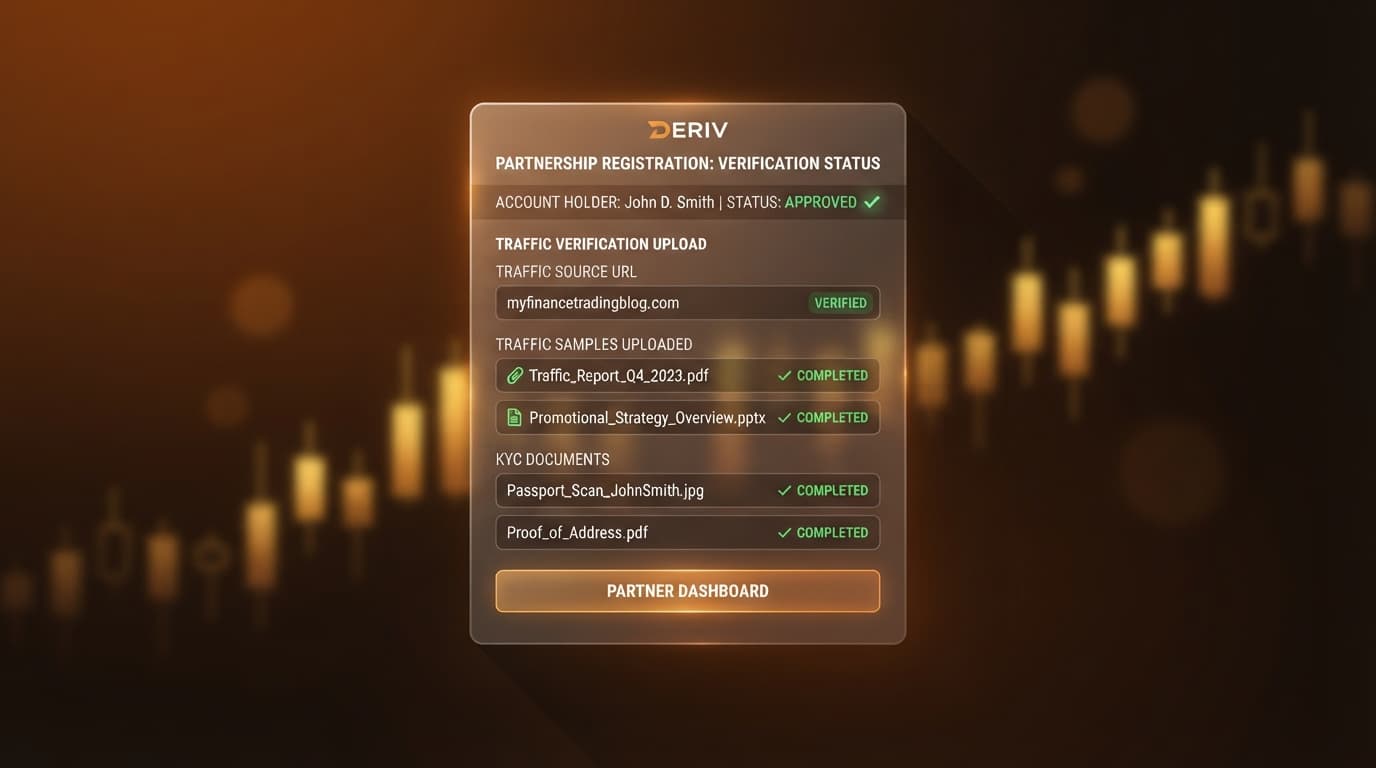
Affiliate marketers, trading content creators, YouTubers, and Telegram channel owners can register for a Deriv affiliate account directly at partners.deriv.com. To qualify for instant verification, applicants must possess an active online presence—such as a trading channel, website, or social media group—and provide valid government identification alongside proof of traffic ownership. The official Deriv affiliate program connects partners directly with an award-winning broker established over 25 years ago, serving over 3 million clients across 190+ countries with more than 117,000 active partners and over $118 million paid out in commissions.
What You Need
Before launching the signup form at partners.deriv.com, gather the required compliance materials to ensure immediate first-pass approval:
- Proof of Traffic: Full-screen, unedited screenshots of your media dashboard. For Telegram, export your group or channel analytics showing member counts and engagement. For YouTube, provide your creator studio overview showing 28-day impression metrics. For websites or blogs, provide Google Analytics or similar traffic dashboards showing site domain ownership and monthly visitor volume.
- Personal Identity Details: Complete legal name, proof of address, and primary email address matching your government-issued identification.
- Official Portal Access: Direct access to the official Deriv Affiliate sign-up portal at
partners.deriv.com.
Step 1: Access the Deriv Affiliate Portal and Launch Sign-Up
Begin by navigating to partners.deriv.com and selecting the option to apply for the deriv partner program.
Enter your primary email address and select your legal country of residence. The program accepts applications from over 190 countries. Create a password containing at least twelve characters, combining uppercase letters, lowercase letters, numbers, and symbols. Confirm that you are registering as an affiliate marketer, content creator, or community manager rather than a retail trading client.
Earn up to 45% as a Deriv Partner
Refer clients and earn up to 45% lifetime commission — revenue share + turnover payouts, paid daily. Free to join.
- Up to 45% Lifetime
- Paid Daily
- 20% Sub-Partner
- 190+ Countries
Step 2: Choose Your Commission Plan Structure
Deriv offers distinct commission models designed for different promotion strategies. Rather than combining multiple payout plans into a single account toggle, you select the specific structure that aligns with your traffic strategy during registration or account setup.
Review the primary commission structures to select the right option:
- Revenue Share: Earn up to 45% of net revenue generated by your referred clients across their entire lifetime of trading Volatility Indices, forex, commodities, and cryptocurrencies.
- Turnover Plan: Earn $50 per $100,000 in CFD turnover generated by referred traders. This plan provides fixed deriv partner commission rates based strictly on volume, regardless of client profitability.
Selecting the appropriate plan depends on your audience profile. Revenue Share suits communities focused on long-term trader retention, whereas turnover models favor audiences executing high-frequency CFD strategies on Volatility 75 (V75) or major currency pairs.
Step 3: Upload Compliance-Approved Traffic Proof
Compliance review requires verifying that your referral links appear on genuine, active media channels complying with financial promotion guidelines.
Navigate to the traffic source section during application. Select your primary distribution channel type:
- Telegram Channels / Groups: Upload a full-screen desktop screenshot of your Telegram Channel Info page. The image must show the channel title, public URL, subscriber count, and administrative permissions menu.
- YouTube Channels: Provide a screenshot of your YouTube Studio dashboard detailing channel handle, subscriber totals, and 28-day channel analytics.
- Websites / Blogs: Submit your published site domain along with a desktop screenshot of your domain management portal or web analytics overview.
Unedited screenshots showing full browser navigation bars prevent manual review flags and unnecessary processing delays.
Step 4: Set Up Your Sub-Affiliate Referral Link
Deriv provides a sub-affiliate program that allows you to earn additional revenue by introducing other educators, signal providers, and content creators to the broker.
In your affiliate dashboard, navigate to the sub-affiliate section to obtain your master referral link. When new partners register through your link, you earn an override of 8% to 10% calculated directly from their generated affiliate income.
This override is paid by Deriv and does not reduce the earnings of the sub-affiliates you recruit. For example, if a signal provider you introduce earns $5,000 in monthly revenue share, your account receives up to $500 in sub-affiliate commission during the regular payout cycle.
Step 5: Review Payout Schedules and Track Earnings
Understanding the payout schedule and performance metrics ensures smooth financial planning for your referral business.
Deriv processes affiliate payouts on a monthly schedule, disbursing accumulated earnings by the 15th of each month for the preceding month's activity. You can track all referred client registrations, deposit volumes, total turnover, and net revenue directly within your partner dashboard.
Use the built-in reporting tools on partners.deriv.com to analyze campaign performance:
- Review active referred clients across synthetic indices (V10, V25, V50, V75, V100, and 1Hz series), forex, and crypto markets.
- Monitor monthly volume metrics to evaluate which content channels drive the highest engagement.
- Choose your preferred withdrawal method within account settings, including bank transfer, e-wallets, or cryptocurrency wallets.
Step 6: Generate Your First Campaign-Tracked Referral Link
With your account details and traffic sources verified, create campaign-tracked referral links to begin directing traffic.
Go to the Marketing Tools section inside partners.deriv.com:
- Campaign Tagging: Enter a custom tracking tag corresponding to your traffic channel (such as
telegram_v75_signalsoryoutube_review). - Landing Page Selection: Choose an optimal destination page, such as the registration page tailored for synthetic index trading or standard account signups.
- URL Generation: Click the button to construct your custom tracking link and copy the output URL.
Every user who registers after clicking your link links directly to your partner account, ensuring lifetime attribution across all qualifying trade activity.
Troubleshooting Your Deriv Affiliate Sign Up
If your application faces delays or compliance requests, implement these quick resolution steps:
- Traffic Proof Rejected: Ensure your uploaded screenshots display the complete desktop interface, including site address bar, active channel handle, and channel admin controls. Avoid uploading mobile screenshots or cropped files.
- Account Pending Review: Monitor your email inbox for communication from the Deriv compliance team. Re-submit any requested identity documents or clarify how you acquire client traffic.
- Commission Plan Adjustments: If you need to modify your active payout model after account creation, submit a support request through the partner portal at
partners.deriv.combefore driving major traffic volumes.
Trading involves risk. Past performance does not guarantee future results.