Introduction
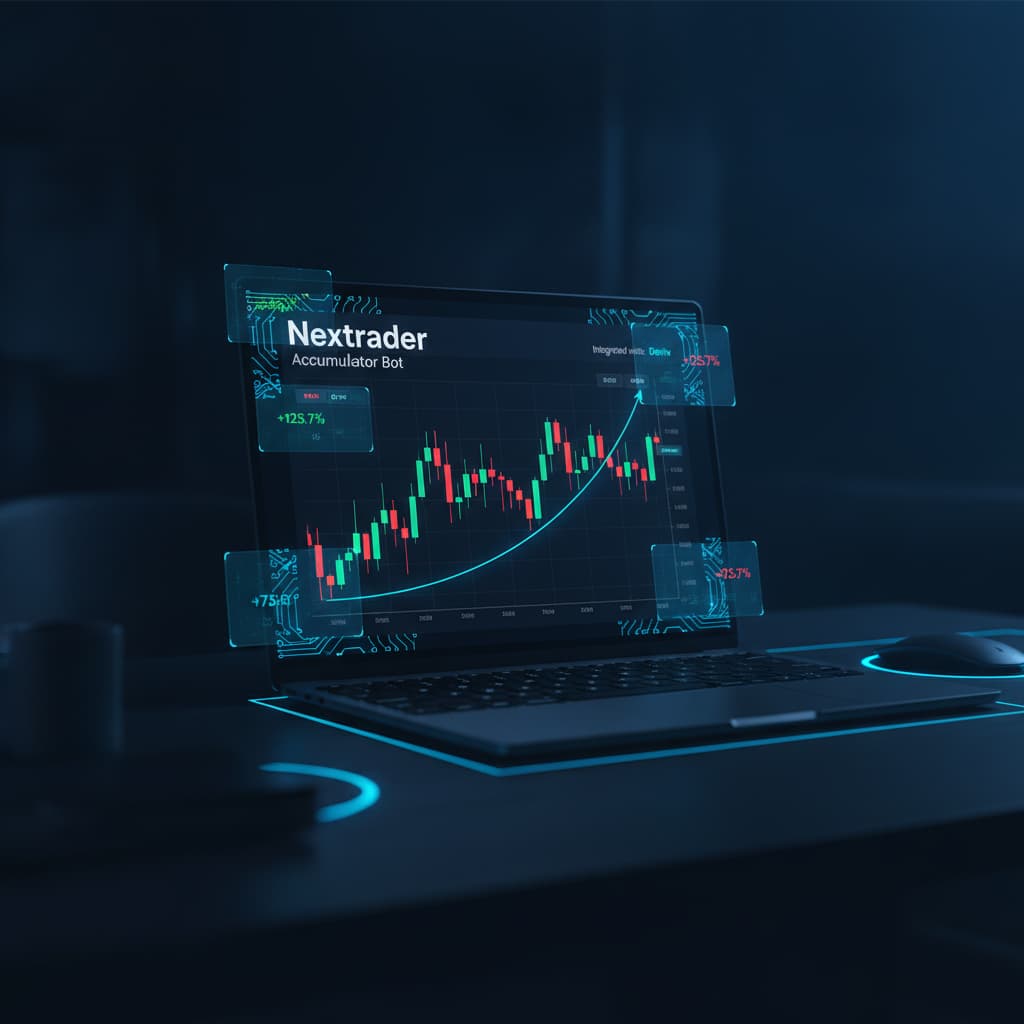
Welcome to this comprehensive tutorial on leveraging Nextrader's powerful Accumulator mode to target 1x-5x growth on your Deriv synthetic indices trades. If you're a Deriv trader looking to amplify your capital efficiently using advanced, free AI trading signals and automation, you've come to the right place. This guide is designed for both new and experienced users of the Nextrader ecosystem, providing a clear, step-by-step roadmap to configure and deploy the Accumulator bot.
By the end of this tutorial, you will understand how to set up your Nextrader account, choose an optimal AI trading strategy, initiate an Accumulator session, and monitor its progress towards your desired growth target, all while trading popular Deriv synthetic indices like V10, V25, V50, V75, V100, and even 1Hz markets. We'll focus on practical application, ensuring you can confidently navigate the platform and harness its capabilities to enhance your trading journey without any subscriptions or paywalls.
The Nextrader App offers a suite of free deriv trading tools, including real-time non-repaint signals and sophisticated deriv bots that automate your trading decisions. Our goal is to empower you with the knowledge to utilize these tools effectively, especially the unique Accumulator mode, which is designed for compounding small gains into significant growth over time, transforming how you approach binary bots and automated strategies.
What You Need Before Starting
- A Deriv.com Account: This is where your trading capital resides and where Nextrader will execute trades. Ensure it's verified.
- A Nextrader Account: Free to sign up at Nextrader App. This gives you access to all the AI trading signals and automation tools.
- Deriv API Token: You'll need to generate an API token from your Deriv account to securely connect Nextrader.
- Basic Understanding of Deriv Synthetic Indices: Familiarity with how synthetic indices move and their volatility characteristics will be beneficial.
Step 1: Accessing the Nextrader App and Connecting Your Deriv Account
Your first step is to get connected to the Nextrader platform and link your Deriv trading account securely. Nextrader offers 100% free tools for Deriv traders, making this initial setup straightforward and accessible.
Get Live AI Trading Signals
Real-time non-repaint signals from 11 AI strategies — Volatility Indices, Forex, Gold & Crypto. No subscription, no paywall.
- Auto Trader Bot
- Digit Trader Bot
- 11 AI Strategies
- Live Telegram Signals
- Navigate to the Nextrader App: Open your web browser and go to Nextrader App. If you're using an Android device, you can also download the Nextrader app from Google Play (com.vm.nextrader).
- Login or Sign Up: If you're a new user, click on the "Sign Up" option. The process is quick and free. Existing users can simply log in with their credentials.
- Connect Your Deriv Account: Once logged in, you'll be prompted to connect your Deriv account. This is done via a Deriv API token for maximum security and control.
* Log in to your Deriv.com account in a separate browser tab.
* Go to "Settings" -> "API Token" (or search for "API Token" in the Deriv search bar).
* Click "Create a new token." Give it a name (e.g., "Nextrader") and ensure all permissions, especially "Trade" and "Read," are checked. You can choose to restrict "Withdraw" permissions for extra security if you prefer.
* Copy the generated API token.
* Paste this token into the designated field within the Nextrader App and click "Connect."
- Select Your Trading Account: After successful connection, Nextrader will display your Deriv accounts (e.g., real, demo). Select the account you wish to use for Accumulator mode trading. For this tutorial, we recommend starting with a Deriv demo account to familiarize yourself with the process before transitioning to a real account. You can easily switch between accounts using Nextrader's multi-account support feature.
Once connected, you'll see your account balance and be ready to select your preferred Deriv synthetic indices for trading. This secure integration allows Nextrader's deriv bots to execute trades based on its ai trading signals directly on your Deriv account.
Step 2: Understanding Accumulator Mode and Selecting Your Target
Accumulator mode is a unique feature within Nextrader designed to compound your profits exponentially, aiming for a specific growth target. Instead of trading with a fixed stake or a simple Martingale, Accumulator mode dynamically adjusts your stake to reach a predefined multiplication of your initial capital.
- Locate the Accumulator Mode Setting: Within the Nextrader App interface, navigate to the main trading bot section. You'll typically find the "Accumulator" option alongside other money management strategies like Fixed Stake, Martingale, and Mesa Milano.
- Enable Accumulator Mode: Click or toggle the Accumulator mode option to activate it.
- Choose Your Growth Target: Once enabled, you'll see options to select your desired growth multiplier, ranging from "1x" up to "5x."
* 1x: This means you aim to double your initial capital. If you start with $10, you target $20.
* 2x: Aim to triple your initial capital (e.g., $10 to $30).
* 3x: Aim for 4x growth (e.g., $10 to $40).
* 4x: Aim for 5x growth (e.g., $10 to $50).
* 5x: Aim for 6x growth (e.g., $10 to $60).
Considerations: While a 5x target offers significant potential, it also carries higher risk and may require a longer trading session or more favorable market conditions. We recommend starting with a more conservative 1x or 2x target, especially when you're new to the mode. The bot will automatically calculate and adjust the stake for each subsequent trade to reach this target, assuming successful trades. This mode is compatible with both the Auto Trader Bot (for Rise/Fall and Higher/Lower contracts) and the Digit Trader Bot (for DIGITEVEN/ODD/OVER/UNDER/MATCH/DIFF contracts).
Step 3: Configuring Your Trading Strategy and Initial Stake
With Accumulator mode selected, the next crucial step is to define how Nextrader's deriv bots will identify trading opportunities and what your starting investment will be. This involves selecting an AI strategy and setting your initial stake.
- Select Your AI Trading Strategy: Nextrader provides 11 named AI strategies, each tailored to different market conditions and trading styles. For Accumulator mode, combining it with a robust signal strategy is key.
* Smart Signals (4+ indicators): Often a strong choice, as it requires a minimum of 4 indicators to agree, providing higher confidence real-time non-repaint signals.
* Smart Fusion (multi-indicator): Another excellent option for comprehensive analysis.
* Trend Hunter (EMA) or Trend Rider (SuperTrend): Ideal if you plan to trade with the prevailing market direction on Deriv synthetic indices.
* Reversal Radar (RSI) or Momentum Wave (MACD): Consider these for identifying potential turning points.
* Swift Scalper (Stochastic RSI): Can be used for faster, shorter-term trades, especially on lower timeframes.
Choose the strategy that aligns with your market outlook. You can test different strategies on a demo account to see which performs best for your chosen synthetic indices (V10, V25, V50, V75, V100, 1Hz) and timeframes.
- Select a Timeframe: Nextrader offers signals for 5min, 10min, 30min, and 1 hour timeframes.
* Shorter timeframes (5min, 10min) generate more frequent signals but can be more susceptible to market noise.
* Longer timeframes (30min, 1 hour) provide fewer, potentially more reliable signals, often with higher confidence levels (30-85%).
Match your chosen timeframe to your strategy and risk tolerance.
- Set Your Initial Stake: This is the very first amount the bot will use for its initial trade.
* Start Small: Especially when using Accumulator mode, it's prudent to start with a very small initial stake (e.g., $0.35, $0.50, $1.00). This protects your capital if the initial trades don't go as planned.
* The Accumulator mode will then dynamically adjust subsequent stakes based on your profits and the path to your growth target.
- Choose Money Management (Optional, but understand interaction): While Accumulator mode has its own stake management logic for compounding, you can still select a base money management strategy like Fixed Stake, Martingale, or Mesa Milano.
Fixed Stake: The Accumulator mode essentially overrides this for its compounding logic, but it sets the baseline for the initial* trade.
Martingale/Mesa Milano: These are primarily for loss recovery. If you use them with* Accumulator, understand that a Martingale might increase stake aggressively after a loss, which can deplete your capital faster, potentially failing the Accumulator target. Mesa Milano offers a smarter loss recovery. Generally, for pure Accumulator growth, focusing on the AI signal quality and a conservative initial stake is often preferred, letting the Accumulator's compounding do its work on winning streaks.
Ensure your chosen synthetic index is active and the market conditions are suitable for your strategy. Nextrader provides Entry, Stop Loss, TP1, and TP2 levels with its signals, which can help in manually managing trades even when the bot is running.
Step 4: Activating the Accumulator Bot and Monitoring Performance
With your strategy, timeframe, and initial stake configured, it's time to unleash the power of Nextrader's deriv bots and watch your Accumulator session unfold.
- Activate the Bot: Once all settings are in place, locate the "Start" or "Activate Bot" button within the Nextrader App and click it. The bot will immediately begin looking for trading opportunities based on your selected AI strategy and timeframe.
- Observe the Color-Coded Console: The Nextrader App features a real-time, color-coded console that displays all bot activity.
* Green entries: Indicate winning trades.
* Red entries: Indicate losing trades.
* Yellow entries: May indicate pending signals or specific bot actions.
This console provides immediate feedback on your bot's performance and allows you to track individual trades as they happen.
- Monitor Live P&L: Alongside the console, you'll see a live P&L (Profit & Loss) display. This updates in real-time, showing your current profit or loss for the active session. This is crucial for tracking your progress towards your 1x-5x growth target.
- Real-Time Non-Repaint Signals: Remember that Nextrader's AI trading signals fire only on CLOSED candles, ensuring they are non-repaint and reliable. This means the bot waits for confirmation before entering a trade, reducing false signals. Watch how your chosen strategy (e.g., Trend Hunter, Smart Signals) generates these signals, and how the bot acts on them to build up your accumulation.
- Multi-Account Support: If you have multiple Deriv accounts connected, you can switch between them to run different Accumulator sessions or test various strategies simultaneously, though it's often best to focus on one session at a time, especially initially.
While the bot automates the trading, active monitoring is still advisable. Keep an eye on the market conditions for your chosen Deriv synthetic indices. If market volatility changes drastically or your chosen strategy seems to be underperforming, you may need to pause and reassess.
Step 5: Managing Your Accumulator Session and Exiting
Successfully using Accumulator mode isn't just about starting the bot; it's also about knowing when and how to manage the session and exit gracefully, whether you hit your target or need to mitigate risk.
- Reaching Your Growth Target: The primary goal of Accumulator mode is to reach your predefined 1x-5x growth target. Once the live P&L indicates that your target has been achieved, the bot will typically stop automatically or signal completion. It's crucial to acknowledge this milestone.
* Example: If you set a 2x target with an initial $10, the bot aims for a $30 balance. Once reached, you can withdraw your profit or restart a new Accumulator session with a fresh initial stake.
- When to Pause or Stop Manually:
* Significant Drawdown: If the bot experiences a prolonged losing streak or a significant drawdown that makes reaching your target unlikely or too risky, it's wise to pause or stop the bot manually. Reassess your strategy, the chosen synthetic index, and market conditions.
* Changing Market Conditions: Markets are dynamic. If the conditions for your chosen strategy (e.g., a trending market for Trend Hunter) suddenly disappear, stopping the bot and waiting for more favorable conditions is a smart move.
* Profit Taking: Even if you haven't hit your absolute 5x target, you might decide to take profits at an intermediate level (e.g., after achieving 2x or 3x growth) to lock in gains.
* Time Constraints: You might have a specific time limit for your trading session.
- How to Stop the Bot: The Nextrader App will have a clear "Stop Bot" or "Pause" button. Clicking this will halt all automated trading activity.
- Review Performance: After each session, take time to review the performance data. Look at the number of wins vs. losses, the total profit, and how close you came to your target. This feedback is invaluable for refining your future deriv bots strategies and optimizing your use of Nextrader's ai trading signals. The 50-500 digit history for the Digit Trader Bot, for instance, can provide deep insights into digit patterns if you're using that for accumulation.
- Risk Management Reminder: While Accumulator mode aims for exponential growth, it doesn't eliminate risk. Always trade with capital you can afford to lose, and understand that achieving 5x growth is ambitious and requires consistent winning trades, which are not guaranteed. The smart loss recovery of Mesa Milano can be considered within Accumulator mode, but remember the primary goal is compounding wins, not just recovering losses.
By actively managing your Accumulator sessions, you gain greater control over your trading outcomes and can adapt to the ever-changing landscape of Deriv synthetic indices.
Pro Tips
- Start Small and Scale Up: Begin your Accumulator journey with a very small initial stake and target a modest 1x or 2x growth on a demo account. Once you gain confidence and understand the bot's behavior, you can gradually increase your initial stake and target multiplier.
- Combine with High-Confidence Signals: For the best results, pair Accumulator mode with Nextrader's AI strategies that emphasize higher confidence, such as "Smart Signals" (requiring 4+ indicators to agree) or "Smart Fusion." These strategies aim to provide more reliable entry points, crucial for compounding success.
- Diversify Timeframes and Indices: Don't limit yourself to just one timeframe or one synthetic index. Experiment with different timeframes (5min, 10min, 30min, 1 hour) and various Deriv synthetic indices (V10, V25, V75, etc.) to find the optimal combination for your chosen AI strategy and market conditions.
- Utilize Digit Trader's History: If you're using the Digit Trader Bot with Accumulator mode, make sure to leverage its 50-500 digit history, streak, and frequency analysis features. This data can provide valuable insights for predicting AI last-digit outcomes (DIGITEVEN/ODD/OVER/UNDER/MATCH/DIFF) and fine-tuning your Digit Trader strategy for better accumulation.
- Leverage Multi-Account Support: Nextrader's multi-account support allows you to run different Accumulator strategies or test various settings simultaneously across multiple Deriv accounts. This is an excellent way to diversify risk or compare performance without interfering with your primary trading account.
Start Now
Ready to explore the power of Nextrader's Accumulator mode and amplify your trading on Deriv synthetic indices? Get started today with our free deriv trading tools and AI-powered automation.
Access the Nextrader App: Nextrader App
Sign up for your free account: Sign Up Free — Nextrader
Join our Telegram community: Telegram
Trading involves risk. Past performance does not guarantee future results.