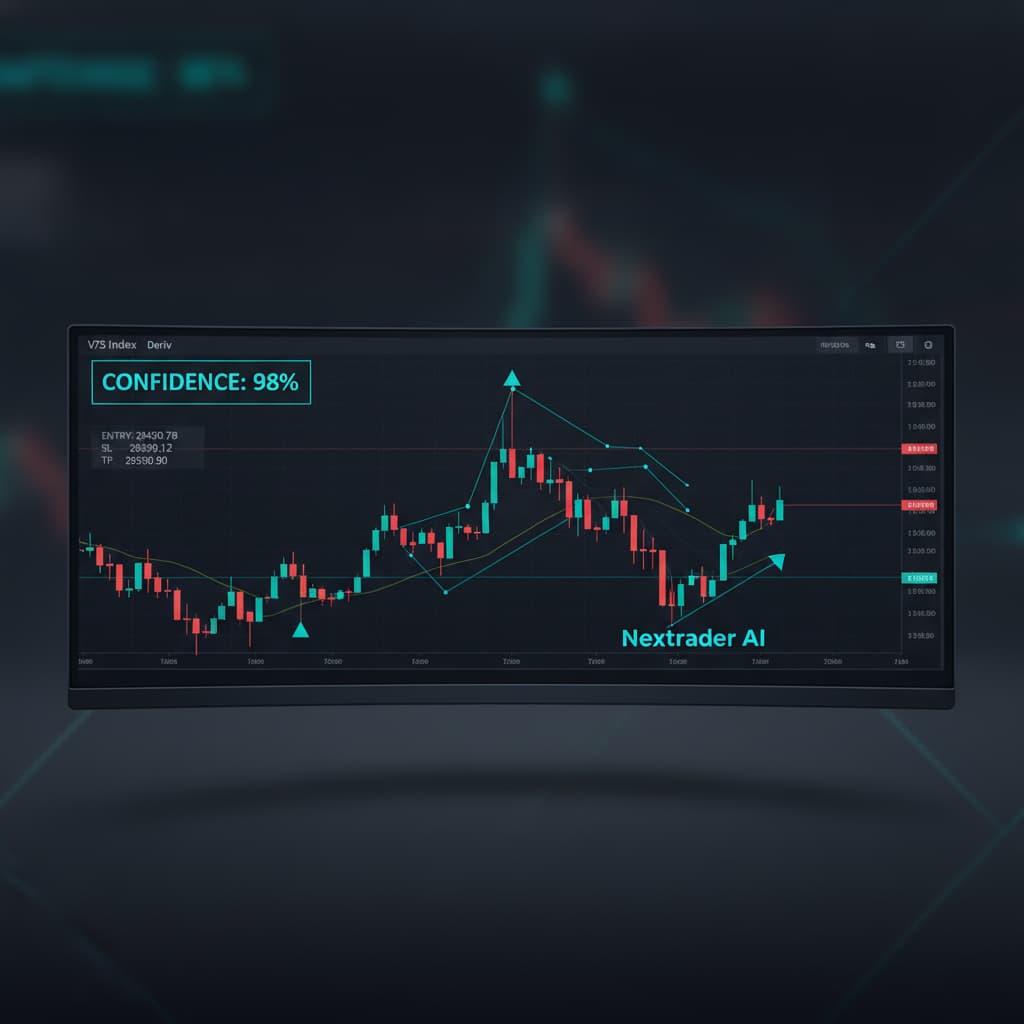
How to Interpret and Apply Nextrader's AI Trading Signals for Deriv Synthetic Indices
Introduction
Welcome to this comprehensive tutorial designed to equip you with the knowledge and skills to effectively interpret and apply Nextrader's powerful AI trading signals. As a Deriv trader, particularly one focused on the dynamic world of synthetic indices, understanding how to leverage advanced "ai trading signals" can significantly enhance your trading strategy. This guide will walk you through every aspect of Nextrader's signal system, from deciphering confidence levels to precisely applying Entry, Stop Loss (SL), and Take Profit (TP) levels. By the end of this tutorial, you will be able to confidently integrate Nextrader's insights into your daily trading on Deriv, making informed decisions whether you choose manual execution or automation via "deriv bots".
This tutorial is crafted for both novice and experienced Deriv traders looking to maximize their potential on synthetic indices like V10, V25, V50, V75, V100, and even 1Hz. You'll learn how Nextrader, a 100% free suite of "deriv trading tools", provides real-time, non-repaint signals that are generated only on closed candles, ensuring reliability by requiring a minimum of 3-4 indicators to agree. Our goal is to empower you to utilize these precise signals to identify high-probability trading opportunities and manage your risk effectively, ultimately aiming for more consistent results.
What You Need Before Starting
Before diving into the specifics of Nextrader's AI signals, ensure you have the following ready:
- Deriv.com Account: A live or demo trading account with Deriv.com, funded or ready for practice trades on synthetic indices.
- Nextrader App Account: An active account on Nextrader App. Registration is quick and completely free.
- Basic Trading Knowledge: Familiarity with fundamental trading concepts such as candlesticks, support and resistance levels, and the importance of risk management.
Step 1: Accessing Nextrader's AI Trading Signals
The first step to harnessing the power of Nextrader's "ai trading signals" is to access them within the platform. Nextrader provides a streamlined interface designed for clarity and ease of use, making it one of the most intuitive "deriv trading tools" available.
Get Live AI Trading Signals
Real-time non-repaint signals from 11 AI strategies — Volatility Indices, Forex, Gold & Crypto. No subscription, no paywall.
- Auto Trader Bot
- Digit Trader Bot
- 11 AI Strategies
- Live Telegram Signals
To begin:
- Navigate to the Nextrader App: Open your web browser and go to Nextrader App. If you prefer mobile trading, download the Nextrader Android app from Google Play (com.vm.nextrader).
- Log In: Enter your registered credentials to log in to your Nextrader account. If you haven't created an account yet, the signup process is straightforward and free.
- Locate the Signals Dashboard: Upon successful login, you will typically land on your main dashboard. Look for a section or tab explicitly labeled "Signals" or "AI Signals." This is where all the real-time, non-repaint signals for Deriv synthetic indices will be displayed. You'll immediately see a feed of potential trading opportunities across various assets like Volatility 10 Index, Volatility 25 Index, Crash, and Boom indices, covering all the key synthetic markets Deriv offers. Observe how these signals are generated only on CLOSED candles, ensuring no repainting issues, and are based on the agreement of at least 3-4 underlying indicators. This robust methodology underpins the reliability of Nextrader's free "ai trading signals".
Step 2: Understanding Signal Components: Timeframe, Strategy & Confidence
Once you've accessed the signals dashboard, it's crucial to understand the core components of each signal provided by Nextrader. These elements give you a comprehensive overview of the trading opportunity and its potential reliability.
- Timeframe Selection: Nextrader offers signals across four distinct timeframes: 5-minute, 10-minute, 30-minute, and 1-hour.
* 5-minute & 10-minute: Ideal for scalpers and day traders looking for short-term opportunities and quick entries/exits. These require more active monitoring.
* 30-minute & 1-hour: Suited for swing traders or those preferring longer holding periods with fewer, but potentially more significant, trading setups.
Choose the timeframe that aligns with your trading style and availability.
- AI Strategy Identification: Each signal is generated by one of Nextrader's 11 named AI strategies, each tailored to identify specific market conditions:
* Trend Hunter (EMA): Focuses on identifying and following established trends using Exponential Moving Averages.
* Reversal Radar (RSI): Pinpoints potential market reversals based on Relative Strength Index divergences.
* Momentum Wave (MACD): Captures shifts in momentum using the Moving Average Convergence Divergence indicator.
* Volatility Pulse (Bollinger): Detects periods of high or low volatility using Bollinger Bands, often signaling potential breakouts or consolidations.
* Swift Scalper (Stochastic RSI): Designed for fast, short-term entries and exits, popular among scalpers.
* Trend Rider (SuperTrend): A robust trend-following strategy, providing clear buy/sell signals.
* Cloud Walker (Ichimoku): Utilizes the Ichimoku Cloud to identify trend direction, support/resistance, and momentum.
* Price Magnet (VWAP): Leverages the Volume Weighted Average Price to determine fair value and potential price reversion.
* Breakout Beast (ATR): Identifies potential breakouts from consolidation zones using the Average True Range.
* Smart Fusion (multi-indicator): Combines multiple indicators for a more holistic market view, offering balanced signals.
* Smart Signals (4+ indicators): Our most comprehensive strategy, requiring at least 4 indicators to agree for a signal, offering high-conviction trades.
Understanding the underlying logic of these strategies helps you gauge the nature of the signal.
- Confidence Level: Nextrader assigns a "confidence" percentage ranging from 30% to 85% to each signal. This proprietary metric indicates the strength and reliability of the signal, based on the number of underlying indicators agreeing and the overall market conditions. A higher confidence percentage (e.g., 70-85%) suggests a stronger probability of the signal playing out as predicted, while lower confidence signals (e.g., 30-50%) might warrant more caution or manual confirmation. Always prioritize signals with higher confidence, especially when starting out.
Step 3: Interpreting Entry, Stop Loss (SL), and Take Profit (TP) Levels
Beyond the signal's direction and confidence, Nextrader provides precise Entry, Stop Loss (SL), and Take Profit (TP) levels. These are crucial for proper risk management and trade execution, distinguishing Nextrader as a top-tier "deriv trading tool".
- Entry Price: This is the recommended price point at which to open your trade. When a signal is generated, Nextrader will specify an exact Entry price. For instance, a "BUY" signal on Volatility 100 Index might suggest an entry at 1234.56. Your goal is to enter the market as close to this price as possible. Remember, Nextrader signals fire only on CLOSED candles, meaning you have a brief window to prepare for the next candle's opening near the suggested entry.
- Stop Loss (SL): The Stop Loss level is perhaps the most critical component for risk management. It's the price point at which you should exit a losing trade to prevent further capital erosion. Nextrader's AI algorithms calculate an optimal SL based on market volatility and the specific strategy. For example, if your BUY signal has an SL at 1230.00, it means if the price drops to or below this level, you should close your trade. Always implement the SL provided; never trade without one. This disciplined approach is fundamental to long-term success with any "ai trading signals".
- Take Profit 1 (TP1) and Take Profit 2 (TP2): Nextrader provides two Take Profit levels, allowing for flexible profit-taking strategies:
* TP1: This is your initial target for securing profits. Many traders choose to close a portion of their position (e.g., 50%) at TP1 to lock in some gains and then move their Stop Loss for the remaining position to their entry price (breakeven) or even a trailing stop.
* TP2: This is a more ambitious target, aiming for a larger profit. If the market continues in your favor after hitting TP1, you can let the remaining portion of your trade run to TP2. This multi-TP approach helps balance securing profits with maximizing potential gains.
By diligently applying these Entry, SL, and TP levels, you transform a mere signal into a structured trade plan, whether you're trading manually or configuring your "deriv bots".
Step 4: Applying Signals Manually on Deriv
Applying Nextrader's "ai trading signals" manually on your Deriv account gives you full control over each trade. This step details how to translate the signal data into actionable trades on the Deriv platform.
- Receive a Signal: Let's say Nextrader generates a signal: "V75 Index, 30min, Trend Hunter, BUY, Confidence: 78%, Entry: 5500.00, SL: 5480.00, TP1: 5525.00, TP2: 5550.00."
- Navigate to Deriv: Open your Deriv.com trading platform (DMT5, Deriv X, or SmartTrader, depending on your preference for synthetic indices).
- Select the Asset and Timeframe:
* On Deriv, select the corresponding synthetic index, in this case, "Volatility 75 Index".
* While Nextrader provides the signal timeframe (30min), remember that Deriv's interface for Rise/Fall or Higher/Lower contracts usually involves setting a duration, not a chart timeframe directly. If using MT5, ensure your chart matches the signal timeframe for analysis, but for basic Rise/Fall trades, you'll focus on the direction and duration.
- Determine Trade Type and Direction:
* Since the signal is "BUY," you'll be looking for a "Rise" or "Higher" contract on Deriv.
* If the signal was "SELL," you'd choose "Fall" or "Lower."
- Set Your Stake: Input the amount you wish to risk on this trade. Always adhere to your personal risk management rules (e.g., 1-2% of your account per trade).
- Execute the Trade (Entry):
* Monitor the price on Deriv. When the price is at or very close to the Nextrader's suggested "Entry: 5500.00," execute your "Rise" or "Higher" trade.
* For contracts like Rise/Fall, you typically set a duration. If the signal is for 30min, you might choose a duration that allows the price to reach TP1 or TP2 within that timeframe or slightly longer, depending on your analysis.
- Implement Stop Loss and Take Profit:
* For MT5/Deriv X: If trading CFDs, directly input the SL (5480.00) and TP1 (5525.00) or TP2 (5550.00) into your trade order.
* For SmartTrader/Binary Options: Implementing SL/TP is more nuanced. You might need to manually close the trade if the price hits your conceptual SL or TP levels. Alternatively, some "deriv bots" or "binary bots" offer more advanced SL/TP capabilities even for binary options, which brings us to the next step.
Step 5: Automating Signals with Nextrader's Auto Trader Bot
For traders who prefer automation or want to execute signals without constant manual intervention, Nextrader's Auto Trader Bot is a game-changer. This feature leverages the "ai trading signals" to execute trades on your behalf, acting as your personal "deriv bot".
- Access the Auto Trader Bot: From the Nextrader App dashboard, navigate to the "Auto Trader Bot" section.
- Connect Your Deriv Account: The bot supports multi-account functionality. Connect your Deriv account(s) using your API token. Ensure you're connecting to the correct account (demo for testing, real for live trading).
- Configure Signal Parameters: This is where you tell the bot which signals to follow:
* Select Synthetic Indices: Choose the specific V-indices (e.g., V100, V75) you want the bot to trade on.
* Select AI Strategies: You can choose to follow specific strategies (e.g., only Trend Hunter and Smart Signals) or allow the bot to use any of the 11 available strategies.
* Set Timeframes: Specify which timeframes (5min, 10min, 30min, 1 hour) the bot should monitor for signals.
* Minimum Confidence: Set a minimum confidence percentage (e.g., 60% or higher) for signals to be considered by the bot. This helps filter out lower-probability trades.
- Configure Trade Settings:
* Trade Type: Select "Rise/Fall" or "Higher/Lower" depending on your preference for directional trades.
* Stake Management: Choose your preferred money management strategy:
* Fixed Stake: Trades with a consistent amount per contract.
* Martingale: Increases stake after a loss, aiming to recover previous losses and make a profit. Use with extreme caution due to high risk.
* Mesa Milano: A smart loss recovery system designed to recover losses more efficiently and with potentially less risk than traditional Martingale.
* Accumulator Mode: Experiment with the 1x-5x growth accumulator mode for potentially faster compounding, but be aware of the increased risk.
- Start the Bot: Once all settings are configured, activate the Auto Trader Bot. It will now automatically monitor Nextrader's "ai trading signals" for your chosen parameters and execute trades on your connected Deriv account. You can monitor its performance, live P&L, and color-coded console directly within the Nextrader app.
- Digit Trader Bot: For those interested in digit prediction, Nextrader also offers a Digit Trader Bot, which uses AI to predict DIGIT EVEN/ODD/OVER/UNDER/MATCH/DIFF based on 50-500 digit history, streak, and frequency analysis. This is another powerful example of "binary bots" available for free.
Pro Tips
- Always Prioritize Risk Management: Regardless of signal confidence, always use the provided Stop Loss. Consider taking partial profits at TP1 and moving your SL to breakeven for the remaining position. This protects your capital and locks in gains. Never over-leverage or risk more than 1-2% of your account on a single trade.
- Match Strategy to Market Conditions: While Nextrader's AI handles much of the analysis, understanding the general market sentiment can enhance your signal application. For instance, in a strong trending market, signals from "Trend Hunter" or "Trend Rider" might be more reliable. During consolidation, "Volatility Pulse" or "Reversal Radar" signals could be more relevant.
- Start with Demo Accounts: Before using real money, always test Nextrader's "ai trading signals" and the Auto Trader Bot on a Deriv demo account. This allows you to familiarize yourself with the platform, understand how signals behave in real-time, and fine-tune your bot settings without financial risk. Observe signals across different timeframes and strategies to find what works best for you.
- Leverage Nextrader's Community: Join the Telegram community at Telegram. This is an excellent resource for sharing insights, asking questions, and learning from other traders who are actively using Nextrader's free "deriv trading tools" and "deriv bots". Collective wisdom can significantly improve your trading journey.
Start Now
Ready to elevate your Deriv trading? Access Nextrader's 100% free AI trading signals and automation tools today.
Visit Nextrader App to log in or Sign Up Free — Nextrader to create your free account.
Join our vibrant community on Telegram: Telegram
Trading involves risk. Past performance does not guarantee future results.