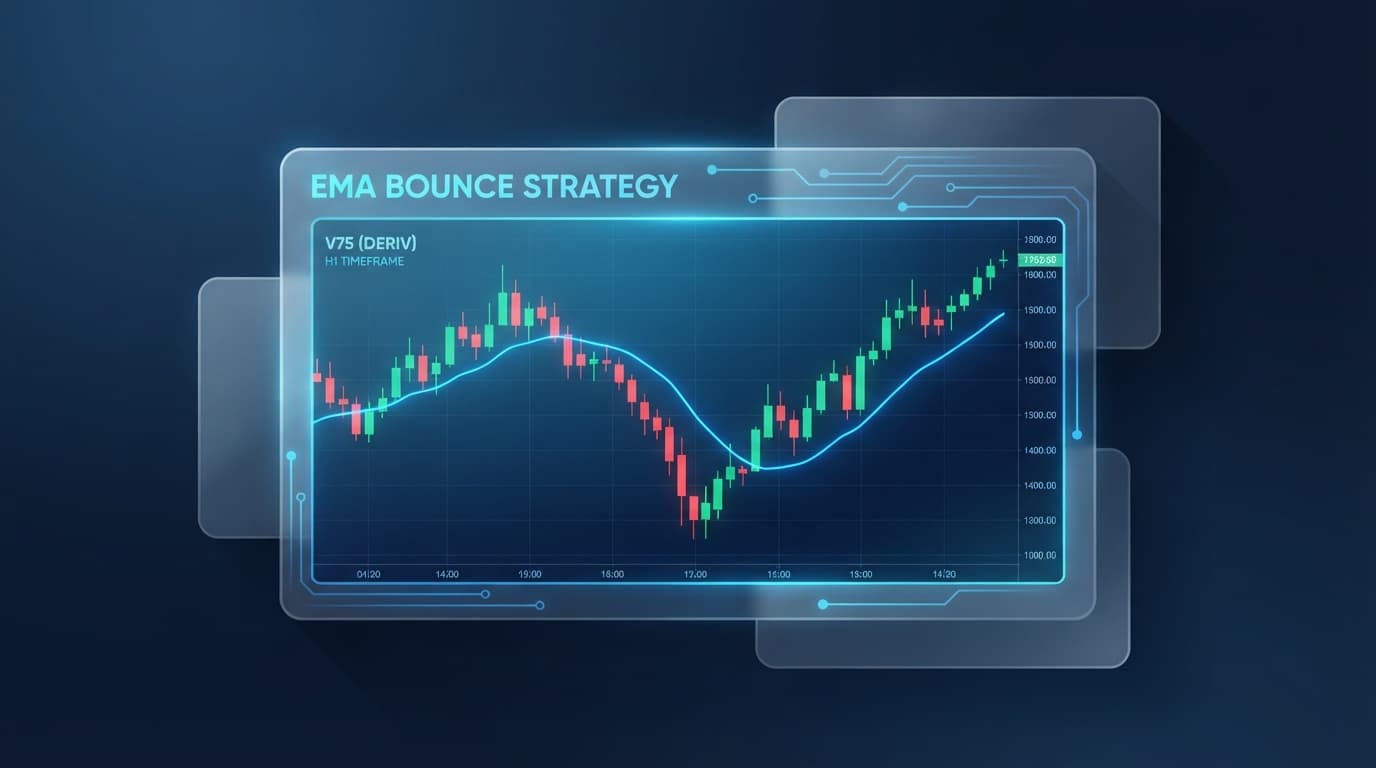
The 20-period Exponential Moving Average (EMA) tracks price momentum by weighting recent price action higher than historical data, serving as dynamic support in an uptrend and dynamic resistance in a downtrend on synthetic indices like the Volatility 75 (V75) Index. When an asset trends strongly, price routinely pulls back toward the 20 EMA line before resuming its dominant direction. Operating an ema 20 pullback strategy relies on identifying these retracements, confirming price rejection at the 20 EMA via specific candle structures, and placing entries with strict invalidation levels.
Relying on manual charting can lead to poor execution timing caused by intra-candle noise or repainting indicators. Achieving consistent results requires evaluating price action strictly on closed candles using objective, multi-indicator confluence.
The Nextrader App offers dedicated deriv trading tools designed to stream live market data and automate signal validation. By pairing technical price action rules with non-repainting deriv trading signals, traders can verify structural setups, calculate pre-filled risk parameters, and place high-probability pullback trades directly through the platform.
What You Need Before Starting
Executing this system requires an operational setup capable of handling instantaneous tick data and automated signal processing. Ensure you have the following ready before scanning the markets:
Get Live AI Trading Signals
Real-time non-repaint signals from 11 AI strategies — Volatility Indices, Forex, Gold & Crypto. No subscription, no paywall.
- Auto Trader Bot
- Digit Trader Bot
- 11 AI Strategies
- Live Telegram Signals
- Active Deriv Account: Connected directly to the Nextrader ecosystem via WebSocket API to ensure instant order transmission without third-party broker delays.
- Nextrader App Access: Launch Nextrader App on your desktop browser or via the native Android application (Google Play:
com.vm.nextrader). - Understanding of Contract Types: Familiarity with Deriv Multipliers (leveraged synthetic and forex positions, e.g., x100) and Rise/Fall options contracts.
Step 1: Scan for Trend Direction using AI Trading Signals
Trading an EMA 20 pullback requires an active trend. Retracements into moving averages inside range-bound or flat markets produce false breakouts and quick stop-outs.
In technical price action, a valid uptrend shows price holding consistently above an upward-sloping 20 EMA, forming higher highs and higher lows. Conversely, a valid downtrend shows price remaining below a downward-sloping 20 EMA, making lower highs and lower lows. If the 20 EMA runs flat horizontally, the market lacks directional bias and pullbacks should be ignored.
- 1 Filter live 5m/15m charts using the Trend Hunter strategy on closed candles
- 2 Confirm signal strength rating of STRONG with high Confluence percentage
- 3 Open the Quick Trade panel to load ATR-calculated Stop Loss and Take Profit levels
- 4 Execute Multipliers or Rise/Fall contracts with pre-set stake management
To automate trend discovery across dozens of assets, navigate to the Signals page inside Nextrader App. The engine scans live market data across synthetic indices (V10, V25, V50, V75, V100 and 1Hz series), spot forex, gold, and crypto.
Select the 5m or 15m timeframe and filter setups using the Trend Hunter (EMA) strategy. This algorithm isolates assets where price aligns structurally with key exponential moving averages, verifying that short-term momentum matches the higher-timeframe trend on closed candles.
Step 2: Validate Pullback Confluence & Signal Strength
Once a trending asset reaches the 20 EMA line, examine price behavior at the moving average zone before entering.
A technical pullback setup requires a clear rejection candle at the 20 EMA:
- Bullish Rejection (Uptrend): Look for a pin bar with a long lower wick testing and rejecting the 20 EMA, or a bullish engulfing candle closing back above the moving average.
- Bearish Rejection (Downtrend): Look for a pin bar with a long upper wick testing and rejecting the 20 EMA, or a bearish engulfing candle closing back below the moving average.
- Technical Invalidation: Structure your trade invalidation point just beyond the wick of the rejection candle or the immediate swing high/low structure.
Nextrader signal cards confirm these price action events automatically on the Signals dashboard:
- Signal Rating: Verify that the card displays a STRONG rating, indicating four or more technical indicators agree on the setup.
- Confluence % Score: Check the confluence percentage to ensure high aggregate agreement across momentum and trend metrics.
- Secondary Indicator Agreement: Cross-reference the Trend Hunter (EMA) card with complementary strategies. An optimal long pullback displays an oversold reading on Reversal Radar (RSI) or a green momentum shift on Momentum Wave (MACD) as price touches the 20 EMA zone. Additionally, Volatility Pulse (Bollinger) touching the middle band confirms alignment, as the middle Bollinger Band acts as a 20-period moving average line.
- Closed Candle Lock: Confirm the signal timer has closed. Nextrader signal cards generate strictly on closed candles (1m, 5m, 15m, 1h), ensuring your setup metrics remain permanent once triggered.
Step 3: Set Up Quick Trade Parameters & Risk/Reward
After price confirms a rejection at the 20 EMA on a 5m or 15m chart and generates a STRONG signal card, click directly on the card. This action loads the asset chart and opens the Quick Trade execution panel alongside a confirmation window displaying suggested stake and risk/reward metrics.
The Quick Trade panel automates position structure and risk management:
- Contract Selection: Choose Multipliers for variable-duration position tracking with customizable risk caps (e.g., x100 multiplier on V75), or select Rise/Fall for fixed-duration directional contracts.
- ATR-Based Stop Loss and Take Profit: The Nextrader engine automatically populates the Stop Loss (SL) and Take Profit (TP) fields using current Average True Range (ATR) calculations. For instance, on a V75 15m chart, the SL anchors just past the structural rejection point below the 20 EMA, while the TP targets a minimum 1:1.5 or 1:2 risk-to-reward ratio based on recent market swings.
- Risk Evaluation: Review the pre-filled risk/reward parameters in the execution window to confirm the trade size matches your risk parameters before executing.
Step 4: Execute Manual Precision Entries
With your trade parameters set in the Quick Trade panel, select UP for bullish 20 EMA support bounces or DOWN for bearish 20 EMA resistance rejections.
Orders process instantly via the direct Deriv WebSocket API integration. Monitor active setups using the built-in management tools:
- Active Trades Table: Position tracking appears in real time below the main chart. The table reports live profit and loss updating tick-by-tick, entry price, contract parameters, and active SL/TP bounds.
- Early Exit Management: If price action pushes toward your target but shows signs of stalling at dynamic structural levels before reaching TP, click Close Early inside the Active Trades table to secure accumulated profit.
Step 5: Automating the EMA 20 Pullback Strategy with Nextrader Auto Trader
Traders seeking hands-free, tick-based execution can transition from manual Quick Trade orders to the native Auto Trader engine inside the Nextrader App.
Building automated pullback rules on external tools like Deriv Bot (DBot) requires assembling individual logic blocks, uploading custom XML scripts, and testing order execution manually on a demo account. Nextrader Auto Trader replaces block building by linking tick execution directly to the platform's native AI signal algorithms.
To configure automated execution for tick momentum off the 20 EMA:
- Open Auto Trader: Navigate to the Auto Trader tab inside Nextrader App.
- Select Execution Mode: Choose Rise/Fall mode or Accumulator mode (setting growth rates between 1% and 5% with optional Auto-Sell parameters).
- Configure Duration: When applying Auto Trader to lower-timeframe pullbacks (such as 1m chart setups), set tick durations short (e.g., 5 to 10 ticks) to capture immediate micro-momentum bounces directly off the 20 EMA rejection level. For setups derived from higher candle timeframes (5m or 15m), utilize manual Quick Trade contracts to match contract ex-times with full candle developments.
- Set Account Boundaries: Input a base stake alongside a strict Win Target and Loss Limit. The automated system tracks cumulative session balance and halts execution immediately when either threshold is reached.
- Select Stake Management Model:
Fixed Stake*: Keeps stake amounts uniform across every trade. Recommended for standard pullback execution.
Mesa-Milano: Adjusts order size based on win/loss sequences and overall account equity, scaling stakes during winning runs and reducing them during drawdowns. Avoid aggressive Martingale* doubling during tick-based pullback execution to protect equity during sequence drawdowns.
- Set Confidence Meter: Adjust the confidence slider so orders trigger only when real-time indicator confluence meets or exceeds your required percentage.
- Enable Auto Trade: Switch the Auto Trade toggle to ON. The execution console logs incoming tick signals, indicator states, and contract details in real time.
Advanced Execution Guidelines
Applying these operational guidelines helps optimize execution when trading an ema 20 pullback strategy:
Screen Assets on Market Overview
Before opening individual asset charts, open the Market Overview tab on Nextrader App. Live prices refresh every 10 seconds, and the system flags high-volatility assets with a Trending label. Restrict 20 EMA pullback setups to assets marked Trending, as moving average pullbacks in range-bound markets lack structural follow-through.
Stack Complementary AI Strategies
The Nextrader ecosystem includes 11 specialized strategy algorithms available on the Signals page:
- Trend Hunter (EMA)
- Reversal Radar (RSI)
- Momentum Wave (MACD)
- Volatility Pulse (Bollinger)
- Swift Scalper (Stochastic RSI)
- Trend Rider (SuperTrend)
- Cloud Walker (Ichimoku)
- Price Magnet (VWAP)
- Breakout Beast (ATR)
- Smart Fusion (multi-indicator)
- Smart Signals (4+ agreeing indicators)
Combine Trend Hunter (EMA) with Cloud Walker (Ichimoku) to verify structural trend support, or filter entries through Smart Signals to ensure multi-indicator agreement before executing.
Require Closed Candle Signals
Intraday price wicks can push into the 20 EMA line mid-candle, triggering temporary signal spikes that disappear if price breaks through the level prior to the candle close. Nextrader signal cards fire exclusively on closed candles (1m, 5m, 15m, 1h), eliminating repainting errors.
Review System Tutorials
Access detailed documentation on signal filters and automated execution controls:
- Signal Navigation Tutorial: Nextrader App
- Auto Trader Setup Tutorial: Nextrader App
Start Trading Pullbacks Today
Executing a successful EMA 20 pullback setup requires three clear steps: confirming an active trend on an upward- or downward-sloping 20 EMA, waiting for a pin bar or engulfing rejection candle at the moving average line, and validating the move with a STRONG rating on the Trend Hunter (EMA) signal card.
Once these criteria line up on a closed candle, enter the position using pre-filled ATR risk limits in the Quick Trade panel on Nextrader App, or deploy short tick runs through Auto Trader to capture immediate momentum bounces off dynamic support or resistance.
Access the platform at Nextrader App, set up your account at Sign Up Free — Nextrader, and join the Telegram community at Telegram to track live setup confluences.
Trading involves risk. Past performance does not guarantee future results.