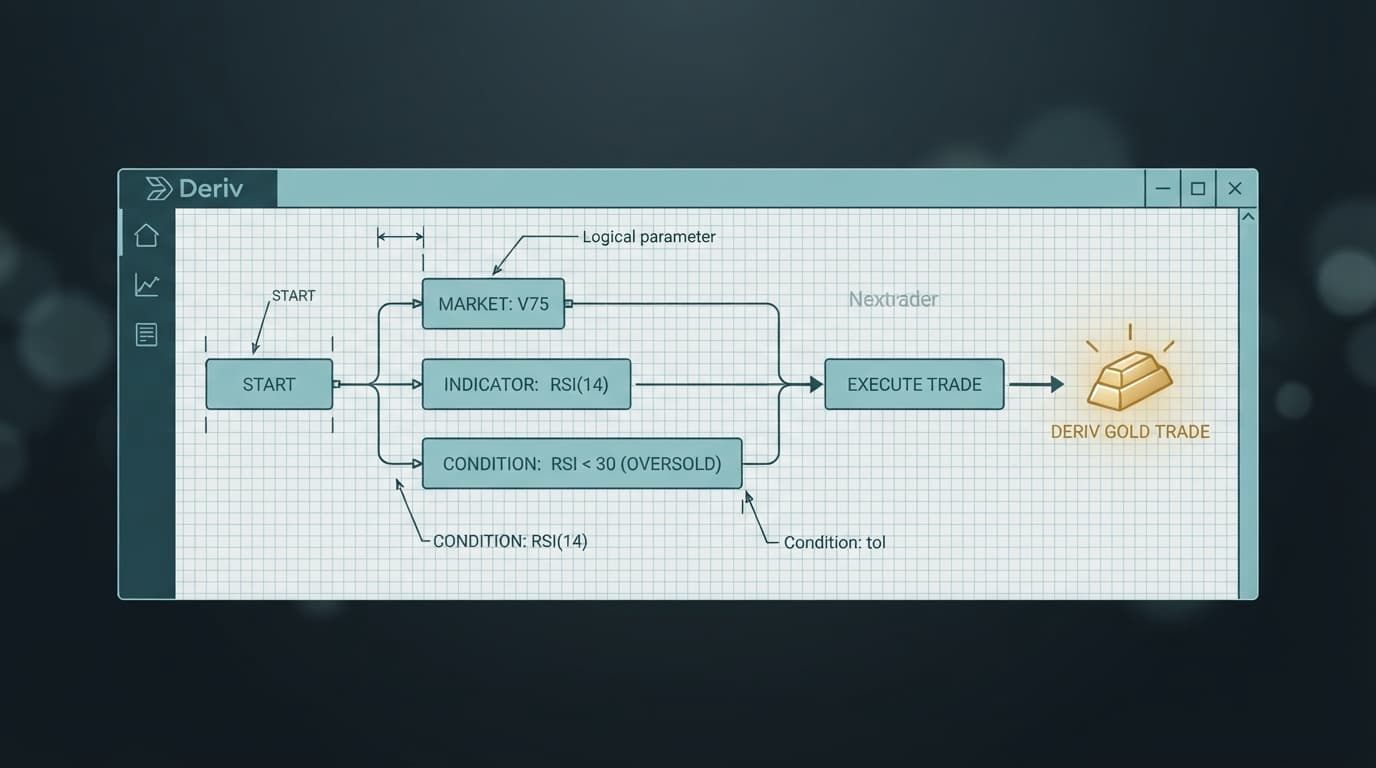
Scalping Gold (XAUUSD) using automated scripts requires precise block parameters because spot commodities react differently than synthetic volatility indices. Loading a free indicator-based bot from Nextrader gives you access to full workspace blocks, but keeping default settings on spot metals often results in bad entries during fast-moving market sessions.
Spot gold exhibits unique price action characterized by liquidity sweeps, wide spreads during high-impact events, and short-term trend extensions. Standard synthetic index presets like 1-tick durations or laggy moving average triggers fail on metal pairs, causing trades to settle out-of-the-money before price completes its directional move.
Reconfiguring parameter blocks on an indicator-driven free deriv bot changes how signal conditions interact with Gold's chart structure. By modifying indicator lengths, contract durations, and stake limits across the visual block canvas on NexTrader Bot, you convert a generic logic setup into a specialized XAUUSD scalping script.
What This Fixes
This guide fixes the issue where an indicator-based deriv trading bot repeatedly enters late trades on Gold, triggers rapid stop-loss hits during consolidation, or fails on settlement due to micro-spread adjustments. If your bot performs well on V75 or V100 but immediately drains your demo account balance when switched to XAUUSD, the parameter configurations detailed below will fix the mismatch between logic blocks and market behavior.
Load a Free Deriv Bot in One Click
Browse 747+ ready-to-run Deriv bots — Rise/Fall, Over/Under, Even/Odd, Match/Differ. No coding, free forever.
- 747+ Free Bots
- One-Click Load
- Rise/Fall & Digits
- Demo or Real
Quick Setup Check
Before editing individual parameters inside the workspace blocks, verify that the initial workspace parameters are configured correctly:
- Connected your Deriv API token on NexTrader Bot with read and trade permissions active.
- Selected the Demo Account environment in the top dashboard panel to safely test parameter adjustments.
- Loaded a free indicator-based Rise/Fall or Over/Under bot from the Bot Hub.
- Changed the primary symbol dropdown block within the bot workspace to Commodities / Metals / Gold (XAUUSD).
- Verified that your workspace displays the active visual block canvas (~48 modular blocks loaded).
Fix 1: Adjusting Indicator Period Blocks for Micro-Trend Sensitivity
Symptom
The deriv bot enters Rise or Fall contracts at the peak of a short-term move, right before Gold retraces, leading to immediate losing trades.
Why it happens
Default indicator blocks inside binary bots use standard periods such as 14-period RSI or 200-period Exponential Moving Averages (EMA). These parameters are designed for smooth synthetic indices or higher timeframe trends. On 1-minute XAUUSD charts, a 14-period indicator lags behind fast spikes, generating buy signals exactly when buying momentum has exhausted.
Exactly what to change
- Zoom into Block 1 (Strategy Definition) on your workspace visual editor.
- Locate the Relative Strength Index (RSI) parameter block inside the main trading condition loop.
- Change the
RSI Periodvalue from14down to7. - Locate the fast moving average block and update
EMA Fast Periodto5. - Update the
EMA Slow Periodblock to13. - Modify the purchase logic condition block: Set
Rise Triggerto requireRSI (7) > 65whilePrice > EMA (5), and setFall Triggerto requireRSI (7) < 35whilePrice < EMA (5).
This adjustment forces your free deriv bot to evaluate momentum over shorter rolling windows, firing trade signals at the inception of a 1-minute breakout rather than near its exhaustion point.
Fix 2: Switching Contract Duration Blocks from Ticks to Time-Based Expiries
Symptom
The bot enters trades accurately according to chart direction, but contracts expire negative by a fraction of a cent on 1-tick or 5-tick settings.
Why it happens
Unlike synthetic indices that generate synthetic ticks every second at fixed frequencies, Gold (XAUUSD) quotes rely on underlying liquidity providers. Tick arrival speeds fluctuate based on session volume. Fast 1-tick or 5-tick contracts leave trades vulnerable to normal bid-ask spread spreads on spot metals, causing trades to close unfavorably before the directional leg materializes.
Exactly what to change
- Navigate to Block 2 (Contract Parameters) in the workspace editor canvas.
- Find the field labelled
Duration Type. Change the dropdown setting from Ticks to Minutes (or Seconds if utilizing low-latency fast execution). - If using Minutes, set the
Duration Valueblock to2or3. - If using Seconds, set the
Duration Valueblock to120. - Verify that
Contract Typeremains set to Rise/Fall or Higher/Lower depending on your chosen trading model.
Giving your contracts a 2-minute to 3-minute expiry buffer allows XAUUSD enough time to push past spread friction, matching the fast momentum identified by your modified indicator blocks.
Fix 3: Setting Conservative Stake Multipliers and Consecutive Loss Caps
Symptom
A brief period of market consolidation causes the bot to increase trade stakes exponentially, wiping out account balance through aggressive recovery sequences.
Why it happens
Many pre-built binary bots feature automated Martingale money management blocks configured with a standard 2.0x or 2.1x multiplier. While synthetic markets trend predictably across statistical distributions, Gold frequently trades inside tight ranges during Asian and early European sessions. Uncapped multipliers on flat price action lead to quick drawdowns.
Exactly what to change
- Open Block 3 (Money Management & Stake Control) on the bot editor workspace.
- Adjust
Initial Staketo represent no more than 1% of your overall account balance (e.g.,0.35USD on smaller balances or1.00USD on standard demo accounts). - Change the
Martingale Multiplierblock value from2.0down to1.3or1.5. - Locate the
Max Loss LevelorMax Consecutive Lossesblock and set the integer value to3. - Locate the
Target Profitblock and set it to a realistic daily target (e.g., 5% of starting capital). - Ensure the
Stop Lossparameter block is active and set to maximum 10% of total balance.
Reducing the stake multiplier and adding hard loss caps prevents a single ranging phase on Gold from exhausting your account balance, allowing your deriv trading bot to stay operational across multiple sessions.
Fix 4: Adding Cooldown and Volatility Filter Logic Blocks
Symptom
The bot opens back-to-back trades within seconds of a contract settling, leading to multiple losses during low-volume market drift.
Why it happens
Standard indicator conditions re-evaluate constantly. If RSI stays above the threshold line for several consecutive seconds during a slow market phase, the execution logic continuously triggers new orders. Without an active execution delay or ATR volatility check, the bot over-trades flat ranges.
Exactly what to change
- Scroll to Block 4 (Trade Execution & Post-Result Logic) in your visual canvas.
- Drag a Wait / Cooldown Block into the post-contract settlement loop.
- Change the
Wait Durationblock value to60seconds. This forces the bot to pause for one full minute after every trade settlement before evaluating indicator signals again. - If your bot contains an ATR (Average True Range) indicator block, set
ATR Periodto14. - Add a conditional check block to your primary purchase logic:
If ATR (14) < [Minimum Threshold Value] then Do Not Trade.
Inserting execution cooldowns eliminates trade stacking during flat conditions, ensuring your binary bots only initiate trades when fresh volume enters the Gold market.
Keeping It Stable
To ensure your configured indicator bot performs consistently on XAUUSD, establish a structured deployment routine:
- Always validate new block parameters on a Deriv demo account before toggling to real capital.
- Pause the bot 15 minutes before and after high-impact economic news releases (such as US CPI, Non-Farm Payrolls, or FOMC rate announcements).
- Monitor performance counters and active dashboard logs on NexTrader Bot during execution sessions.
- Clear workspace memory or reload your saved bot file if you modify block parameters mid-session.
- Keep trade stake sizes consistent and avoid manually overriding automated blocks while the script is running.
Start Now
Ready to optimize your indicator-based strategies for Gold scalping? Visit NexTrader Bot to select from 747+ free Deriv bots and start customizing parameter blocks in one click.
If you need to create or manage your trading credentials, head over to Sign Up Free — Nextrader. You can also connect with hundreds of automated traders, share block configurations, and access daily setup tips in our official Telegram community at Telegram. To manage your account settings or main platform dashboard, navigate to Nextrader App.
Trading involves risk. Past performance does not guarantee future results.