Introduction
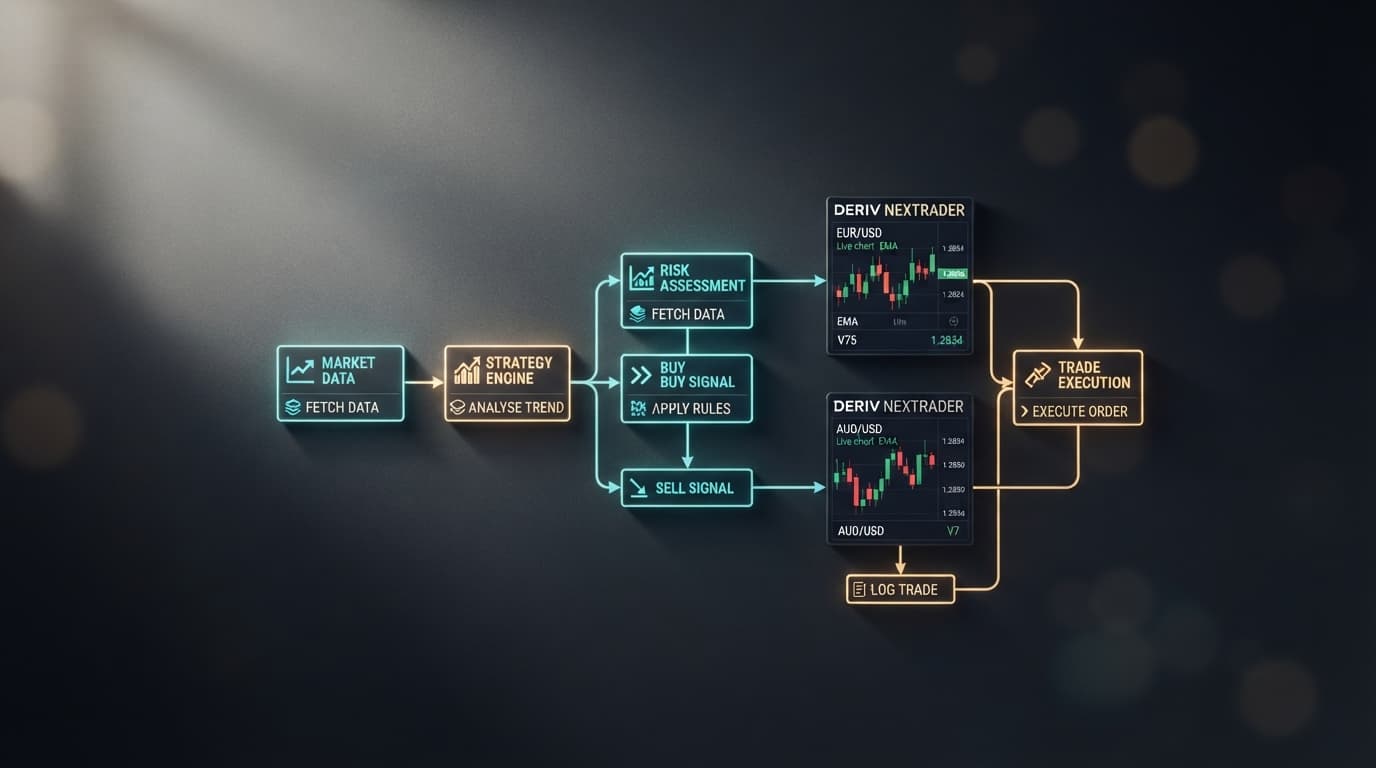
Welcome to this comprehensive tutorial on leveraging the power of automation in your Deriv trading journey using NexTrader Bot! This guide is meticulously crafted for Deriv traders, whether you're a beginner or an experienced market participant, who are eager to explore the world of automated trading without the complexities of coding. Specifically, we'll dive deep into "How to find, load, and run free 1-tick Rise/Fall Deriv bots on NexTrader Bot with a single click."
By the end of this tutorial, you will possess the knowledge and confidence to seamlessly navigate the NexTrader Bot platform, identify high-potential free deriv trading bot options, and deploy them on your Deriv account with unparalleled ease. You'll master the single-click process, enabling you to automate your Rise/Fall strategies on synthetic indices, forex, gold, silver, or crypto with ready-to-run binary bots designed for efficiency.
What You Need Before Starting
Before we embark on this exciting journey to automate your Deriv trading, ensure you have the following prerequisites in place:
- A Deriv Account: This can be either a demo account (highly recommended for initial testing) or a real account. You'll need this to connect with NexTrader Bot and execute trades.
- A NexTrader Bot Account: Head over to NexTrader Bot and sign up for your free account. Remember, Nextrader offers 100% free tools with no subscriptions or paywalls.
- A Deriv API Token: This is crucial for securely linking your NexTrader Bot account to your Deriv trading account. You can generate this token within your Deriv account settings.
- Basic Understanding of Rise/Fall Contracts: Familiarity with how Rise/Fall contracts work on Deriv will help you better understand the bots' logic and performance.
Step 1: Accessing NexTrader Bot and Connecting Your Deriv Account
The first step to unlocking the potential of free deriv bot trading is to access the NexTrader Bot platform and establish a secure connection with your Deriv account.
Load a Free Deriv Bot in One Click
Browse 747+ ready-to-run Deriv bots — Rise/Fall, Over/Under, Even/Odd, Match/Differ. No coding, free forever.
- 747+ Free Bots
- One-Click Load
- Rise/Fall & Digits
- Demo or Real
Begin by navigating your web browser to NexTrader Bot. If you haven't already, you'll need to log in to your NexTrader Bot account. If you're a new user, the sign-up process is quick and straightforward, giving you immediate access to the entire library of binary bots. Once logged in, you'll see a prompt or a dedicated section to connect your Deriv account. This connection is facilitated by your Deriv API token.
To obtain your Deriv API token, log in to your Deriv account, go to "Settings," then "API Tokens." Create a new token, ensuring you grant it the necessary permissions (read, trade, and potentially cashier for real accounts, though read and trade are usually sufficient for bot operation). Copy this token securely. Back on NexTrader Bot, paste your API token into the designated field and click "Connect." Upon successful connection, you will see your live demo balance (or real balance if you connected a real account) displayed prominently on the NexTrader Bot dashboard, confirming that the platform is ready to interact with your Deriv account. This secure integration is a cornerstone of the Nextrader ecosystem, providing a seamless trading experience.
Step 2: Navigating to the Free Rise/Fall Deriv Bot Hub
With your Deriv account successfully connected, it's time to explore the vast library of ready-to-run deriv bots available in the NexTrader Bot Hub. The platform is designed for intuitive navigation, making it easy to find exactly what you're looking for.
On the main NexTrader Bot interface, you'll notice various sections and filters. Your primary destination is the Bot Hub, which houses 747+ ready-to-run Deriv bots. Since we're focusing on free bots, look for the "Free Bots" tier. This tier is clearly distinguished from the "Premium Bots" and offers a robust selection of automated strategies without any cost. Within the Free Bots section, you'll find filters to narrow down your search. To find the bots relevant to this tutorial, locate and select the "contract type: Rise/Fall" filter. This action will display only those binary bots specifically designed for Rise/Fall predictions. Furthermore, you'll want to ensure you're looking for 1-Tick bots. NexTrader Bot offers both "1-Tick" and "1-Tick Turbo" speeds for many of its bots, and for this tutorial, we're focusing on the standard 1-Tick speed, which provides rapid execution suitable for quick market movements on Deriv synthetic indices like V10, V25, V50, V75, and V100.
Step 3: Selecting Your Preferred 1-Tick Rise/Fall Deriv Bot
Now that you've filtered the Bot Hub to display free 1-tick Rise/Fall deriv bots, you'll be presented with a list of exciting options, each with a unique name and characteristics. This is where the "single click" magic truly begins.
Browse through the available bots. You'll encounter names like "Rise Rocket" (designed to profit from rising markets) and "Fall Falcon" (optimized for falling markets). Each bot's listing provides valuable information, including its specific contract type, speed, and importantly, usage counters and Trending/Hot/Most-used badges. These indicators can help you gauge the popularity and recent performance of different binary bots within the community. While all bots in this section are free, these badges can offer insights into which ones other traders are finding effective. Remember, these are block-based bots, typically comprising around 48 blocks, meaning they are pre-coded and ready to run without any technical knowledge required from your side. You won't need to write a single line of code; simply choose the bot that aligns with your market outlook or curiosity. Once you've identified a 1-tick Rise/Fall Deriv bot that piques your interest, simply click on its name or card. This single action will initiate the loading process, bringing the bot into your active trading interface.
Step 4: Loading and Reviewing Your Chosen Deriv Trading Bot
Upon clicking your selected 1-tick Rise/Fall deriv bot, you'll witness the seamless loading process directly within the NexTrader Bot platform. This is a testament to the "one-click" design philosophy of the ecosystem, making automated trading accessible to everyone.
The chosen bot, whether it's the "Rise Rocket" or "Fall Falcon," will instantly populate the main workspace. You'll see its underlying block-based structure, which, while visually present, does not require any interaction or modification from your end. The beauty of NexTrader Bot is that these binary bots come pre-configured with optimized settings, ready for immediate deployment. There are no complex parameters to adjust, no code to debug – the bot is loaded with its default, ready-to-run configuration. This simplicity is a core advantage, especially for those new to deriv trading bot automation. Take a moment to observe the loaded bot. While you don't need to understand every block, its presence confirms that the bot is successfully loaded and poised for action. The platform ensures that what you see is what you get: a fully functional, pre-tested deriv trading bot awaiting your command to begin trading.
Step 5: Running Your Deriv Bot on a Deriv Demo Account
With your 1-tick Rise/Fall deriv bot loaded and ready, the final step is to put it into action. For safety and strategic testing, we highly recommend starting on a Deriv demo account. This allows you to observe the bot's performance and understand its trading patterns without risking real capital.
On the NexTrader Bot dashboard, after your bot has loaded, locate the prominent "Run" button. This is your final "single click" to initiate automated trading. Before clicking "Run," double-check that your NexTrader Bot is connected to your Deriv demo account. Once you click "Run," the bot will immediately begin executing trades on your selected Deriv synthetic index (or forex, gold, etc., depending on the bot's configuration and your Deriv account settings) according to its predefined logic. You'll see real-time updates on the dashboard, which provides a live overview of the bot's activity, including trades placed, profits/losses, and other relevant metrics. To stop the bot at any time, simply click the "Stop" control. This immediate control gives you full command over your automated trading sessions, allowing you to pause, analyze, and resume as needed. This simple "Run/Stop" functionality embodies the user-friendliness of NexTrader Bot, empowering you to manage your binary bots effectively.
Pro Tips
- Always Start with Demo: Before deploying any free deriv bot on a real Deriv account, thoroughly test it on a Deriv demo account. This allows you to understand its behavior, risk profile, and performance characteristics without financial exposure.
- Monitor Your Dashboard: Even for 1-tick bots, actively monitor the NexTrader Bot dashboard. It provides crucial insights into your bot's live performance, allowing you to identify trends, potential issues, or opportunities to adjust your strategy (e.g., stopping a bot that isn't performing as expected).
- Explore Beyond Rise/Fall: Once comfortable with 1-tick Rise/Fall binary bots, don't hesitate to explore other contract types available in the Bot Hub, such as Over/Under, Even/Odd, or Match/Differ. NexTrader Bot offers a diverse range of strategies to suit different market conditions and preferences. Also, experiment with "1-Tick Turbo" speeds for even faster execution.
- Engage with the Community: Join the vibrant NexTrader Telegram community at Telegram. It's an excellent resource for sharing experiences, asking questions, and getting tips from fellow traders and Nextrader experts on how to best utilize these powerful deriv trading bots.
Start Now
Ready to elevate your Deriv trading experience with one-click automation? Dive into the world of free Deriv bots and discover the ease and efficiency of NexTrader Bot today.
Get started: NexTrader Bot
Create your free account: Sign Up Free — Nextrader
Join our Telegram community: Telegram
Trading involves risk. Past performance does not guarantee future results.