Introduction
Welcome to this comprehensive guide designed for Deriv traders eager to explore the power of automated trading with Nextrader.live. If you're looking to streamline your trading process, experiment with proven strategies, and potentially enhance your trading experience without writing a single line of code, you've come to the right place. This tutorial will walk you through the essential steps to connect your Deriv account securely using an API token and launch your very first automated trading session with a free 1-Tick bot on NexTrader Bot.
By the end of this guide, you will have successfully linked your Deriv account to the NexTrader Bot platform, navigated the intuitive Bot Hub, selected a popular free deriv bot, and initiated its operation on your Deriv demo account. This foundational knowledge will empower you to confidently explore the vast library of 747+ ready-to-run deriv bots available, opening up new possibilities for your trading journey on synthetic indices, forex, gold, silver, and crypto.
The Nextrader ecosystem offers 100% free tools, eliminating subscriptions and paywalls, making advanced trading accessible to everyone. Our NexTrader Bot is particularly popular for its one-click deployment of sophisticated binary bots, making it incredibly user-friendly for both beginners and experienced traders.
What You Need Before Starting
Before we dive into the steps, ensure you have the following ready:
Load a Free Deriv Bot in One Click
Browse 747+ ready-to-run Deriv bots — Rise/Fall, Over/Under, Even/Odd, Match/Differ. No coding, free forever.
- 747+ Free Bots
- One-Click Load
- Rise/Fall & Digits
- Demo or Real
- A Deriv Account: This can be a demo or a real account. For this tutorial, we highly recommend starting with a Deriv demo account to familiarize yourself with the process and the bot's behavior without financial risk.
- Internet Connection: A stable internet connection is crucial for seamless operation.
- A Web Browser: Google Chrome, Firefox, or any modern web browser will work perfectly.
Step 1: Generate Your Deriv API Token
The first crucial step to connecting your Deriv account to any external application, including NexTrader Bot, is to generate a secure API token directly from your Deriv account settings. This token acts as a secure key, granting NexTrader Bot the necessary permissions to execute trades on your behalf, without ever needing your Deriv password.
To begin, open your web browser and navigate to the official Deriv website (deriv.com). Log in to your Deriv account using your credentials. Once logged in, locate your account settings. Typically, you can find this by clicking on your profile icon or username in the top right corner of the Deriv dashboard, then selecting "Settings" from the dropdown menu. Within the Settings page, look for the "API Tokens" section. This is where you manage all your application programming interface keys.
Click on "Create new token." Deriv will then present you with a list of permissions. For trading purposes with NexTrader Bot, you will need to grant specific permissions. We recommend selecting at least "Read," "Trade," and "Cashier" if you plan to use a real account later (though "Cashier" is not strictly required for bot operation, it allows for deposits/withdrawals via API if needed by other tools). For pure bot trading, "Read" and "Trade" are essential. "Read" allows NexTrader Bot to access your account information (like balance and trade history), while "Trade" enables it to place and manage trades. Give your token a memorable name, such as "NexTrader Bot Access," to easily identify its purpose later. After naming and selecting the permissions, click "Create." Deriv will then generate a unique string of characters – this is your API token. It's critical to copy this token immediately and securely. You might want to paste it into a temporary notepad document, but be extremely careful not to share it with anyone. This token will only be shown once for security reasons. If you lose it, you'll have to revoke it and generate a new one.
Step 2: Create Your NexTrader Bot Account and Log In
With your Deriv API token securely copied, your next step is to access the NexTrader Bot platform and prepare for connection. NexTrader Bot is the dedicated one-click Deriv bot library within the Nextrader.live ecosystem, offering a vast selection of binary bots for automated trading.
Open a new tab in your web browser and go to NexTrader Bot. If you are a new user to the Nextrader ecosystem, you will need to create a free account. Look for a "Sign Up" or "Register" option, which typically requires a simple email and password. Remember, Nextrader.live prides itself on offering 100% free tools, so there are no hidden costs or subscriptions to worry about. The signup process is straightforward and quick, designed to get you trading as fast as possible. If you already have a Nextrader account from using other tools like the Nextrader App platform, simply log in using your existing credentials.
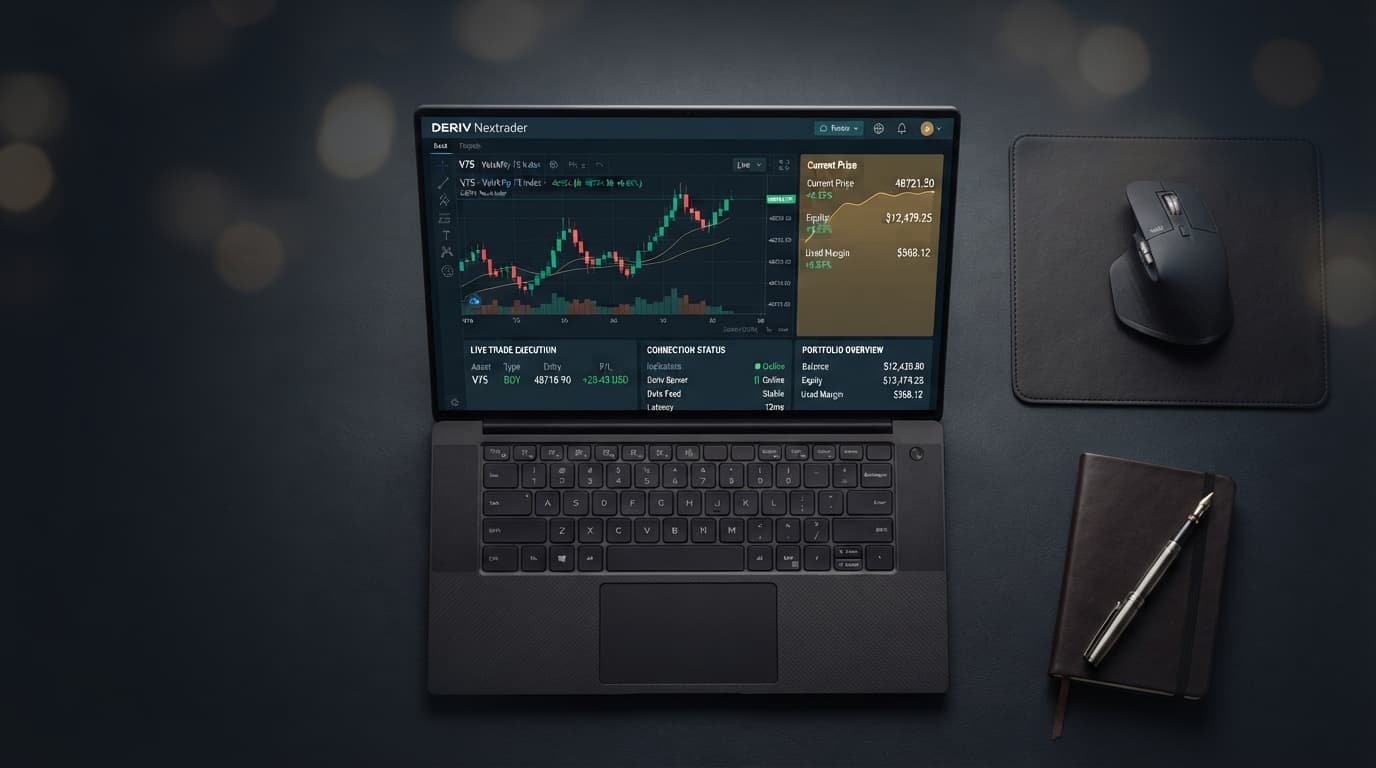
Once you have successfully logged into NexTrader Bot, you will be greeted by the NexTrader Bot dashboard. This interface is designed for ease of use, providing quick access to essential features like the Bot Hub, account statistics, and connection settings. Take a moment to familiarize yourself with the layout. You'll notice areas for inputting your API token, displaying your Deriv account balance, and controls for managing your bots. The clean and intuitive design ensures that even first-time users can navigate the platform with confidence. This step is crucial as it establishes your base within the Nextrader ecosystem, preparing you to leverage the powerful deriv trading bot capabilities that await.
Step 3: Connect Your Deriv Account to NexTrader Bot
Now that you have your Deriv API token and are logged into NexTrader Bot, it's time to establish the secure connection between the two platforms. This is where the magic begins, linking your trading power directly to the automated strategies of NexTrader Bot.
On the NexTrader Bot dashboard, you will find a prominent input field specifically labeled for your "Deriv API Token" or similar. Carefully paste the API token you generated and copied from your Deriv account in Step 1 into this field. Double-check to ensure there are no extra spaces before or after the token, as this can cause connection errors. After pasting the token, locate and click the "Connect" button, which is usually positioned right next to the API token input field. NexTrader Bot will then attempt to authenticate with Deriv using your provided token.
A successful connection will be immediately evident on your NexTrader Bot dashboard. You should see your Deriv account details populating the interface. Most importantly, your "live demo balance" (or real balance if you connected a real account) will be displayed prominently. This confirms that NexTrader Bot has successfully authenticated with your Deriv account and can now access your trading capital and execute trades based on the permissions you granted. If you encounter any issues, such as an "Invalid Token" error, double-check that you copied the entire token correctly and that it hasn't expired or been revoked on your Deriv account. Once connected, you are ready to move on to selecting Your First Free Deriv bot and putting it to work. This secure API integration is a cornerstone of the Nextrader ecosystem, ensuring your funds remain safe within your Deriv account while you enjoy the benefits of automated trading.
Step 4: Select and Load Your First Free 1-Tick Deriv Bot
With your Deriv account successfully connected to NexTrader Bot, you're now ready for the exciting part: choosing and loading your first automated deriv trading bot. NexTrader Bot boasts a robust "Bot Hub" featuring 747+ ready-to-run Deriv bots, making it incredibly easy to find a strategy that fits your interest.
From your NexTrader Bot dashboard, navigate to the "Bot Hub." This is your gateway to the extensive library of bots. To find a free deriv bot suitable for beginners and this tutorial, look for filters or categories. You'll want to specifically select the "Free Bots" tier to browse the bots that are available without any cost. Within the Free Bots section, you'll see bots categorized by contract type: Rise/Fall, Over/Under, Even/Odd, and Match/Differ. Since we're focusing on a 1-Tick bot, many of these contract types will have suitable options.
Browse through the available free bots. You'll notice named bots like "Rise Rocket," "Fall Falcon," "Even Comet," "Over 2 Blaze," "Under 8 Flash," and "Odd Bolt," among others. These names often give a hint about their trading direction or contract type. Pay attention to the "1-Tick" and "1-Tick Turbo" speed indicators, as these are excellent starting points for understanding quick market movements. You might also notice "usage counters" and "Trending/Hot/Most-used badges" next to popular bots, indicating community favorites. For this tutorial, let's select a well-known 1-Tick bot, for example, "Rise Rocket." Click on the "Rise Rocket" bot (or any other free 1-Tick bot that catches your eye). NexTrader Bot's "one-click" design means that simply clicking on the bot's name or a "Load" button associated with it will instantly load the bot's logic onto your trading interface. You'll see the bot's block-based structure (~48 blocks each) appear, though you won't need to interact with the blocks directly for a pre-built bot. This action prepares the deriv bot for execution, bringing you one step closer to automated trading.
Step 5: Configure and Run Your Deriv Trading Bot
You’re almost there! With your chosen free deriv bot loaded onto the NexTrader Bot interface and your Deriv account connected, the final step is to configure basic parameters and initiate the bot's operation. This is where you bring your binary bots to life.
Before pressing "Run," always double-check your connection status. Ensure that your "live demo balance" (or real balance) is still displayed correctly on the NexTrader Bot dashboard, confirming that the platform is actively linked to your Deriv account. Now, let's look at the bot's settings. For most one-click bots on NexTrader Bot, the strategy logic is pre-set, but you will need to define your initial stake. Locate the "Stake" or "Initial Amount" input field. For your very first run, especially on a demo account, it is highly recommended to start with the absolute minimum stake possible, often $0.35 or $0.50. This minimizes potential losses while you observe the bot's behavior and get comfortable with the system. Remember, the goal here is to learn and observe, not to chase large profits immediately.
Once your stake is set, locate the prominent "Run" button on the NexTrader Bot interface. Clicking this button will activate your deriv trading bot. Immediately after clicking "Run," you will see activity on your dashboard. The bot will begin placing trades on your connected Deriv account according to its programmed 1-Tick strategy. You'll observe real-time updates in the dashboard area, including trade results (wins/losses), your updated balance, and potentially a live log of executed trades. Pay close attention to these updates. For 1-Tick bots, trades are executed and resolved very quickly, providing instant feedback. To stop the bot at any time, simply click the "Stop" button, which will appear once the bot is running. This allows you to pause trading, review performance, or adjust settings. Always start on a demo account to understand how the bot performs under various market conditions before considering live trading.
Pro Tips
- Explore the Bot Hub Extensively: Don't limit yourself to just one free deriv bot. The NexTrader Bot Hub offers a vast array of "Free Bots" and "Premium Bots" across various contract types (Rise/Fall, Over/Under, Even/Odd, Match/Differ) and based on different methodologies (Tick, Indicator, and Candle based bots). Look for "Trending/Hot/Most-used badges" to discover popular binary bots and experiment with different strategies like "Even Comet" or "Under 8 Flash" to find what resonates with your trading style.
- Always Start with a Deriv Demo Account: This cannot be stressed enough. Before you ever consider using any deriv bot on a real account, run it extensively on a Deriv demo account. This allows you to understand its nuances, observe its performance across different market conditions for synthetic indices (V10/V25/V50/V75/V100 + 1Hz), forex, gold, silver, and crypto without risking real capital. It's your personal sandbox for learning and optimization.
- Practice Robust Risk Management: Even with automated deriv trading bots, risk management is paramount. Always set small stakes, especially when testing new binary bots. Understand that no bot guarantees profit, and losses are an inherent part of trading. Never trade with money you cannot afford to lose. NexTrader Bot provides "Run/Stop controls" to manage your exposure effectively.
- Engage with the Nextrader Community: Join the vibrant Telegram community at Telegram. This is an invaluable resource where you can ask questions, share experiences, learn from other traders, and get insights into various deriv bot strategies. The collective knowledge can significantly accelerate your learning curve and provide support on your automated trading journey.
Start Now
Ready to elevate your Deriv trading experience? Connect your account and run your first free 1-Tick bot on NexTrader Bot today!
Dive into automated trading: NexTrader Bot
Sign up for the Nextrader ecosystem: Sign Up Free — Nextrader
Join our Telegram community: Telegram
Trading involves risk. Past performance does not guarantee future results.