Introduction
Welcome to this in-depth tutorial on leveraging Nextrader's powerful Momentum Wave (MACD) strategy to identify high-confidence entry and exit points specifically for Deriv's volatile VIX indices. This guide is crafted for Deriv traders, from beginners to those with some experience, who are eager to enhance their decision-making process using advanced AI trading signals. By the end of this tutorial, you will master how to configure and interpret the Momentum Wave strategy within the Nextrader App, enabling you to pinpoint precise trading opportunities and manage your risk effectively across VIX10, VIX25, VIX50, VIX75, and VIX100 indices.
Nextrader offers a suite of 100% free deriv trading tools, designed to give you an edge without any subscriptions or paywalls. Our platform integrates seamlessly with the Deriv WebSocket API, providing real-time data and actionable insights. This tutorial focuses on one of our most reliable AI strategies, Momentum Wave (MACD), which is renowned for its ability to spot shifts in market momentum and potential trend reversals, crucial for navigating the dynamic synthetic indices.
What You Need Before Starting
Before diving into the steps, ensure you have the following:
- A Deriv Account: A funded Deriv account (either real or demo) where you can place trades on VIX indices.
- A Nextrader App Account: Register for free at Nextrader App.
- Basic Understanding of Deriv VIX Indices: Familiarity with how VIX indices like V75 move and their characteristics.
- Basic Internet Access: A stable internet connection to access the Nextrader platform.
Step 1: Accessing the Nextrader App and Selecting Your Market
Your journey begins by logging into the Nextrader App, your central hub for free AI trading signals and automation. The platform is designed for intuitive navigation, ensuring you can quickly set up your preferred trading environment.
Get Live AI Trading Signals
Real-time non-repaint signals from 11 AI strategies — Volatility Indices, Forex, Gold & Crypto. No subscription, no paywall.
- Auto Trader Bot
- Digit Trader Bot
- 11 AI Strategies
- Live Telegram Signals
First, open your web browser and navigate to Nextrader App. If you haven't already, sign up for a free account. Once logged in, you'll land on the main dashboard, which provides an overview of available tools and signals.
On the left-hand navigation panel, locate and click on the "Signals" tab. This will take you to the core signal generation interface, where you can select your desired market and strategy.
Within the Signals section, you'll see a dropdown menu or a list of available markets. For this tutorial, we are focusing on Deriv's synthetic VIX indices. Select your preferred VIX index from the list. For instance, you might choose "Volatility 75 Index" (V75) for its active trading volume, or perhaps "Volatility 10 Index" (V10) or "Volatility 100 Index" (V100) based on your trading style and risk appetite. Nextrader supports all major Deriv synthetic indices, including V10, V25, V50, V75, V100, and even 1Hz indices, ensuring comprehensive coverage for your deriv trading tools. This initial market selection is crucial as all subsequent signals and analyses will be tailored to the chosen instrument.
Step 2: Configuring the Momentum Wave (MACD) Strategy
With your market selected, the next critical step is to configure the specific AI strategy you wish to use. Nextrader boasts 11 named AI strategies, each designed to identify unique market conditions. For this tutorial, we will focus on the "Momentum Wave (MACD)" strategy.
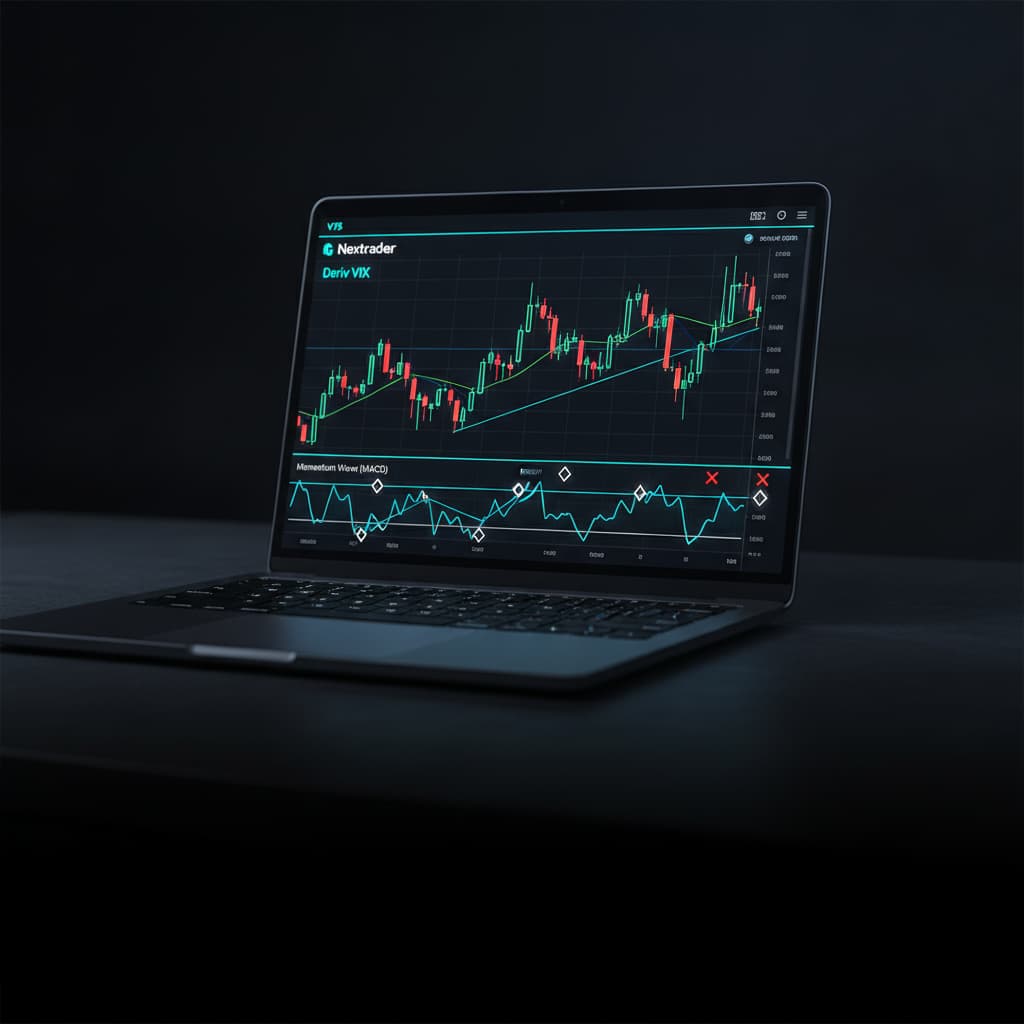
Still within the "Signals" tab, look for the "Strategy" dropdown menu. Click on it and select "Momentum Wave (MACD)". The Moving Average Convergence Divergence (MACD) is a powerful momentum indicator that reveals the relationship between two moving averages of a security’s price. It's excellent for identifying changes in the strength, direction, momentum, and duration of a trend. A rising MACD indicates increasing upward momentum, while a falling MACD suggests increasing downward momentum.
After selecting Momentum Wave (MACD), you'll need to choose a timeframe. Nextrader offers four distinct timeframes: 5min, 10min, 30min, and 1 hour. Your choice of timeframe significantly impacts the frequency and confidence of the signals. For high-confidence entry and exit points, especially when focusing on trend identification rather than rapid scalping, opting for longer timeframes like 30min or 1 hour is generally recommended. These longer timeframes tend to filter out market noise and provide more robust signals. However, if you're inclined towards faster trades, the 5min or 10min timeframes can also be utilized, keeping in mind the increased volatility and potential for more frequent, albeit sometimes less confirmed, signals.
It’s important to remember a core principle of Nextrader's signal generation: signals are real-time and non-repaint. This means they fire only on CLOSED candles, and crucially, a minimum of 3-4 indicators must agree before a signal is generated. This multi-indicator confirmation process significantly enhances the reliability and confidence level of each signal, preventing the misleading repainting often seen in other indicator-based systems. This robust validation is a cornerstone of our ai trading signals, designed to provide you with actionable insights you can trust.
Step 3: Interpreting Momentum Wave Signals for Entry
Once you have configured the Momentum Wave (MACD) strategy and selected your desired timeframe, Nextrader will begin generating real-time signals. Understanding how to interpret these signals is key to making informed trading decisions.
When a "BUY" signal is generated by the Momentum Wave (MACD) strategy, it typically indicates that the MACD line has crossed above the signal line, and the MACD histogram has turned positive. This suggests that bullish momentum is gaining strength, signaling a potential upward movement in the VIX index. Conversely, a "SELL" signal occurs when the MACD line crosses below the signal line, and the histogram turns negative, indicating that bearish momentum is increasing, and a downward movement is likely.
Alongside each signal, Nextrader provides a confidence level, ranging from 30% to 85%. This percentage reflects the strength and reliability of the signal, based on the agreement of multiple underlying indicators. A higher confidence percentage (e.g., 70% or 80%) signifies a stronger, more validated signal, suggesting a higher probability of the predicted movement occurring. While lower confidence signals can still be valid, experienced traders often prefer to prioritize signals with higher confidence levels for their primary entries, especially when trading VIX indices due to their inherent volatility.
Crucially, each signal also includes precise Entry points. This is the recommended price level at which to initiate your trade. By providing this specific entry point, Nextrader removes much of the guesswork, allowing you to execute your trades with greater precision. Always wait for the signal to fully form on a closed candle before acting, reinforcing the non-repaint nature of our ai trading signals. This disciplined approach ensures you are reacting to confirmed market movements rather than speculative projections, making Nextrader a reliable choice among deriv trading tools.
Step 4: Managing Your Trade with Stop Loss and Take Profit
Identifying high-confidence entry points is only one part of successful trading; effective risk management and profit-taking are equally vital. Nextrader's Momentum Wave (MACD) strategy signals come fully equipped with pre-calculated Stop Loss (SL) and Take Profit (TP1/TP2) levels, designed to streamline your trade management.
Upon receiving a BUY or SELL signal, you will notice not only the Entry point but also specific price levels for Stop Loss (SL), Take Profit 1 (TP1), and Take Profit 2 (TP2).
- Stop Loss (SL): This is the maximum risk level for your trade. If the market moves against your prediction and hits the SL price, your trade should be closed to limit potential losses. This is a fundamental component of responsible trading and is automatically calculated by Nextrader's AI to protect your capital. Implementing the suggested SL is paramount, especially when trading highly volatile instruments like VIX indices.
- Take Profit 1 (TP1): This is your initial target for profit-taking. When the market reaches TP1, you can choose to close a portion of your position to secure some profits, or move your stop loss to your entry point (break-even) to protect the remaining portion of your trade.
- Take Profit 2 (TP2): This is a more ambitious profit target. If the market continues to move favorably past TP1, TP2 offers an opportunity to capture extended gains. Traders often use a strategy of securing partial profits at TP1 and letting the remainder run to TP2, or trailing their stop loss once TP1 is hit.
These SL and TP levels are dynamically generated by Nextrader's AI based on the current market conditions and the specifics of the Momentum Wave (MACD) strategy. They provide a structured approach to managing your trades, allowing you to define your risk-reward ratio before even entering the market. Whether you're manually placing trades on Deriv or planning to integrate these parameters into your deriv bots, these levels are invaluable for disciplined execution and safeguarding your trading account. They help transform raw signals into a complete trading plan, making Nextrader one of the most comprehensive deriv trading tools available.
Step 5: Utilizing the Auto Trader Bot for Automated Execution
While manual execution based on Nextrader's signals is highly effective, the platform takes convenience and efficiency a step further with its integrated Auto Trader Bot. This feature allows you to automate your trading strategies, directly applying the insights from Momentum Wave (MACD) and other ai trading signals without constant manual intervention.
To transition from manual signal interpretation to automated trading, navigate to the "Auto Trader Bot" tab within the Nextrader App. Here, you can configure your bot to automatically place trades on Deriv based on the signals generated.
For VIX indices, you will typically use contract types like "Rise/Fall" or "Higher/Lower". Select the appropriate contract type that aligns with the BUY/SELL signals from the Momentum Wave (MACD) strategy. A BUY signal would correspond to a "Rise" or "Higher" prediction, while a SELL signal would correspond to a "Fall" or "Lower" prediction.
The Auto Trader Bot comes with sophisticated money management options, crucial for controlling your risk and optimizing your returns:
- Fixed Stake: This is the simplest approach, where the bot places trades with a consistent, predetermined stake amount, regardless of previous trade outcomes. It’s excellent for maintaining a steady risk profile.
- Martingale: This strategy involves increasing your stake after a loss, aiming to recover previous losses and make a profit with a single winning trade. While potentially high-reward, it also carries higher risk and requires careful capital management.
- Mesa Milano: This is Nextrader's smart loss recovery system. Unlike traditional Martingale, Mesa Milano is designed to intelligently adjust stakes after losses, aiming for a more balanced and sustainable recovery process, minimizing exposure compared to aggressive Martingale. It's a key feature for traders looking for advanced money management in their deriv bots.
Beyond money management, the Auto Trader Bot offers additional powerful features:
- Accumulator Mode (1x-5x growth): This mode allows for compounding profits, where your stake can be incrementally increased based on successful trades, aiming for accelerated account growth.
- Multi-account support: Manage multiple Deriv accounts simultaneously from a single Nextrader interface, ideal for professional traders or those diversifying strategies.
- Live P&L: Monitor your real-time profit and loss directly within the bot's console, providing immediate feedback on your automated strategies.
- Color-coded console: Easily track trade outcomes and bot activity with a visually intuitive interface.
By leveraging the Auto Trader Bot, you can effectively transform Nextrader's ai trading signals into fully automated deriv bots, executing trades precisely at the Entry points with predefined Stop Loss and Take Profit levels, and managing your capital according to your chosen strategy. This integration of advanced analysis and automation makes Nextrader a leading platform for modern deriv trading tools and binary bots.
Pro Tips
- Combine Strategies for Enhanced Confirmation: While Momentum Wave (MACD) is powerful, consider using Nextrader's "Smart Fusion" or "Smart Signals" strategies for multi-indicator confirmation. These strategies require 4+ indicators to agree, potentially boosting your confidence level even further. Cross-reference signals across different timeframes (e.g., a 5min signal aligning with a 30min trend) for stronger conviction.
- Practice with a Deriv Demo Account First: Before deploying real capital, extensively test the Momentum Wave (MACD) strategy and the Auto Trader Bot on a Deriv demo account. This allows you to familiarize yourself with the signal interpretation, bot configuration, and overall workflow without financial risk.
- Optimize Money Management: Experiment with Nextrader's money management options. While Fixed Stake is a good starting point, explore Mesa Milano for its intelligent loss recovery capabilities, especially when dealing with the inherent volatility of VIX indices. Understand how each method impacts your risk exposure and potential returns.
- Engage with the Community: Join the Nextrader Telegram community at Telegram. It's a vibrant hub where traders share insights, discuss strategies, and provide support. Learning from others' experiences with Deriv Bots and ai trading signals can significantly accelerate your progress.
Start Now
Ready to revolutionize your Deriv trading experience with free AI trading signals and automation? Start using Nextrader's Momentum Wave (MACD) strategy today for high-confidence entry and exit points on Deriv VIX indices.
Visit: Nextrader App
Sign up: Sign Up Free — Nextrader
Join our Telegram: Telegram
Trading involves risk. Past performance does not guarantee future results.