Introduction
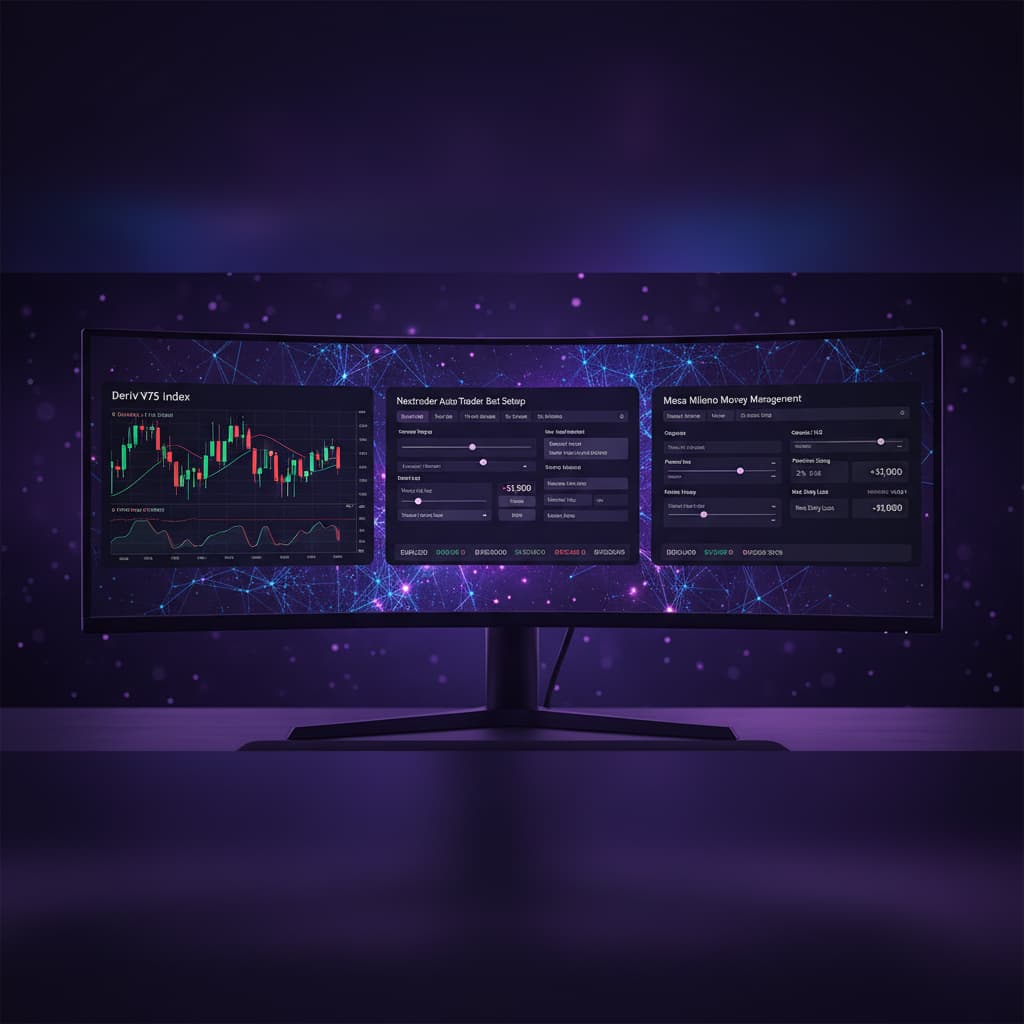
Welcome to this in-depth tutorial for Nextrader, your ultimate free platform for advanced Deriv trading. This guide is specifically designed for traders looking to automate their approach to the Volatility 100 Index (V100) using Deriv's Higher/Lower contracts. We'll walk you through setting up Nextrader's powerful Auto Trader Bot, leveraging the intelligent "Smart Signals" strategy, and implementing the sophisticated "Mesa Milano" money management system for smart loss recovery.
By the end of this tutorial, you will have a clear, step-by-step understanding of how to configure and deploy a Nextrader bot to trade V100 Higher/Lower contracts automatically. This setup is ideal for those who want to execute trades based on robust, multi-indicator analysis without constant manual intervention, while also employing a disciplined approach to capital preservation and growth. Whether you're a seasoned trader seeking to optimize your workflow or a newcomer eager to explore automated deriv trading tools, this guide will empower you to harness Nextrader's capabilities effectively.
Our focus will be on practical application, ensuring you know exactly what to click, what settings to choose, and what to monitor for optimal performance. You'll learn how these cutting-edge binary bots can transform your trading experience on Deriv.
What You Need Before Starting
Before you dive into automating your V100 Higher/Lower trades, ensure you have the following ready:
Get Live AI Trading Signals
Real-time non-repaint signals powered by 11 professional AI strategies. Volatility Indices, Forex, Gold & Crypto — no subscription, no paywall.
- Auto Trader Bot
- Digit Trader Bot
- 11 AI Strategies
- Live Telegram Signals
- A Deriv Account: This can be a real money account or a demo account. For beginners, starting with a demo account is highly recommended to practice without financial risk.
- A Nextrader Account: Nextrader is 100% free. You can sign up quickly at Sign Up Free — Nextrader
- Basic Understanding of Higher/Lower Contracts: Familiarity with how these contracts work on Deriv will help you better understand the bot's actions.
- An Internet Connection: A stable connection is crucial for real-time signal processing and trade execution.
Step 1: Setting Up Your Nextrader Account and Connecting to Deriv
The first crucial step is to get your Nextrader platform ready and securely linked to your Deriv trading account. Nextrader provides a seamless integration with the Deriv WebSocket API, ensuring real-time data flow and trade execution.
First, if you haven't already, sign up for a free Nextrader account at Sign Up Free — Nextrader Once logged in, you'll be directed to the main Nextrader dashboard. Look for the "Connect to Deriv" or "API Settings" section, usually found in the top navigation bar or a prominent panel on the dashboard.
Click on this option. Nextrader uses Deriv's official App ID (67545) for its integration, which you'll typically find pre-filled or easily selectable. You will then need to provide your Deriv API Token. To generate this token, log into your Deriv account, navigate to "Settings" -> "API Tokens," and create a new token, ensuring you grant it the necessary permissions (Read, Trade, Payments, Admin). Copy this token and paste it into the designated field on Nextrader.
After entering your API token, you'll have the option to select whether you want to connect to your "Deriv Real Account" or "Deriv Demo Account." For this tutorial, and especially when testing new strategies, it is highly recommended to start with your Deriv Demo Account. This allows you to simulate trades with virtual money, observe the bot's performance, and fine-tune your settings without any financial risk. Once selected, click "Connect." Nextrader will then attempt to establish a connection. A successful connection will display your Deriv account balance and trading console, confirming that Nextrader is ready to send commands to your Deriv account. This secure connection is the backbone of all automated deriv trading tools offered by Nextrader.
Step 2: Configuring the Auto Trader Bot for V100 Higher/Lower
With your Nextrader account successfully connected to Deriv, it's time to set up the core parameters for your automated trading on the Volatility 100 Index. Navigate to the "Auto Trader Bot" section within Nextrader. This is where you'll define the market, contract type, and duration for your automated trades.
On the Auto Trader Bot interface, you will see several dropdown menus and input fields.
1. Select Market: From the "Market" dropdown, choose "Volatility 100 Index" (V100). The Volatility Indices are popular choices due to their consistent availability and unique characteristics, making them excellent candidates for automated trading. Nextrader supports a wide range of Volatility Indices, including V10, V25, V50, V75, V100, and 1Hz, but for this tutorial, we focus on V100.
2. Select Contract Type: Next, under "Contract Type," select "Higher/Lower." This contract type allows you to predict whether the exit spot will be strictly higher or strictly lower than the entry spot.
3. Set Duration: The "Duration" setting determines how long each individual trade will last. You can typically choose between "Ticks" or "Minutes." For V100 Higher/Lower, a common starting point could be 5 Ticks or 1 Minute. Shorter durations like 5 ticks are often preferred by scalpers aiming for quick entries and exits, while 1 minute offers a slightly longer window for price action to develop. Experiment with these durations on a demo account to see what aligns best with the chosen strategy and market behavior. Remember that the choice of duration significantly impacts the frequency and potential profitability of trades. Nextrader's flexibility in duration settings makes it a versatile platform for various binary bots strategies.
Step 3: Activating Smart Signals Strategy and Timeframe Selection
Now that your market and contract type are defined, the next critical step is to select the trading strategy and its corresponding timeframe. Nextrader boasts 11 named AI strategies, each designed for different market conditions. For this tutorial, we will focus on "Smart Signals" due to its robust, multi-indicator confirmation.
Within the Auto Trader Bot settings, locate the "Strategy" dropdown. Select "Smart Signals." What makes Smart Signals particularly powerful is its unique firing mechanism: it only generates a signal on CLOSED candles, and only when a minimum of 3-4 underlying technical indicators agree on the direction. This significantly reduces false signals and aims for higher accuracy compared to strategies based on a single indicator. It's a prime example of how advanced deriv trading tools can offer more reliable entry points.
Next, you need to choose the "Timeframe" for the Smart Signals analysis. Nextrader offers 5min, 10min, 30min, and 1 hour signals.
- For more frequent trading opportunities and faster market reactions, a 5min or 10min timeframe might be suitable.
- For potentially more stable and less "noisy" signals, especially on a volatile index like V100, a 30min or 1 hour timeframe could be more effective as it filters out minor price fluctuations, focusing on broader trends.
For V100 Higher/Lower, starting with a 10min or 30min timeframe often strikes a good balance between signal frequency and reliability.
Finally, consider the "Confidence Level" setting, which ranges from 30% to 85%. This parameter allows you to filter signals based on the strength of the indicator agreement. A higher confidence level (e.g., 70-80%) means the bot will only take trades when the underlying indicators show very strong consensus, resulting in fewer but potentially higher-probability signals. A lower confidence level (e.g., 50-60%) will yield more signals, but with potentially lower individual win rates. For Smart Signals on V100, a starting confidence level of 65-75% is a good balance to ensure quality signals without missing too many opportunities.
Step 4: Implementing Mesa Milano Money Management
Effective money management is paramount in automated trading, and Nextrader offers advanced options beyond simple Martingale or Fixed Stake. For this tutorial, we will implement "Mesa Milano," a smart loss recovery system designed to mitigate risk while aiming for profit recovery.
In the Auto Trader Bot interface, navigate to the "Money Management" section. From the available options, select "Mesa Milano." Unlike the aggressive doubling of Martingale, Mesa Milano is a more sophisticated strategy that intelligently adjusts your stake size after a loss. It doesn't just multiply; it calculates a stake size that aims to recover previous losses plus a small profit, without escalating stakes exponentially. This makes it a more balanced and sustainable approach for many traders, especially when dealing with the inherent volatility of indices like V100. It's a key feature that elevates Nextrader's binary bots above many others.
Next, you need to configure your stake and profit/loss targets:
1. Initial Stake: Set your starting stake amount. This is the amount your bot will trade with for its first contract. For beginners on a demo account, a small amount like $0.35 or $1.00 is advisable. On a live account, ensure this amount is a small percentage of your total capital to manage risk effectively.
2. Target Profit: This is the total profit amount you want the bot to achieve before it automatically stops trading for the session. Set a realistic target based on your initial stake and risk tolerance, for example, $10 or $20.
3. Stop Loss: This is the maximum loss you are willing to incur before the bot automatically stops trading. Setting a stop loss is crucial for capital preservation. For instance, you might set it to $50 or $100, depending on your account size and risk appetite.
Mesa Milano works by dynamically increasing the stake after a loss, but in a calculated manner, not just by a fixed multiplier. It aims to recover the accumulated losses from previous trades and then revert to the initial stake once a profit is made. This "smart loss recovery" mechanism helps to smooth out equity curves and prevent rapid account depletion, making it one of the most intelligent deriv trading tools available for risk management.
Step 5: Reviewing Settings and Starting the Bot
You've now configured all the essential parameters for your V100 Higher/Lower Auto Trader Bot using Smart Signals and Mesa Milano. Before you hit that "Start" button, it's crucial to perform a final review of all your settings to ensure everything is precisely as intended.
Carefully go through each section of your Auto Trader Bot configuration:
- Market: Volatility 100 Index
- Contract Type: Higher/Lower
- Duration: (e.g., 5 Ticks or 1 Minute)
- Strategy: Smart Signals
- Timeframe: (e.g., 10min or 30min)
- Confidence Level: (e.g., 65-75%)
- Money Management: Mesa Milano
- Initial Stake: (e.g., $0.35 or $1.00)
- Target Profit: (e.g., $10 or $20)
- Stop Loss: (e.g., $50 or $100)
Double-check that you are connected to the correct Deriv account (Demo is highly recommended for initial testing). Once you are confident in your settings, locate the "Start Bot" button, usually prominently displayed on the Auto Trader Bot interface.
Upon clicking "Start Bot," your Nextrader bot will begin monitoring the V100 market based on your chosen timeframe and Smart Signals strategy. When the criteria for a signal are met (minimum 3-4 indicators agreeing on a closed candle, at your specified confidence level), the bot will automatically execute a Higher/Lower contract on your Deriv account.
You can monitor the bot's performance in real-time through Nextrader's color-coded trading console. This console provides live P&L tracking, showing each trade's outcome, profit/loss, and the current session's overall performance. This transparency is a key advantage of Nextrader's deriv bots. If you wish to stop the bot at any time, simply click the "Stop Bot" button. Remember to observe its behavior, especially on a demo account, to understand how it interacts with market conditions and fine-tune your parameters over time.
Pro Tips
1. Always Start with a Demo Account: This cannot be stressed enough. Test your strategies, adjust confidence levels, and experiment with durations on a Deriv demo account first. This allows you to understand the bot's behavior and performance without risking real capital.
2. Monitor Confidence Levels and Timeframes: The optimal confidence level and timeframe for Smart Signals can vary with market conditions. If you're getting too few signals, try lowering the confidence slightly. If you're seeing too many losing trades, consider increasing the confidence or switching to a longer timeframe (e.g., from 5min to 10min or 30min) for potentially more robust signals.
3. Explore Other AI Strategies: While Smart Signals is excellent, Nextrader offers 10 other powerful AI strategies. Don't hesitate to test strategies like "Trend Hunter" (EMA crossover) for trending markets, "Reversal Radar" (RSI) for potential reversals, or "Momentum Wave" (MACD) for capturing market thrusts, especially on V100. Each binary bot strategy has its strengths, and diversifying your approach can yield better results.
4. Leverage Telegram Signals for Insights: Join the Nextrader Telegram channel (t.me/nextraderlive). These real-time signals, covering 30 markets every 5 minutes, can provide valuable insights into market sentiment and potential movements, which you can use to manually verify or inform your bot's automated decisions. It's a fantastic complementary deriv trading tool.
Start Trading Now
Ready to elevate your trading with Nextrader? Sign up for your free account today and experience the power of advanced deriv bots and automated trading strategies.
Access the platform: Nextrader App
Sign up for free: Sign Up Free — Nextrader
Join our Telegram community for live signals: t.me/nextraderlive
Trading involves risk. Past performance does not guarantee future results.