Introduction
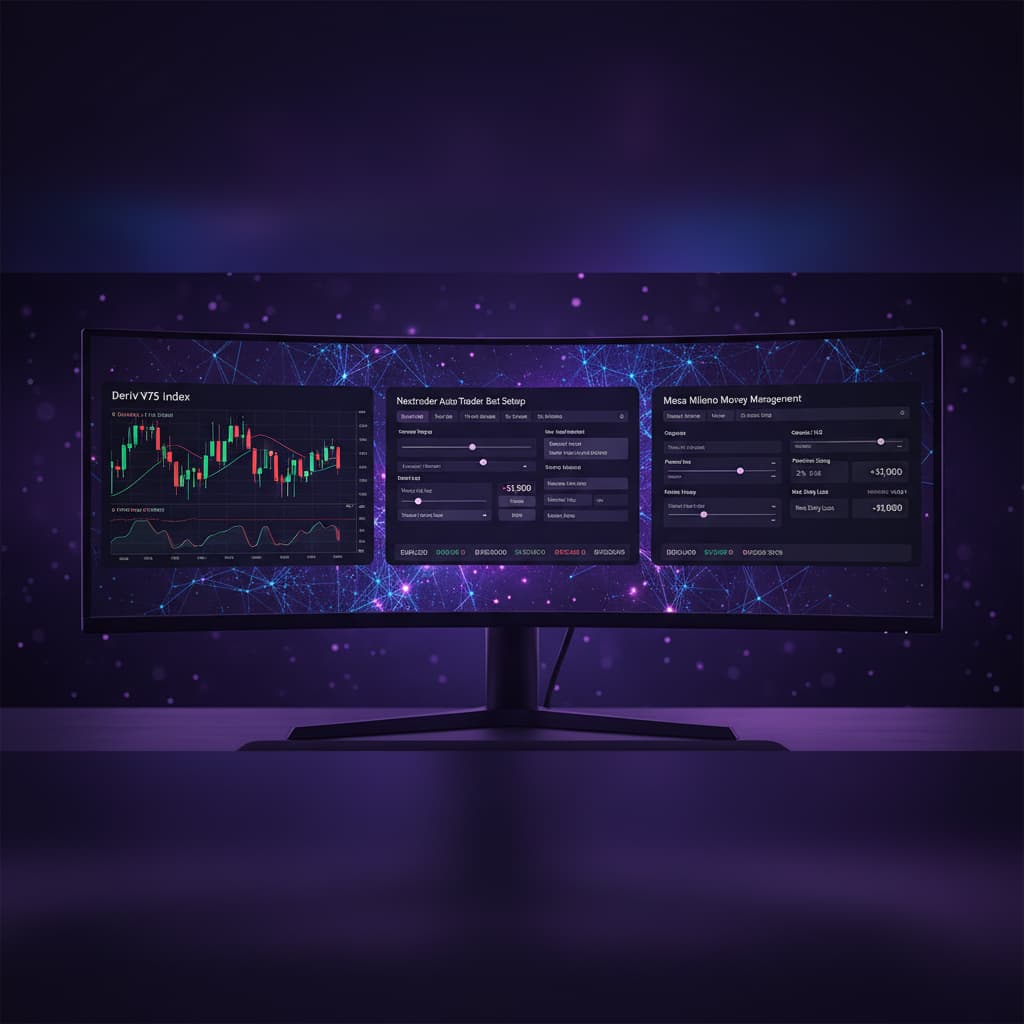
Welcome to this comprehensive guide for Nextrader (nextrader.live), your ultimate suite of free deriv trading tools. This tutorial is specifically designed for traders looking to harness the unique power of Nextrader's Accumulator strategy, ranging from 1x to 5x growth rates, when trading Rise/Fall contracts on Deriv's dynamic Volatility Indices.
Whether you're a seasoned trader seeking to optimize your approach or a newcomer eager to explore advanced strategies, this step-by-step walkthrough will equip you with the knowledge to configure, execute, and monitor your Accumulator trades effectively. By the end of this tutorial, you will confidently navigate Nextrader's platform, understand how to integrate real-time signals, and strategically apply the Accumulator growth mechanism to potentially enhance your trading outcomes on markets like V75, V100, and others. We'll show you how to leverage our robust deriv bots and binary bots to streamline your trading process, all without subscriptions or paywalls.
Nextrader offers a powerful array of features, from real-time non-repaint trading signals generated by 11 named AI strategies like Trend Hunter and Reversal Radar, to advanced money management systems like Martingale and Mesa Milano. The Accumulator strategy provides a distinct approach, allowing you to compound your stakes on successive winning trades, offering a unique growth path for your capital. This guide will focus on integrating this exciting growth mechanism with Nextrader's signal intelligence for Rise/Fall contracts, ensuring you have a clear roadmap to success.
What You Need Before Starting
- A Deriv.com Account: Both a real (for live trading) and a demo account (for practice) are essential. Nextrader integrates seamlessly with Deriv using App ID 67545.
- A Free Nextrader Account: Sign up at app.nextrader.live/signup. All features are 100% free and unlocked.
- Basic Understanding of Volatility Indices: Familiarity with how markets like V10, V25, V50, V75, V100, and 1Hz move is beneficial.
- An Internet-Connected Device: Nextrader is accessible via web browser or the Android app (com.vm.nextrader).
Step 1: Connecting Your Deriv Account and Selecting Your Market
The first crucial step is to link your Deriv trading account with Nextrader and choose the specific Volatility Index you wish to trade.
Get Live AI Trading Signals
Real-time non-repaint signals powered by 11 professional AI strategies. Volatility Indices, Forex, Gold & Crypto — no subscription, no paywall.
- Auto Trader Bot
- Digit Trader Bot
- 11 AI Strategies
- Live Telegram Signals
1. Log in to Nextrader: Navigate to app.nextrader.live and log in with your credentials. If you haven't signed up yet, it's quick and free at app.nextrader.live/signup.
2. Connect Your Deriv Account: On the Nextrader dashboard, locate the "Connect Deriv" or "Login to Deriv" button. Click it and follow the prompts to authorize Nextrader using your Deriv API token. Nextrader uses Deriv WebSocket API integration (App ID 67545) to ensure secure and real-time communication. You can connect multiple Deriv accounts if needed, thanks to Nextrader’s multi-account support.
3. Navigate to the Trading Console: Once connected, you'll see the main trading console. This intuitive, color-coded interface is where all your trading actions will take place.
4. Select Your Market: Look for the market selection dropdown, typically labeled "Market" or "Symbol." From the list, choose your desired Volatility Index. Popular choices for active trading include Volatility 75 Index (V75) or Volatility 100 Index (V100) due to their consistent movement. Nextrader supports a wide range of markets, including Forex, Gold, Silver, and Crypto, but for this tutorial, we focus on Volatility Indices.
Step 2: Activating the Accumulator Strategy and Setting Your Growth Rate
With your Deriv account connected and market selected, it's time to activate the Accumulator strategy and define its core parameter: the growth rate.
1. Locate the Strategy Selector: On the Nextrader trading console, you'll find various strategy and bot selection options. Look for the "Strategy" or "Trading Mode" dropdown/section.
2. Select "Accumulator": From the available options, choose "Accumulator." This activates Nextrader's unique growth rate trading mode.
3. Set Your Growth Rate (1x-5x): Once Accumulator is selected, a new option will appear, allowing you to define the growth multiplier. This ranges from "1x" to "5x."
* 1x (Fixed Stake): While technically an Accumulator setting, 1x means your stake remains constant regardless of wins or losses, similar to a Fixed Stake money management approach.
2x to 5x (Compounding Growth): This is where the Accumulator strategy truly shines. If a trade wins, the stake for the next* trade is multiplied by your chosen growth rate (e.g., 2x, 3x, 4x, or 5x) from the initial stake. If a trade loses, the stake resets to your initial base stake.
* Recommendation: For beginners, start with a lower growth rate like 2x or 3x to understand its mechanics and manage risk effectively. Higher growth rates (4x, 5x) offer faster potential returns but also carry higher risk if a losing streak occurs.
4. Understand the Mechanism: The Accumulator is designed to capitalize on winning streaks. It's a distinct approach from traditional money management systems like Martingale (which increases stake after a loss to recover previous losses) or Mesa Milano (Nextrader's smart loss recovery system). The Accumulator resets on a loss, protecting your capital from continuous compounding during downturns.
Step 3: Configuring Your Trade Parameters for Rise/Fall Contracts
Now that the Accumulator strategy is active, you need to define the specifics of your Rise/Fall contracts.
1. Select Contract Type: Rise/Fall: Locate the "Contract Type" dropdown and ensure "Rise/Fall" is selected. This is the primary contract type for which the Accumulator strategy is most commonly applied on Volatility Indices.
2. Set Duration:
* Ticks: For scalping or very short-term trades, you can select "Ticks" and specify a number (e.g., 5, 10, 15 ticks). This is ideal for quick entries and exits on highly volatile markets.
* Minutes/Hours: For slightly longer trades, choose "Minutes" or "Hours" and set your preferred duration (e.g., 1 minute, 5 minutes). The 5min, 10min, 30min, and 1 hour signals provided by Nextrader are perfectly suited for these durations.
* Recommendation: Start with shorter durations like 5-10 ticks or 1-2 minutes when getting acquainted with the Accumulator, as this allows for quicker feedback on the strategy's performance.
3. Set Initial Stake: This is your base stake for the first trade in an Accumulator sequence.
* Enter your desired initial stake amount (e.g., $1, $5, $10).
* Remember, if your Accumulator growth rate is 2x, your next winning trade's stake will be 2x this initial stake, and so on, until a loss resets it.
* Crucial: Ensure your initial stake is a small percentage of your total capital to manage risk effectively. Nextrader provides live P&L tracking, so you can monitor your performance closely.
Step 4: Leveraging Nextrader Signals and AI Strategies for Entry Points
The Accumulator strategy, while powerful, is most effective when combined with intelligent entry signals. Nextrader offers real-time, non-repaint trading signals generated by advanced AI strategies.
1. Monitor Real-time Signals: On your Nextrader console, keep an eye on the "Signals" panel. Here, you'll see real-time "BUY" (Rise) or "SELL" (Fall) signals for your selected market and other available markets.
2. Understand Signal Confidence: Each signal comes with a "Confidence Level" (30-85%). Prioritize signals with higher confidence levels for better potential accuracy. Nextrader's Smart Signals require a minimum of 3-4 indicators to agree before firing, enhancing their reliability.
3. Utilize Multiple Timeframes: Signals are available across 4 timeframes: 5min, 10min, 30min, and 1 hour. Align your chosen trade duration from Step 3 with the appropriate signal timeframe. For instance, if you're trading 1-minute Rise/Fall contracts, a 5-minute signal might provide a good directional bias, while a 1-minute signal would be more precise for entry.
4. Identify AI Strategy Origins: Nextrader's signals are powered by 11 named AI strategies, including:
* Trend Hunter (EMA crossover): Good for identifying strong directional moves.
* Reversal Radar (RSI): Excellent for spotting potential turning points.
* Momentum Wave (MACD): Useful for gauging the strength and direction of a trend.
* Volatility Pulse (Bollinger Bands): Helps identify periods of high or low volatility and potential breakouts.
* Consider which underlying AI strategy might best suit the current market conditions of your chosen Volatility Index.
5. Review Entry/Exit Parameters: For each signal, Nextrader displays an "Entry Price," "Stop Loss," and "Take Profit 1 & 2." While the Accumulator strategy focuses on stake management, these parameters provide valuable insights into market structure and potential price targets, helping you confirm the signal's validity for your Rise/Fall contract.
Step 5: Executing and Monitoring Your Accumulator Trades
With your strategy set, parameters configured, and a high-confidence signal identified, it's time to execute your trade and monitor its performance.
1. Manual Execution:
* When a favorable signal (e.g., a "BUY" for Rise or "SELL" for Fall) appears with high confidence, and all your parameters are set, click the corresponding "RISE" or "FALL" button on the Nextrader console.
* The trade will be placed on your Deriv account.
2. Automated Execution with Auto Trader Bot:
* For a hands-free approach, Nextrader offers an "Auto Trader Bot." Activate this bot and ensure your Accumulator strategy and Rise/Fall contract settings are correctly applied.
* The Auto Trader Bot can automate Rise/Fall and Higher/Lower contracts, following your pre-defined parameters and potentially reacting to signals if configured. This is one of Nextrader's powerful deriv bots, designed to execute trades based on your rules.
* While the Accumulator is a stake management strategy, the Auto Trader Bot ensures consistent execution of your Rise/Fall contracts with the Accumulator logic applied.
3. Monitor Live P&L and Trade History:
* The Nextrader console features real-time, color-coded trading console, providing instant feedback on your open and closed positions.
* You'll see your "Live P&L" (Profit & Loss) updating dynamically.
* Track your trade history to see how the Accumulator strategy is performing. Observe how your stake increases on wins and resets on losses. This is crucial for understanding the strategy's impact on your trading capital.
4. Risk Management and Discipline:
* Even with the Accumulator, always adhere to sound risk management. The strategy's reset on loss helps mitigate prolonged drawdowns, but a series of losses will still impact your capital.
* Avoid overtrading. Wait for high-confidence signals and resist the urge to chase every market movement.
* Consider practicing on a Deriv demo account first to fully grasp the Accumulator's behavior before switching to a real account.
Pro Tips
- Start Small and Scale Up: When first using the Accumulator, begin with a 1x or 2x growth rate and minimal initial stakes. Master the rhythm and signal integration before increasing your multiplier or stake size.
- Combine with Specific AI Strategies: While Nextrader's Smart Signals are multi-indicator, pay attention to the underlying strategies. For instance, if Volatility Indices are trending, signals from Trend Hunter or Trend Rider (SuperTrend) might be more reliable. If they are ranging, Reversal Radar or Volatility Pulse could offer better entry points for Rise/Fall.
- Leverage Telegram Signals: Supplement your on-platform analysis by joining the Nextrader Telegram channel (t.me/nextraderlive). You'll receive signals for 30 markets every 5 minutes, up to 30 signals per day, offering additional confirmation or alternative trading opportunities. These free signals can act as excellent external deriv trading tools.
- Practice with Digit Trader Bot (for context): While this tutorial focuses on Rise/Fall, Nextrader also offers the Digit Trader Bot for AI last-digit prediction (DIGITEVEN/ODD/OVER/UNDER/MATCH/DIFF). Understanding its pattern recognition (95%+ accuracy) and streak detection can provide a broader perspective on Nextrader's AI capabilities, even if not directly used with Accumulator.
Start Trading Now
Ready to put the Accumulator strategy into action? Head over to Nextrader App to log in or Sign Up Free — Nextrader to create your free account today. For real-time updates and signals, join our community on Telegram at t.me/nextraderlive. Unlock the full potential of Nextrader’s deriv bots and binary bots completely free.
Trading involves risk. Past performance does not guarantee future results.