Introduction
Welcome to this comprehensive guide for Deriv traders looking to elevate their strategy with automation! In this tutorial, we'll walk you through the straightforward process of connecting your Deriv account to NexTrader Bot, the powerful and 100% free tool within the Nextrader ecosystem. Whether you're new to automated trading or simply looking to leverage the extensive library of ready-to-run strategies, this guide is designed for you.
By the end of this tutorial, you will confidently be able to generate an API token from your Deriv account, securely link it with NexTrader Bot, and effortlessly deploy a free deriv bot to start automating your trades on Deriv synthetic indices (V10/V25/V50/V75/V100 + 1Hz), forex, gold, silver, or crypto. Get ready to experience the convenience of one-click trading with cutting-edge binary bots.
This guide focuses on getting you up and running with a free deriv bot from the NexTrader Bot Hub, enabling you to explore automated strategies without any coding or subscriptions. You'll learn how to harness the power of a Deriv trading bot to execute trades based on predefined logic, freeing up your time and potentially enhancing your trading consistency.
What You Need Before Starting
Before diving into the steps, ensure you have the following ready:
Load a Free Deriv Bot in One Click
Browse 747+ ready-to-run Deriv bots — Rise/Fall, Over/Under, Even/Odd, Match/Differ. No coding, free forever.
- 747+ Free Bots
- One-Click Load
- Rise/Fall & Digits
- Demo or Real
- An active Deriv Account: This can be a real account for live trading or a demo account for practice. We highly recommend starting with a demo account.
- Internet access: A stable connection is essential for seamless operation.
- Basic understanding of Deriv trading: Familiarity with assets and contract types available on Deriv.
Step 1: Generating Your Deriv API Token
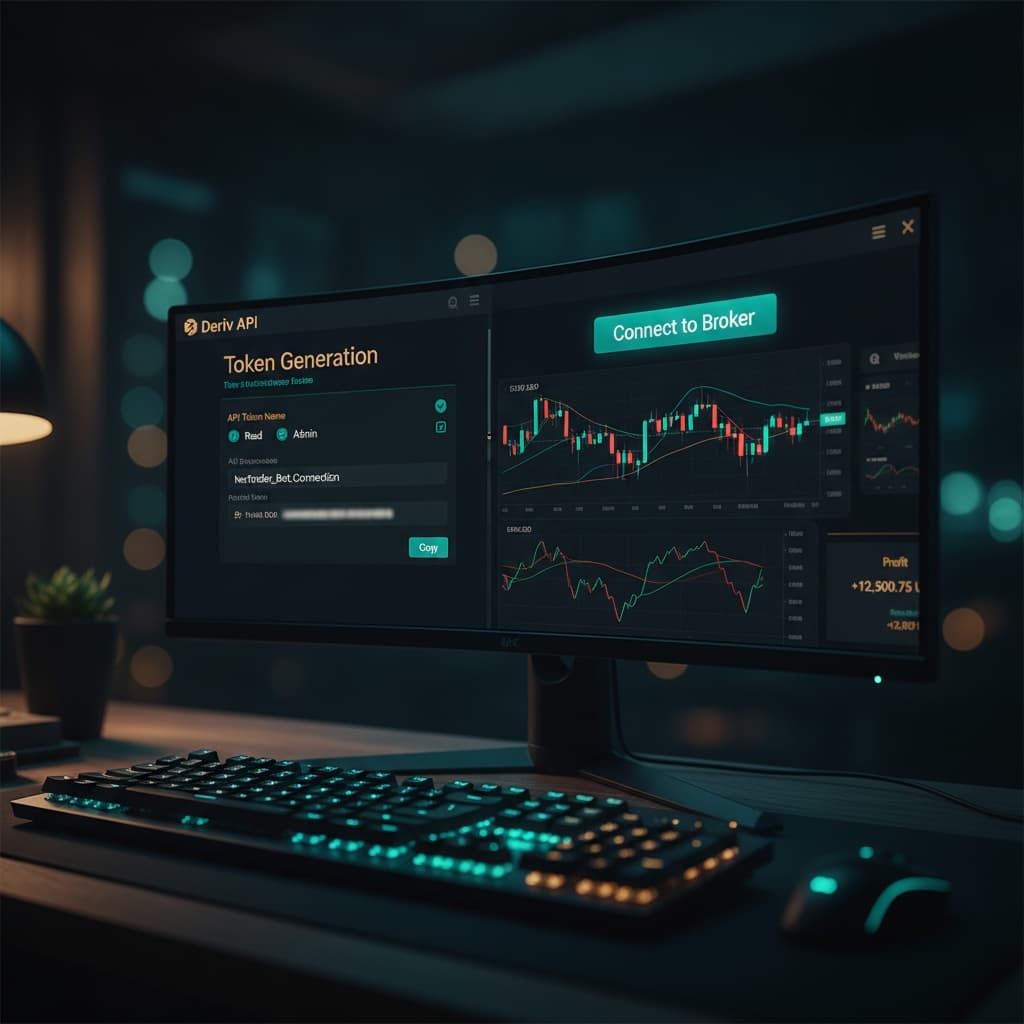
The first crucial step to connecting your Deriv account to NexTrader Bot is to generate a secure API token directly from your Deriv platform. This token acts as a digital key, allowing NexTrader Bot to interact with your Deriv account on your behalf, executing trades and fetching account information.
- Log in to your Deriv account: Open your web browser and navigate to Deriv.com. Enter your credentials to log in to your trading account. Once logged in, you should see your main trading dashboard.
- Access API Tokens: On the Deriv platform, locate your profile icon or name, usually in the top right corner. Click on it to open the dropdown menu. From this menu, select "Settings." Within the settings page, you'll find various options; look for and click on "API Tokens."
- Create a New Token: On the API Tokens page, you will see a list of any existing tokens you might have. To create a new one specifically for NexTrader Bot, click the prominent button labeled "Create a new token."
- Configure Token Permissions: This is a critical step for security. When creating a token, you'll be prompted to select its permissions. For general trading bot usage, you typically need "Read" and "Trade" permissions.
* Read: Allows NexTrader Bot to view your account balance, trading history, and other non-sensitive data.
* Trade: Grants permission for the bot to place trades on your behalf.
* You might also consider adding "Payments" if your bot needs to manage withdrawals/deposits, or "Admin" for full control, but it's generally recommended to grant only the necessary permissions to minimize risk. For NexTrader Bot, "Read" and "Trade" are usually sufficient to run a deriv trading bot effectively.
- Name Your Token (Optional but Recommended): Give your API token a descriptive name, such as "NexTrader Bot Token." This helps you identify its purpose later if you have multiple tokens.
- Generate and Copy the Token: After selecting the permissions and naming it, click "Create." Deriv will then generate a unique alphanumeric string – this is your API token. Immediately copy this token to your clipboard. For security reasons, Deriv will only display this token once. If you lose it, you'll have to revoke it and create a new one. Store it securely if you need to, but for immediate use, simply keep it copied.
Step 2: Accessing NexTrader Bot and Preparing for Connection
With your Deriv API token securely copied, the next step is to navigate to the NexTrader Bot platform and prepare to connect your account. NexTrader Bot offers a vast library of ready-to-run binary bots, making it easy to get started without any coding.
- Navigate to NexTrader Bot: Open a new tab in your web browser and go to NexTrader Bot. This is the dedicated portal for the NexTrader Bot library.
- Familiarize Yourself with the Interface: Upon landing on NexTrader Bot, take a moment to observe the clean and intuitive interface. You'll notice sections like the "Bot Hub," which houses the 747+ ready-to-run Deriv bots, and potentially a dashboard area. The platform is designed for "one-click" operation, making it user-friendly for all levels of traders.
- Locate the API Token Input Area: On the NexTrader Bot platform, typically on the main dashboard or within a designated "Connect Account" or "Settings" section, you will find an input field specifically labeled for your "Deriv API Token." This is where you will paste the token you generated in Step 1. The platform is built to integrate seamlessly with the Deriv WebSocket API, so this connection point is central to its functionality.
- Understand Account Status: Before connecting, you might see a message indicating "Not Connected" or "No Deriv Account Linked." This is normal and will change once you successfully paste your token.
Step 3: Connecting Your Deriv Account to NexTrader Bot
Now it's time to bridge the gap between your Deriv account and the powerful automation capabilities of NexTrader Bot. This step is quick and straightforward, solidifying the connection that allows the free deriv bot to operate.
- Paste Your Deriv API Token: In the designated "Deriv API Token" input field on NexTrader Bot, paste the API token you copied from your Deriv account in Step 1. Double-check that the entire token string is pasted correctly without any extra spaces.
- Initiate the Connection: After pasting the token, look for a button such as "Connect," "Link Account," or "Save." Click this button to establish the connection. NexTrader Bot will then use this token to communicate with your Deriv account.
- Verify the Connection: Upon successful connection, the NexTrader Bot dashboard will update. You should see your Deriv account details displayed, including your live demo balance (if you connected a demo account) or your real account balance. This immediate feedback confirms that your Deriv account is now securely linked and ready to run a deriv bot. If there's an issue, you might see an error message, in which case you should re-check your API token and its permissions on Deriv.
Step 4: Browsing and Selecting a Free Deriv Bot from the Bot Hub
With your Deriv account connected, you're now ready to explore the extensive library of automated strategies. NexTrader Bot's "Bot Hub" is where the magic happens, offering a diverse range of free deriv bots tailored for various market conditions and preferences.
- Access the Bot Hub: On the NexTrader Bot platform, navigate to the "Bot Hub." This is your central repository for all available binary bots.
- Filter for Free Bots: NexTrader Bot provides both "Free Bots" and "Premium Bots." To access the strategies available without any cost, ensure you apply the "Free Bots" filter. This will display only the bots that are readily available for you to use.
- Explore Bot Categories: The bots are intelligently grouped by contract type, making it easy to find strategies that align with your trading style. Browse through categories such as:
* Rise/Fall: Predict if the asset price will rise or fall.
* Over/Under: Predict if the last digit of the asset price will be over or under a certain value.
* Even/Odd: Predict if the last digit will be an even or odd number.
* Match/Differ: Predict if the last digit will match or differ from a specified digit.
* You'll also find bots categorized by "Tick," "Indicator," and "Candle" based strategies, offering even more granular control.
- Identify Popular and Trending Bots: Pay attention to the "Trending," "Hot," and "Most-used" badges displayed on various bot cards. These indicators highlight bots that are currently popular among the Nextrader community. You'll also see usage counters, giving you an idea of how frequently each bot is deployed.
- Review Bot Details: Click on a bot that piques your interest. You'll see its name (e.g., "Rise Rocket," "Fall Falcon," "Even Comet," "Over 2 Blaze," "Under 8 Flash," "Odd Bolt"), its speed (1-Tick or 1-Tick Turbo), and a brief description. These are "Block-based bots" (~48 blocks each), designed without coding, which means they are ready to run as is.
- Select [Your First Free Deriv](/nextrader-deriv-bot-setup) Bot: Based on your chosen contract type and any popularity indicators, select the free deriv bot you wish to run. Remember, you can always try different ones later.
Step 5: Loading and Running Your Chosen Free Deriv Bot
You've connected your account and picked your strategy. Now comes the exciting part: deploying your chosen binary bots with a single click and watching them work.
- Load the Bot: Once you've selected a free deriv bot from the Bot Hub, you'll see an option to "Load" or "Run" it. NexTrader Bot boasts a "one-click" loading mechanism. Simply click this button, and the bot's logic will be loaded into your trading interface, ready for execution. You won't need to import BinaryBot XML files manually; it's all handled automatically.
- Review Bot Settings (Optional): While NexTrader bots are designed to be ready-to-run, some may have basic configurable parameters displayed on the dashboard, such as initial stake or target profit. For your first run, it's often best to stick with the default settings, especially when using a demo account.
- Start on a Deriv Demo Account (Highly Recommended): Before running any deriv bot on a real account, always test it thoroughly on your Deriv demo account. This allows you to understand its behavior, risk profile, and performance without financial risk. The NexTrader Bot dashboard will clearly indicate whether you are operating on a demo or real balance.
- Initiate Trading with "Run": Locate the "Run" control button on the NexTrader Bot dashboard. This is your command to start the automated trading process. Click "Run," and the bot will begin executing trades based on its pre-programmed strategy, interacting directly with your connected Deriv account via the API token.
- Monitor Performance on the Dashboard: As your deriv bot trades, the NexTrader Bot dashboard will provide live updates. You'll see trade results, profit/loss figures, and possibly other metrics. This dashboard allows you to keep track of your bot's performance in real-time.
- Stop the Bot: If you wish to pause or stop the bot at any point, simply click the "Stop" control button on the dashboard. The bot will cease placing new trades immediately. You are always in control.
Pro Tips
- Always Start with a Deriv Demo Account: This cannot be stressed enough. Utilize your Deriv demo balance to thoroughly test any free deriv bot before considering deploying it on a real account. Understand its performance characteristics and risk exposure.
- Explore the Bot Hub Extensively: Don't limit yourself to just one type of binary bot. The NexTrader Bot Hub offers 747+ ready-to-run bots across various contract types (Rise/Fall, Over/Under, Even/Odd, Match/Differ) and speeds (1-Tick, 1-Tick Turbo). Experiment with different named bots like "Rise Rocket" or "Odd Bolt" to find strategies that resonate with your trading style.
- Monitor and Analyze: While the bots automate trading, active monitoring of the NexTrader Bot dashboard is crucial. Observe how the deriv trading bot performs under different market conditions and use the live demo balance display to track its progress.
- Join the Telegram Community: Become part of the Nextrader family! Join the Telegram community at Telegram. This is an invaluable resource for asking questions, sharing insights, and learning from other Deriv traders and expert users of the NexTrader ecosystem.
Start Now
Ready to automate your Deriv trading and explore the power of free deriv bots? Head over to NexTrader Bot and connect your account today!
Trading involves risk. Past performance does not guarantee future results.