How to Download and Deploy a Multi-Strategy Deriv XML Bot Pack
Finding a clean deriv xml bot pack often means digging through outdated forum links and testing broken code blocks on live accounts. Automated execution on synthetic indices requires verified strategy logic, low execution latency, and pre-configured risk rules. Rather than running untested scripts, traders can access a complete library of 747+ ready-to-run bots for free at NexTrader Bot.
The NexTrader Bot Hub connects directly to your trading balance using a Deriv WebSocket API token. Hosting over 747+ ready-to-run strategy builds across Free Bots and Premium Bots tiers, it allows you to run high-speed bots without touching a single line of code. Every automated strategy contains roughly 48 modular execution blocks pre-configured for instant execution across synthetic index markets like Volatility 10 (V10), V25, V50, V75, V100, and their 1Hz higher-frequency variants.
Traders looking for raw downloadable files can claim 100+ premium XML bots through the NexTrader Welcome Pack at gifts.nextrader.live when opening their account through NexTrader. Alternatively, deploying pre-tested strategies directly in your browser at NexTrader Bot eliminates execution lag and block errors. The platform handles Rise/Fall, Over/Under, Even/Odd, and Match/Differ contracts with sub-second processing.
What You Get (Multi-Strategy Bot Pack Overview)
A complete automated trading collection must adapt to changing price action across different synthetic index behaviors. High-volatility markets like the Volatility 100 Index require trend-filtering blocks, while tick-based digit contracts on Volatility 10 (1s) require ultra-low execution latency.
Load a Free Deriv Bot in One Click
Browse 747+ ready-to-run Deriv bots — Rise/Fall, Over/Under, Even/Odd, Match/Differ. No coding, free forever.
- 747+ Free Bots
- One-Click Load
- Rise/Fall & Digits
- Demo or Real
The strategy pack hosted at NexTrader Bot structures its ~48 block execution frameworks around explicit contract mechanics. Each bot features specialized speed profiles—ranging from standard tick evaluations to high-speed 1-Tick and 1-Tick Turbo execution engines—and carries usage counters with Trending, Hot, or Most-used status badges.
| Bot Name | Contract Type | Market | Strategy Description |
|---|---|---|---|
| Rise Rocket | Rise/Fall | Volatility 75 (1s) Index | High-speed 1-Tick momentum execution on rising price ticks. |
| Fall Falcon | Rise/Fall | Volatility 100 Index | Candle-based trend confirmation block for continuous tick drops. |
| Over 2 Blaze | Over/Under | Volatility 10 (1s) Index | Over 2 digit barrier execution using 1-Tick Turbo speed. |
| Under 8 Flash | Over/Under | Volatility 25 Index | Under 8 digit barrier evaluation using indicator block triggers. |
| Even Comet | Even/Odd (Digit) | Volatility 50 Index | Consecutive odd tick detection trigger executing on Even contracts. |
| Odd Bolt | Even/Odd (Digit) | Volatility 100 (1s) Index | Rapid 1-Tick Turbo digit balance strategy targeting Odd contract payouts. |
Every bot in this suite utilizes modular blocks to segregate entry conditions, stake management, and trade evaluation. Rise Rocket and Fall Falcon evaluate directional momentum over rapid tick sequences, ensuring trades open only when directional consensus is reached. Over 2 Blaze and Under 8 Flash monitor digit barrier thresholds to trigger trades during active tick movements. Even Comet and Odd Bolt analyze mathematical frequency distributions of last digits, firing orders when statistical imbalances occur on 1Hz indices.
Traders whose Deriv account was opened through NexTrader can unlock an extended tier via the NexTrader Welcome Pack at gifts.nextrader.live. This claim includes over 100+ premium XML bots, 3 full months of Bot Hub Premium access (a $14.99/month value that unlocks top-tier strategies), and 3 months of access to the VIP signal channel. Eligibility is verified automatically by Deriv when signing in.
How to Load It (XML Import vs. One-Click Execution)
Traders historically relied on manual XML file downloads to run automated scripts on Deriv. While importing raw XML files into Deriv Bot remains supported, cloud-integrated deployment at NexTrader Bot eliminates local file handling and syntax issues.
Option A: Traditional Deriv Bot (DBot) Flow
If you are using Deriv's default DBot interface, deployment relies on obtaining .xml files—such as the 100+ premium XML bot pack claimed via gifts.nextrader.live—and importing them locally:
- Obtain Your XML File: Download your strategy file from the NexTrader Welcome Pack at gifts.nextrader.live directly to your computer or mobile device.
- Access DBot: Log into Deriv Bot (DBot) and switch to your demo account to test block structures safely.
- Import Blocks: Open the Bot Builder tab, select Import, choose Local, and select your saved
.xmlfile. The canvas loads roughly 48 blocks containing trade parameters, purchase conditions, and loss management routines.
While DBot allows manual XML editing, running bots this way requires local file management, browser tab stability, and manual setup for every strategy switch.
Option B: Faster One-Click Deployment via NexTrader Bot Hub (Recommended)
To bypass manual block construction, missing logic dependencies, and file selection errors, deploy directly through the cloud framework at NexTrader Bot:
- Connect Your Account Balance: Navigate to NexTrader Bot and paste your Deriv API token. This securely syncs your demo and real balances via a direct WebSocket connection without granting withdrawal permissions.
- Select Strategy from the Bot Hub: Browse the library of 747+ strategies by contract category (Rise/Fall, Over/Under, Even/Odd, Match/Differ) or filter by strategy performance tags like Trending, Hot, or Most-used.
- Execute in One Click: Select any named strategy—such as Rise Rocket, Fall Falcon, Over 2 Blaze, or Even Comet—adjust your baseline stake parameters, and click Run. The platform executes the underlying logic blocks directly against Deriv markets in real time without needing local XML files.
Settings to Check Before Running Your Deriv Trading Bot
Running a deriv trading bot without precise account allocation rules can quickly lead to unwanted drawdown. Automated strategies execute decisions in milliseconds; without hard limits configured in your parameters, consecutive market moves can erode capital.
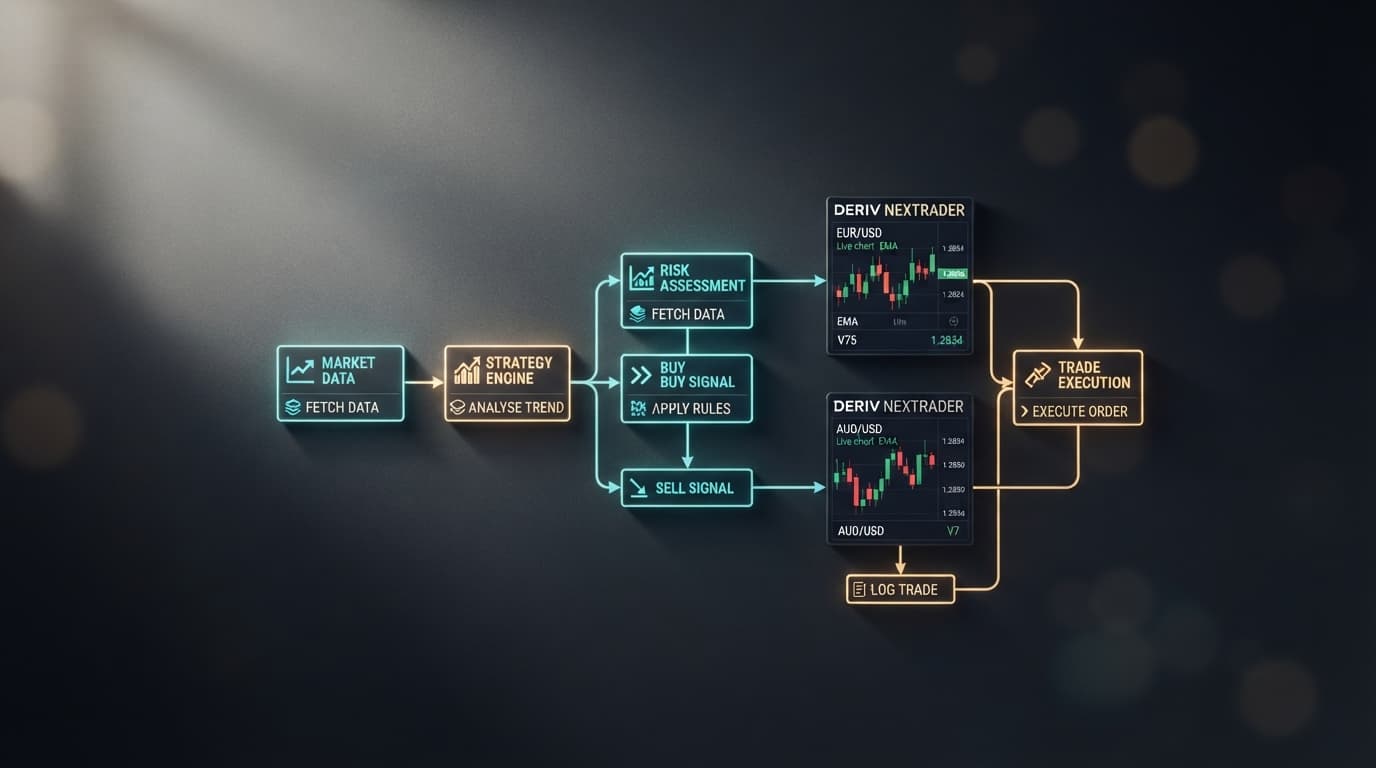
- 1 Market & Contract Setup -> Baseline Stake & Allocation -> Speed & Engine Selection -> Target & Stop Limits
Before hitting Run on any live or demo instance inside NexTrader Bot, adjust your risk parameters using these baseline guidelines:
| Risk Parameter | Account Rule | $100 Balance Example | $500 Balance Example | Operational Purpose |
|---|---|---|---|---|
| Initial Stake | $\le$ 1% of balance ($0.35 min) | $0.35 – $1.00 | $0.35 – $5.00 | Prevents margin exhaustion during Martingale or recovery sequences. |
| Take-Profit (TP) | 5% of balance | $5.00 | $25.00 | Automatically halts the bot once session earnings hit the target. |
| Stop-Loss (SL) | 10% of balance | $10.00 | $50.00 | Acts as a circuit breaker to terminate trading and preserve capital. |
Speed & Execution Controls
Verify whether your chosen strategy uses standard 1-Tick or high-frequency 1-Tick Turbo execution engines inside its ~48 block parameter hierarchy. High-speed strategies (like Over 2 Blaze or Odd Bolt) open and settle contracts on single tick updates. Utilizing the cloud-hosted engine on NexTrader Bot ensures execution processes smoothly via WebSockets without relying on local browser speed.
Common Problems & Troubleshooting Your Deriv Bot Setup
Even when using audited strategies, technical friction can occur during automated deployment. Here is how to diagnose and resolve the three most frequent execution issues on your deriv bot setup.
Symptom 1: Invalid API Token or Connection Disconnect
- The Issue: The NexTrader dashboard displays a connection error, fails to pull live demo/real balance counters, or refuses to transmit order requests.
- The Cause: The generated Deriv API token lacks required scope permissions, has expired, or was revoked during session updates.
- The Fix: Log into your Deriv account settings, navigate to the API Token section, and generate a new token with both Read and Trade scopes enabled. Copy the fresh token string, return to NexTrader Bot, and re-paste it into the connection field. Your live balance and account metrics will reflect immediately.
Symptom 2: XML Block Execution Error / Missing Logic Blocks
- The Issue: Importing a local
.xmlfile into DBot triggers workspace errors, displays orphaned block warnings, or refuses to execute purchase triggers. - The Cause: Manual editing, incomplete file downloads, or missing block dependencies inside legacy XML scripts disrupt the ~48 block execution tree.
- The Fix: Inspect the workspace canvas to confirm no variable definitions or purchase condition blocks are disconnected. To eliminate block syntax errors completely, switch from manual local XML uploads to the pre-validated Bot Hub at NexTrader Bot. Selecting strategies like Fall Falcon or Under 8 Flash directly from the cloud library guarantees complete block integrity without manual canvas setup.
Symptom 3: Instant Stop-Loss Trigger on Volatile Synthetic Ticks
- The Issue: The bot initiates a trading session and hits the Stop-Loss circuit breaker within a few short contract cycles.
- The Cause: Setting initial stakes too high relative to account size, using aggressive recovery multipliers, or running 1-Tick Turbo strategies during extreme market volatility.
- The Fix: Re-evaluate your risk parameters. Confirm that your baseline stake is set to the $0.35 minimum (or $\le$ 1% of balance) and that your Stop-Loss block is scaled to 10% of your balance. Test high-speed bots like Rise Rocket or Odd Bolt on a demo balance first to verify performance under current volatility conditions before switching to live capital.
Deploy Your Next Trading Strategy Instantly
Rather than searching for unverified forum downloads or managing broken XML blocks manually, you can launch pre-configured automated strategies immediately. Visit NexTrader Bot to connect your account, access 747+ ready-to-run bots across Free and Premium tiers, and execute trades in a single click.
For account registration, platform integrations, and strategy tools, visit Sign Up Free — Nextrader. To connect with fellow traders, ask questions, and receive real-time strategy updates, join our official Telegram community at Telegram.
Trading involves risk. Past performance does not guarantee future results.