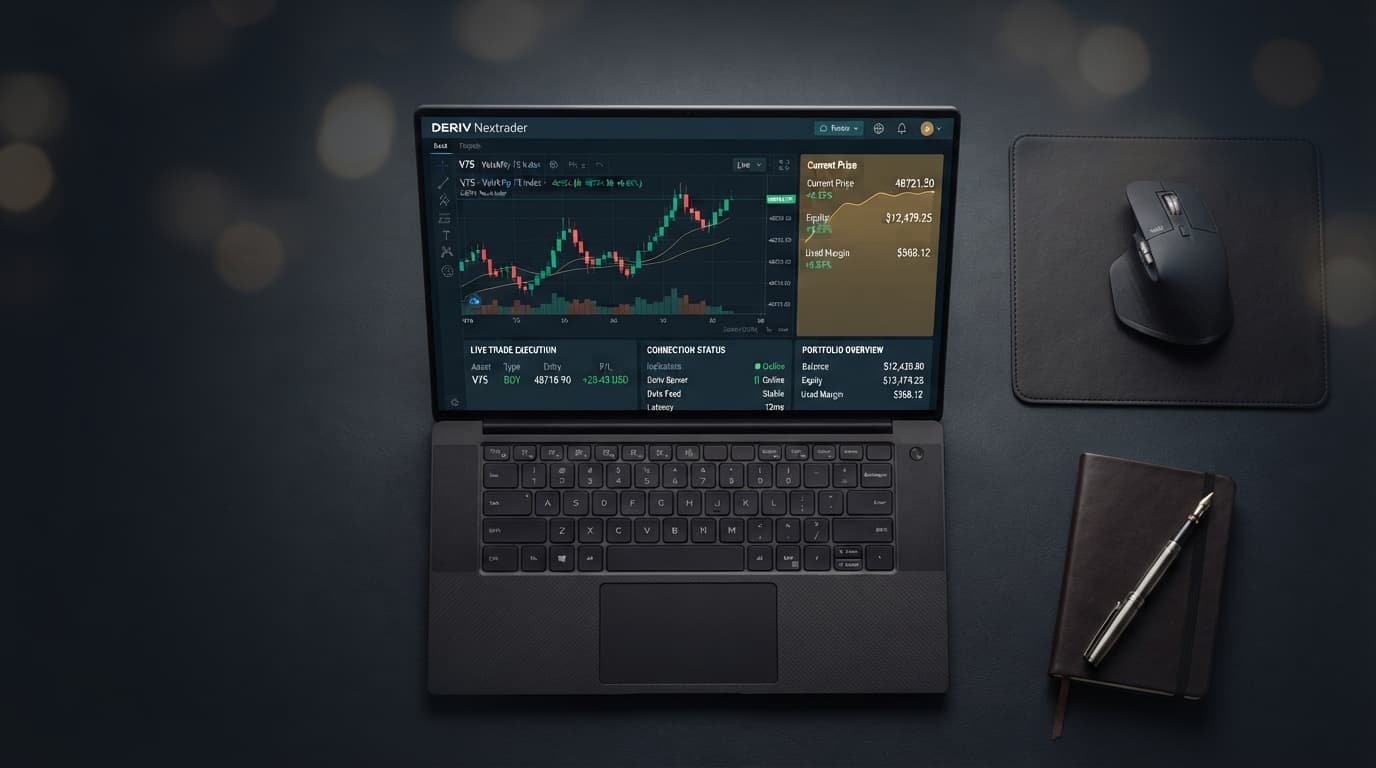
Master the NexTrader Bot Interface for Deriv: Execution, Dashboard & Monitoring Guide
When trading fast-moving synthetic indices like Volatility 75 (V75) or V100 (1Hz), split-second execution latency and real-time dashboard visibility dictate your profit and loss. Executing automated strategies across rapid market swings requires a responsive workspace where you can track live ticks, manage risk parameters, and trigger emergency controls without delay.
Deriv's native DBot platform allows traders to construct strategies by assembling visual blocks or importing individual XML files on a demo account. However, switching between setup menus and manually uploading XML files often slows down execution and live trade monitoring.
The NexTrader Bot Interface for Deriv (NexTrader Bot) solves this by connecting directly to your broker account via the Deriv WebSocket API. Designed specifically for Deriv synthetic indices (V10, V25, V50, V75, V100, and 1Hz variants), forex, gold, silver, and crypto, NexTrader Bot consolidates your execution controls into a single web dashboard featuring 747+ ready-to-run Deriv bots, real-time tick monitoring, and one-click run and stop controls.
The 60-Second Version
- 1 Generate Deriv API token with Read & Trade permissions
- 2 Paste API token into NexTrader Bot workspace
- 3 Filter Bot Hub by contract type, speed, and synthetic index
- 4 Configure stake parameters and live risk limits
- 5 Click Run to monitor execution or Stop to halt instantly
To launch a deriv trading bot immediately, paste your Deriv API token into the NexTrader execution workspace at NexTrader Bot. Open the Bot Hub to choose a ready-to-run strategy for your target asset and contract type. Confirm your live or demo balance indicator, input your stake and target loss parameters, and click Run. The interface tracks incoming tick streams in real time, giving you immediate control to stop execution whenever market conditions change.
Load a Free Deriv Bot in One Click
Browse 747+ ready-to-run Deriv bots — Rise/Fall, Over/Under, Even/Odd, Match/Differ. No coding, free forever.
- 747+ Free Bots
- One-Click Load
- Rise/Fall & Digits
- Demo or Real
The Walkthrough
Step 1: Connect Your Deriv API Token to the Interface
Setting up your trading workspace begins with connecting your account credentials securely using direct WebSocket authentication.
- 1 Log into your Deriv broker account and navigate to Account Settings > API Token.
- 2 Select the "Read" and "Trade" scope checkboxes, type a token name (e.g., "NexTrader-Bot"), and click Create.
- 3 Copy the generated alphanumeric token string.
- 4 Open NexTrader Bot and locate the API connection panel on the main interface.
- 5 Paste your token into the designated input field and click Connect.
Once authenticated, the NexTrader Bot interface validates your Deriv token and displays your live or demo account balance, account currency (USD, EUR, GBP), and connection status. Unlike standard DBot workspaces where managing token sessions requires navigating separate settings tabs, NexTrader Bot maintains an active WebSocket socket directly on the primary control header. You can switch between demo and real accounts in a single click while streaming incoming tick feeds.
Step 2: Browse and Select a Strategy Card in the Bot Hub
With your token verified, navigate to the Bot Hub catalog to pick a strategy that matches your market bias and risk appetite.
Inside the Bot Hub, you can filter 747+ ready-to-run options—including every free deriv bot—by contract type and execution speed across Volatility Indices (V10, V25, V50, V75, V100, and 1Hz variants):
- Rise/Fall: Directional tick momentum strategies, such as Rise Rocket (1-Tick speed) or Fall Falcon (1-Tick Turbo speed).
- Over/Under: Digit prediction models focused on barrier thresholds, including Over 2 Blaze and Under 8 Flash.
- Even/Odd: Statistical digit variance strategies like Even Comet and Odd Bolt.
- Match/Differ: High-payout digit agreement tools built for targeted volatility spikes.
The interface highlights trending bots using community usage counters alongside Hot, Trending, and Most-used badges, making it straightforward to identify active 1-Tick and 1-Tick Turbo algorithms suited to current market volatility.
Step 3: Load Block-Based Bots in One Click
In DBot and traditional binary bots, launching a bot requires downloading .xml files, locating the file on your local drive, importing the block code into the workspace, and verifying block dependencies.
NexTrader Bot eliminates XML uploads completely. Every ready-to-run strategy in the Bot Hub utilizes a block-based structure (~48 blocks each) that configures tick analysis, stake rules, and execution conditions automatically behind the scenes.
- Click any bot card (such as Rise Rocket or Under 8 Flash) inside the Bot Hub at NexTrader Bot.
- Click Load Bot.
- The complete strategy logic loads into your active workspace instantly—no XML file downloading required.
Because these block-based bots require zero coding, you can review operational logic directly from the parameters dashboard. You can observe how the bot evaluates tick streams on V75 or V100 1Hz, sets entry conditions, and processes contract renewals. While DBot requires users to manually reconfigure visual logic blocks to tweak underlying parameters, NexTrader exposes all key trading variables inside clean input fields.
Step 4: Configure Live Performance Monitors and Emergency Stop Parameters
Before initiating automated trading, set strict risk guidelines and familiarize yourself with the live dashboard monitoring tools.
1. Initial Stake ($): Set your base order size (e.g., $1.00).
2. Target Profit ($): Set your automated session take-profit limit (e.g., $10.00).
3. Stop Loss ($): Set your maximum drawdown limit (e.g., $15.00).
4. Martingale / Stake Multiplier: Adjust recovery sizing for consecutive losing ticks.
Once parameters are configured, press the green Run button on the dashboard. The interface immediately enters active monitoring mode, streaming real-time metrics across your screen:
- Live Tick Feeds: Displays real-time incoming price ticks for synthetic indices like V10 or V100.
- Win/Loss Counter: Tracks total executed contracts, net profit/loss, and payout percentages.
- Emergency Controls: A persistent red Stop button remains active on the main dashboard.
If unexpected market spikes occur, clicking Stop halts the automated trade request loop, preventing new contracts from opening.
What Can Go Wrong
1. API Token Lacks Trade Scope
- Symptom: The interface connects successfully and reads your account balance, but clicking Run throws an execution error or fails to place orders.
- Fix: Return to your Deriv broker account settings under API Token. Delete the old token and generate a new one, ensuring both the Read and Trade checkboxes are explicitly checked before pasting it back into NexTrader Bot.
2. Accidental Real-Money Execution
- Symptom: A strategy is launched on a real capital balance before the logic or stake multipliers are tested on virtual funds.
- Fix: Always verify the live demo balance indicator on the top header before clicking Run. Ensure your demo account balance is selected, and test all 1-Tick and 1-Tick Turbo strategies on virtual equity prior to live execution.
3. Browser Latency or Connection Drop Mid-Tick
- Symptom: Live tick feeds freeze or execution stops updating during fast price movements on assets like V100 1Hz or Under 8 Flash.
- Fix: During an active network drop, pressing Stop in the browser interface will not send a command payload to the server until the socket re-establishes. Your session relies on pre-configured Stop Loss limits on the API side to guard against unmanaged losses. Check your broker backend if a drop occurs, or wait for the automatic WebSocket reconnect to verify contract status before resuming execution.
Start Now
Visit NexTrader Bot to browse 747+ ready-to-run bots, connect your Deriv API token, and manage your automated trading from a single workspace.
If you need an account, register via Nextrader App to join the ecosystem. For strategy updates and community support, join our Telegram group at Telegram.
Traders whose Deriv account was opened through NexTrader can visit gifts.nextrader.live to claim the free NexTrader welcome pack. Eligible accounts receive 100+ premium XML bots, 3 months of Bot Hub Premium ($14.99/month value), and 3 months of access to our free forex & gold signal channel (t.me/nextrader_signals).
Trading involves risk. Past performance does not guarantee future results.