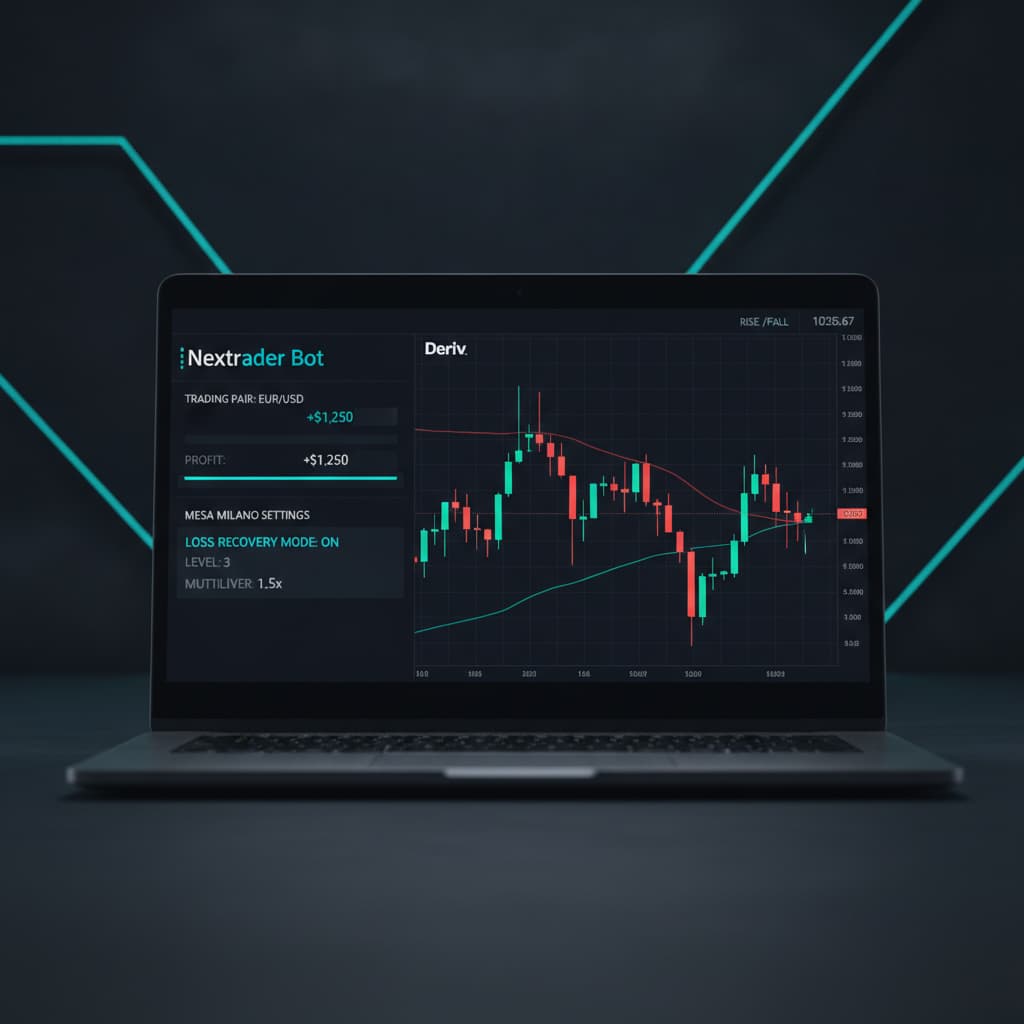
How to Configure Nextrader's Auto Trader Bot with Mesa Milano for Smart Loss Recovery on Deriv Rise/Fall Trades
Introduction
Welcome to this comprehensive tutorial designed to guide you through setting up one of Nextrader's most powerful features: the Auto Trader Bot, specifically configured with Mesa Milano for smart loss recovery on Deriv Rise/Fall trades. This guide is for Deriv traders, from beginners to experienced users, who are looking to leverage cutting-edge AI trading signals and sophisticated money management to automate their trading strategies. By the end of this tutorial, you will possess the knowledge to effectively deploy Nextrader’s robust deriv bots, aiming for consistent performance while intelligently mitigating risk through Mesa Milano's unique approach to recovering losses. You'll learn how to transform your trading approach using free ai trading signals and advanced deriv trading tools.
This tutorial will walk you through each step, from connecting your Deriv account to selecting specific AI strategies and activating the Mesa Milano money management system. We will focus on the popular Rise/Fall trade type, demonstrating how to combine real-time non-repaint signals with a smart recovery mechanism. Our goal is to empower you to set up your own automated trading system, enhancing your trading efficiency and potentially improving your risk-adjusted returns within the Nextrader ecosystem.
What You Need Before Starting
Before diving into the configuration, ensure you have the following ready:
- A Deriv Account: This can be a real (CR/CFD/Synthetic) or a demo account. We highly recommend starting with a demo account to test your configurations.
- A Nextrader Account: Access the Nextrader App at app.nextrader.live. If you haven't already, sign up – it's 100% free!
- Basic Understanding of Deriv Rise/Fall Trades: Familiarity with how Rise/Fall contracts work on Deriv will be beneficial.
- Stable Internet Connection: For uninterrupted bot operation and real-time signal processing.
Step 1: Accessing the Auto Trader Bot and Connecting Your Deriv Account
Your journey begins by accessing the heart of Nextrader's automation.
Get Live AI Trading Signals
Real-time non-repaint signals from 11 AI strategies — Volatility Indices, Forex, Gold & Crypto. No subscription, no paywall.
- Auto Trader Bot
- Digit Trader Bot
- 11 AI Strategies
- Live Telegram Signals
First, navigate your web browser to app.nextrader.live. If you're an existing user, simply log in with your credentials. If you're new to the Nextrader ecosystem, take a moment to sign up – it’s a quick and free process that unlocks a suite of powerful deriv trading tools, including our advanced deriv bots.
Once logged in, you'll be presented with the Nextrader dashboard. On the left-hand navigation panel, locate and click on the "Auto Trader Bot" option. This will open the dedicated interface for configuring your automated trading strategies.
The very first action within the Auto Trader Bot section is to connect your Deriv account. Nextrader integrates seamlessly with Deriv via its WebSocket API. You'll see an option to "Connect Deriv Account." Click this, and you'll typically be prompted to enter your Deriv API Token. To generate an API Token, log into your Deriv account, go to "Settings" > "API Token," and create a new token with all necessary permissions. Copy this token and paste it into the Nextrader prompt. Once connected, your Deriv account balance will be displayed, confirming a successful link. Nextrader also supports multi-account functionality, allowing you to manage several Deriv accounts from a single Nextrader interface, a significant advantage for traders managing diverse portfolios or testing strategies across different account types. This initial setup is crucial for any of the binary bots or deriv bots to function, as it establishes the direct communication channel required for placing trades.
Step 2: Selecting Your Trading Instrument and Trade Type
With your Deriv account successfully linked, the next step involves defining what you want to trade and how. This is where you specify the market and the exact contract type for your automated strategy.
Within the Auto Trader Bot interface, you'll find dropdown menus for selecting your desired trading instrument. Nextrader is built to support a wide array of Deriv assets, including popular synthetic indices like Volatility 10 (V10), Volatility 25 (V25), Volatility 50 (V50), Volatility 75 (V75), and Volatility 100 (V100), as well as the 1Hz indices. Beyond synthetics, you can also trade forex pairs, gold, silver, and even cryptocurrencies, all accessible through your Deriv account. For this tutorial, let's select a common synthetic index, for example, "Volatility 75 Index." This choice is often favored by traders due to its consistent volatility and liquidity, making it suitable for automated strategies.
Following the instrument selection, you need to define the "Trade Type." Nextrader supports various Deriv contract types, and for this tutorial, we are focusing specifically on "Rise/Fall." Select "Rise/Fall" from the available options. This contract type is one of the most fundamental and widely used on Deriv, where you predict whether the exit spot will be strictly higher (Rise) or strictly lower (Fall) than the entry spot. Once "Rise/Fall" is selected, you will also need to specify the contract duration. This can be defined in "Ticks" (e.g., 5 ticks, 10 ticks) or "Minutes" (e.g., 1 minute, 5 minutes). For automated trading, shorter durations like 5 or 10 ticks are often preferred for scalping strategies, while 1-minute or 5-minute durations can be suitable for slightly longer-term approaches. For demonstration purposes, let's select "10 Ticks" as our duration.
Step 3: Configuring AI Trading Signals and Initial Stake
This step is where Nextrader's intelligence truly shines, integrating its real-time ai trading signals directly into your automated strategy. These signals are a cornerstone of Nextrader's deriv trading tools, providing non-repaint analysis that fires only on CLOSED candles, ensuring reliability.
Within the Auto Trader Bot interface, look for the section dedicated to "Signal Configuration." Here, you'll choose how your bot will decide when to enter a trade. First, select the "Timeframe" for your signals. Nextrader offers 5min, 10min, 30min, and 1-hour timeframes. The choice of timeframe should align with your chosen contract duration and overall trading style. For a 10-tick Rise/Fall trade, a 5-minute or 10-minute signal timeframe might be appropriate, providing a balance between responsiveness and stability. Let's select "5min" for this example.
Next, you'll choose an "AI Strategy." Nextrader boasts 11 named AI strategies, each leveraging different technical indicators to generate signals. These include:
- Trend Hunter (EMA): Focuses on Exponential Moving Averages for trend following.
- Reversal Radar (RSI): Identifies potential reversals using the Relative Strength Index.
- Momentum Wave (MACD): Captures momentum shifts with the Moving Average Convergence Divergence.
- Volatility Pulse (Bollinger): Utilizes Bollinger Bands to gauge market volatility.
- Swift Scalper (Stochastic RSI): Designed for quick entries and exits based on Stochastic RSI.
- Trend Rider (SuperTrend): Follows trends with the SuperTrend indicator.
- Cloud Walker (Ichimoku): Employs the Ichimoku Cloud for comprehensive trend and support/resistance analysis.
- Price Magnet (VWAP): Leverages Volume Weighted Average Price for price action insights.
- Breakout Beast (ATR): Identifies potential breakouts using Average True Range.
- Smart Fusion (multi-indicator): A combination of multiple indicators for balanced signals.
- Smart Signals (4+ indicators): This is often the most robust choice, as it requires a minimum of 4 indicators to agree before firing a signal, leading to higher confidence levels (typically 30-85%).
For this tutorial, let's choose "Smart Signals" to benefit from its multi-indicator confirmation, which aims to provide higher-probability entries. Nextrader signals also provide "Confidence" levels (30-85%) and suggested Entry, Stop Loss, TP1, and TP2 levels, though for Rise/Fall trades, the bot will manage the entry and exit based on contract expiry.
Finally, set your "Initial Stake." This is the amount of capital your bot will use for its very first trade. It's crucial to start with a conservative amount, especially when testing new strategies or using a live account. For instance, you might set an initial stake of $0.35 or $1.00. Remember, the Mesa Milano strategy will adjust this stake based on prior trade outcomes, but this initial value sets the baseline. These robust ai trading signals are what set Nextrader apart, providing actionable insights for your automated binary bots.
Step 4: Implementing Mesa Milano for Smart Loss Recovery
This is the core of our tutorial: configuring Mesa Milano, Nextrader's intelligent money management system designed for smart loss recovery. Unlike traditional Martingale strategies that can lead to exponentially increasing stakes, Mesa Milano aims for a more controlled and sustainable recovery process.
Within the Auto Trader Bot's money management section, you will find options for "Fixed Stake," "Martingale," and "Mesa Milano." Select "Mesa Milano." Once chosen, the interface will present specific parameters related to this strategy. While the exact numerical inputs for Mesa Milano (beyond initial stake) are proprietary to its "smart loss recovery" logic, you will typically need to define overall risk management parameters that work in conjunction with it.
These include:
- Profit Target: Set a specific profit goal for the bot session (e.g., $10, $50). The bot will automatically stop trading once this target is reached. This is a critical component of responsible trading, ensuring you lock in gains.
- Stop Loss: Define the maximum amount of loss you are willing to incur during a single bot session (e.g., $20, $100). The bot will cease operations if this threshold is hit, protecting your capital from excessive drawdowns.
Mesa Milano's "smart loss recovery" mechanism works by intelligently adjusting the stake after a losing trade, but not in a rigid, geometrically increasing fashion like Martingale. Instead, it uses an adaptive algorithm to try and recover previous losses with a manageable increase in stake, aiming to return to profitability without putting your entire capital at undue risk. It's designed to be more resilient and sustainable over the long term, making it a standout feature among deriv bots. By selecting Mesa Milano, you're opting for a sophisticated approach to risk management, moving beyond simple binary bots to a system that thinks about your trading capital intelligently.
Step 5: Reviewing Settings and Starting the Bot
You're almost ready to unleash your automated trader! This final step involves a thorough review of all your configurations and the crucial action of starting the bot.
Before clicking "Start," take a moment to meticulously review every setting you've configured:
- Deriv Account: Ensure the correct Deriv account (demo or real) is connected.
- Trading Instrument: Confirm you've selected the desired asset (e.g., Volatility 75 Index).
- Trade Type & Duration: Verify "Rise/Fall" is selected with your chosen duration (e.g., 10 Ticks).
- AI Trading Signals: Double-check the timeframe (e.g., 5min) and the chosen AI Strategy (e.g., Smart Signals).
- Initial Stake: Confirm your starting stake amount (e.g., $0.35).
- Money Management (Mesa Milano): Ensure "Mesa Milano" is selected and that your "Profit Target" and "Stop Loss" values are set realistically according to your risk tolerance.
Once satisfied with all settings, locate the "Start Bot" button within the Auto Trader Bot interface and click it. The bot will immediately begin executing trades on your connected Deriv account based on the configured ai trading signals and Mesa Milano strategy.
As the bot runs, pay close attention to the "live P&L" (Profit & Loss) display, which updates in real-time, showing your session's performance. Below this, you'll find the "color-coded console," which provides a detailed log of every trade placed, its outcome (win/loss), and the stake used. This console is invaluable for monitoring the bot's activity and understanding how Mesa Milano is adjusting stakes after trades. Green entries typically indicate winning trades, while red signifies losses, providing clear visual feedback. Remember, you can stop the bot at any time by clicking the "Stop Bot" button, which is essential for managing your trading session actively. This comprehensive feedback loop is a testament to Nextrader's commitment to providing transparent and effective deriv trading tools.
Pro Tips
1. Always Start with a Demo Account: Before deploying any strategy on a live Deriv account, rigorously test it on a Deriv demo account. This allows you to understand its behavior, fine-tune parameters, and gain confidence without risking real capital. It's the safest way to experiment with different binary bots and signal configurations.
2. Monitor and Adapt: While the bot is automated, continuous monitoring is key. Use the "live P&L" and "color-coded console" to track performance. If market conditions change significantly, or if the bot isn't performing as expected, be prepared to pause, review your settings, and adapt your AI strategy or money management parameters.
3. Experiment with AI Strategies & Timeframes: Nextrader offers 11 distinct AI strategies (e.g., Trend Hunter, Reversal Radar, Smart Fusion, Smart Signals) across four timeframes. Don't be afraid to experiment to find the best combination for the specific instrument and market conditions you're trading. Different strategies might excel in trending markets versus ranging markets, or perform better on different synthetic indices.
4. Define Overall Session Risk with Stop Loss: Even with Mesa Milano's smart loss recovery, it's paramount to set a clear "Stop Loss" for the entire bot session. This acts as your ultimate safety net, ensuring that your capital is protected from unforeseen market movements or prolonged losing streaks, preventing significant drawdowns.
Start Now
Ready to elevate your Deriv trading with smart automation and intelligent risk management? Dive into the Nextrader ecosystem today and configure your Auto Trader Bot with Mesa Milano.
Visit the app: Nextrader App
Sign up for free: Sign Up Free — Nextrader
Join our Telegram community for tips and support: Telegram
Trading involves risk. Past performance does not guarantee future results.