

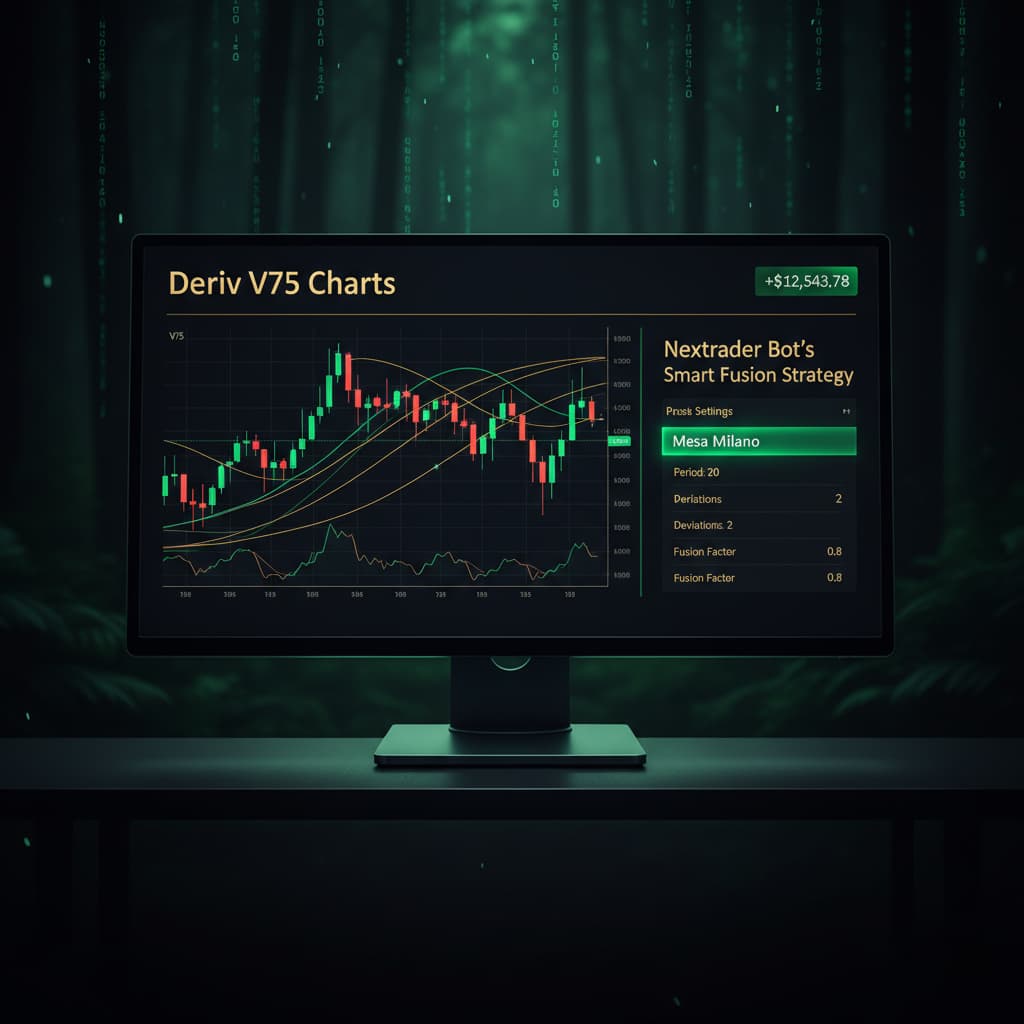
Introduction
Welcome, Nextrader! Are you ready to elevate your trading game on the Deriv platform? This comprehensive tutorial is designed for both novice and experienced traders looking to harness the power of automation on Volatility Indices. Specifically, we'll guide you through the process of setting up and running an automated trading bot for the highly dynamic Volatility 75 Index using Nextrader's advanced Smart Fusion strategy, complemented by the robust Mesa Milano money management system.
By the end of this guide, you will have a clear, step-by-step understanding of how to configure Nextrader's cutting-edge deriv bots to execute trades automatically on your Deriv account, aiming for consistent performance while mitigating risks. You'll learn how to connect your accounts, select the right market and strategy, fine-tune your money management, and monitor your automated trading activity with confidence. Get ready to transform your approach to Deriv trading with Nextrader's powerful deriv trading tools.
Nextrader is your ultimate partner for automated trading, offering 100% free access to all features, including real-time, non-repaint trading signals that fire only on closed candles, ensuring reliability. With multiple timeframes, diverse markets like Forex, Gold, Crypto, and Volatility Indices, and a suite of 11 named AI strategies, Nextrader provides unparalleled flexibility and power. Our Auto Trader Bot and Digit Trader Bot are designed to cater to various trading styles, making sophisticated binary bots accessible to everyone.
What You Need Before Starting
- Deriv.com Account: A live or demo account on Deriv.com. Ensure you have sufficient funds in your live account if you plan to trade with real money.
- Nextrader.live Account: A free Nextrader account. If you don't have one, you can sign up quickly at Sign Up Free — Nextrader.
- Basic Understanding of Volatility Indices: Familiarity with how Volatility 75 Index moves and its trading characteristics.
- Deriv API Token: You'll need to generate an API token from your Deriv account to connect it securely to Nextrader. This is a simple process within your Deriv security settings.
Step 1: Securely Connect Your Deriv Account to Nextrader
The first crucial step to automating your trades is to establish a secure connection between your Deriv trading account and Nextrader. This allows Nextrader's powerful binary bots to execute trades on your behalf.
Get Live AI Trading Signals
Real-time non-repaint signals from 11 AI strategies — Volatility Indices, Forex, Gold & Crypto. No subscription, no paywall.
- Auto Trader Bot
- Digit Trader Bot
- 11 AI Strategies
- Live Telegram Signals
- Log in to Nextrader: Navigate to Nextrader App and log in to your Nextrader account. If you're a new user, complete the quick sign-up process.
- Access Account Settings: Once logged in, look for the "Accounts" or "Settings" section, typically found in the main navigation or dashboard.
- Add Deriv API Token: Click on "Add New Account" or a similar option. You will be prompted to enter your Deriv API token.
* How to get your Deriv API Token:
* Go to Deriv.com and log in.
* Navigate to "Settings" -> "API Tokens".
* Click "Create a new token".
* Give your token a descriptive name (e.g., "Nextrader Bot").
* Crucially, ensure you grant the necessary permissions: "Read", "Trade", and "Cashier" (if you intend to manage funds through the API, though "Trade" is usually sufficient for bot execution).
* Copy the generated token.
* Paste this token into the designated field on Nextrader.
- Select Account Type: Nextrader supports multi-account functionality, allowing you to connect multiple Deriv accounts. After entering your token, select whether this connection is for your Deriv "Real" account or "Demo" account. For initial testing and learning, we highly recommend starting with a demo account to familiarize yourself with the platform and strategy performance without financial risk.
- Confirm Connection: Once you've entered the token and selected the account type, click "Connect" or "Save". Nextrader will verify the token, and upon successful connection, your Deriv account will appear in your Nextrader "Accounts" list, showing its current balance and status. Nextrader automatically integrates with Deriv WebSocket API using App ID 67545, ensuring a seamless and authorized connection.
Step 2: Select Volatility 75 Index and the Smart Fusion Strategy
With your Deriv account connected, it's time to configure the core elements of your automated trading system: the market and the strategy.
- Navigate to Auto Trader Bot: From your Nextrader dashboard, locate and click on the "Auto Trader Bot" section. This is where you'll set up all your automated trading parameters.
- Choose Your Market: In the "Market" dropdown menu, select "Volatility 75 Index (V75)". Nextrader offers a wide range of markets, including V10, V25, V50, V100, 1Hz, Forex, Gold, Silver, and Crypto, but for this tutorial, V75 is our focus due to its consistent volatility and high trading volume.
- Select Contract Type: For Volatility Indices, the most common contract types are "Rise/Fall" or "Higher/Lower". Choose "Rise/Fall" for this setup, which is ideal for predicting market direction.
- Choose AI Strategy: Smart Fusion: This is where Nextrader's intelligence shines. From the "AI Strategies" dropdown, select "Smart Fusion".
* About Smart Fusion: Unlike single-indicator strategies like Reversal Radar (RSI) or Trend Hunter (EMA crossover), Smart Fusion is a sophisticated multi-indicator strategy. It intelligently combines signals from four or more underlying indicators, providing highly filtered and robust trading signals. This multi-indicator agreement dramatically enhances the reliability of the real-time non-repaint trading signals, firing only on closed candles to prevent false entries.
- Select Timeframe: Nextrader offers signals across 4 timeframes: 5min, 10min, 30min, and 1 hour. For the Volatility 75 Index, which can be quite fast-moving, starting with a 5min or 10min timeframe might generate more frequent signals suitable for active trading. However, higher timeframes like 30min or 1 hour often provide more stable and reliable signals, albeit less frequently. For Smart Fusion on V75, let's begin with the 10min timeframe for a good balance of signal frequency and stability.
Step 3: Configure Mesa Milano Money Management for Smart Loss Recovery
Money management is the backbone of sustainable trading. Nextrader offers powerful options, and for this tutorial, we'll implement the intelligent Mesa Milano system.
- Locate Money Management Section: Within the "Auto Trader Bot" configuration, scroll down to find the "Money Management" section.
- Select Mesa Milano: From the available options (Fixed Stake, Martingale, Mesa Milano), choose "Mesa Milano".
* Understanding Mesa Milano: Unlike the aggressive Martingale system, Mesa Milano is a smart loss recovery strategy designed to recoup losses more intelligently. It aims to recover previous losses with a calculated increase in stake, but with built-in safeguards to prevent runaway losses. It’s a more refined approach to loss recovery, seeking to balance risk and reward.
- Set Initial Stake: Define your starting stake per trade. This is the amount you will risk on the first trade. For example, if you set it to "$1", the bot will place $1 on the first signal. Always start with a very small stake, especially on a live account, until you are confident in your settings.
- Configure Mesa Milano Parameters (if applicable): Nextrader's Mesa Milano implementation intelligently handles the stake adjustments. While the exact multiplier and recovery steps are often managed internally by Nextrader's AI, you might find options for:
* Max Loss Recovery Steps: A safety net to define how many consecutive losses Mesa Milano will attempt to recover before resetting to the initial stake. This prevents excessive stake increases during prolonged losing streaks.
* Target Profit per Recovery Cycle: The profit goal for each recovery cycle.
* Maximum Stake: An absolute limit on how high the stake can go, regardless of the recovery logic. This is crucial for risk control.
Carefully review and set these parameters. A conservative approach with a lower max stake and fewer recovery steps is advisable when starting. Remember, the goal of Mesa Milano is smart loss recovery, not reckless doubling down.
Step 4: Define Entry and Exit Parameters with Confidence Levels
Now that your market, strategy, and money management are in place, it's time to fine-tune how and when your deriv bots will enter and exit trades. Nextrader provides granular control over these critical parameters.
- Set Confidence Level: Locate the "Confidence Level" slider or input field. Nextrader assigns a confidence level (30-85%) to each signal, indicating the strength of the multi-indicator agreement.
* Recommendation: For Smart Fusion on V75, starting with a confidence level between 60% and 75% is a good practice. A higher confidence level means fewer signals but potentially higher accuracy, as more indicators agree. A lower level will generate more signals, but with potentially higher risk. Experimentation on a demo account is key to finding your sweet spot.
- Configure Stop Loss (SL): This is your primary risk management tool. Define your Stop Loss to limit potential losses on a single trade.
* Options: Nextrader typically allows you to set SL as a percentage of your stake, a fixed amount, or based on a specific price level (though for Rise/Fall, it's usually percentage/amount based).
* Example: If your initial stake is $10, and you set SL to 10%, the bot will exit the trade if the potential loss reaches $1.
- Set Take Profit (TP1 & TP2): Nextrader offers two Take Profit levels, allowing for partial profit-taking or scaling out of trades.
* Take Profit 1 (TP1): Set your first profit target. When this level is reached, the bot can either close a portion of your position or close the entire position, securing initial profits.
* Take Profit 2 (TP2): If you choose to scale out, TP2 would be a higher profit target for the remaining portion of your trade.
* Example: Set TP1 at 10% and TP2 at 20%. When TP1 is hit, you secure some profit. If the trade continues favorably, TP2 aims for a larger gain.
- Daily Limits (Optional but Recommended): Look for options like "Daily Stop Loss" and "Daily Take Profit". These are essential for overall account protection.
* Daily Stop Loss: A maximum cumulative loss your bot will incur in a 24-hour period before pausing. This prevents significant drawdowns on your account.
* Daily Take Profit: A target cumulative profit for the day. Once reached, the bot will pause, securing your daily gains.
* Max Trades per Day/Session: Limit the number of trades the bot can place within a specified period, helping to avoid overtrading.
Step 5: Activate, Monitor, and Optimize Your Automated V75 Trading
With all your parameters meticulously set, you're ready to unleash your Nextrader deriv bot! The final step involves activating the bot, closely monitoring its performance, and making informed adjustments.
- Review All Settings: Before hitting 'Start', take a moment to double-check every parameter you've configured: market (Volatility 75 Index), strategy (Smart Fusion), timeframe (10min), money management (Mesa Milano), initial stake, confidence level, Stop Loss, and Take Profit targets. Ensure everything aligns with your trading plan and risk tolerance.
- Activate the Bot: Once satisfied, click the prominent "Start Bot" or "Activate" button within the Auto Trader Bot interface. Nextrader's binary bots will now begin listening for Smart Fusion signals on the Volatility 75 Index (10min timeframe) that meet your specified confidence level.
- Monitor Live Performance: Immediately after activation, navigate to the "Trading Console" or "Live Trades" section. Here, you'll see a real-time, color-coded stream of your bot's activity:
* Signal Details: View the entry price, confidence level of each signal, and whether it resulted in a Rise or Fall prediction.
* Live P&L Tracking: Observe your profit and loss in real-time for each trade and cumulatively for the session.
* Trade Status: See open trades, closed trades, and their outcomes.
This real-time feedback is invaluable for understanding how your settings are performing in live market conditions. Remember that Nextrader's signals are non-repaint and only fire on closed candles, ensuring you're trading on confirmed data.
- Pause/Stop and Adjust: Should you need to halt the bot for any reason—to adjust settings, review performance, or due to market changes—simply click the "Pause Bot" or "Stop Bot" button. This allows you to make changes and then restart when ready.
- Optimization through Iteration: Automated trading is an iterative process. Based on your monitoring, you might find opportunities to optimize your settings. For example:
* If you're getting too many losing trades, consider increasing the confidence level or adjusting your Stop Loss.
* If you're missing opportunities, you might slightly lower the confidence level (with caution) or explore a different timeframe.
* Adjust Mesa Milano parameters if you find the recovery too aggressive or too slow. Always make small, incremental changes and test them thoroughly on a demo account first.
Pro Tips
- Always Start with Demo: Before deploying any deriv bots with real money, rigorously test your Smart Fusion strategy and Mesa Milano settings on a Deriv demo account. This allows you to fine-tune parameters, understand market behavior, and build confidence without financial risk.
- Explore Other AI Strategies: Nextrader offers 11 named AI strategies. While Smart Fusion is powerful, don't hesitate to explore others like Trend Rider (SuperTrend) for trend-following, Reversal Radar (RSI) for potential reversals, or Momentum Wave (MACD) for momentum plays. Different strategies might excel in varying market conditions or for different Volatility Indices.
- Leverage Telegram Signals: Subscribe to Telegram for free, real-time trading signals across 30 markets, delivered every 5 minutes. These signals can serve as a manual confirmation for your bot's automated trades or provide additional trading opportunities that your bot might not be configured for, enhancing your overall deriv trading tools arsenal.
- Beyond Rise/Fall with Digit Trader: If you're looking to diversify your automated trading, explore Nextrader's "Digit Trader Bot." This specialized binary bot focuses on AI last-digit prediction (DIGITEVEN/ODD/OVER/UNDER/MATCH/DIFF), tracking extensive digit history and boasting 95%+ pattern recognition accuracy. It's a completely different approach to binary bots and can be incredibly powerful for specific market conditions.
Start Trading Now
Ready to experience the power of automated trading? Join the Nextrader community today and revolutionize your Deriv trading.
Visit Nextrader App to get started, or sign up directly at Sign Up Free — Nextrader. For real-time signals and community insights, join our Telegram channel: Telegram.
Trading involves risk. Past performance does not guarantee future results.


