Introduction
Welcome to this comprehensive Nextrader tutorial! If you're looking to elevate your Deriv trading experience and automate your strategies on the volatile yet rewarding Volatility Indices, you've come to the right place. This guide is specifically designed for traders who want to harness the power of Nextrader's advanced automation capabilities to trade Deriv V75 Rise/Fall contracts.
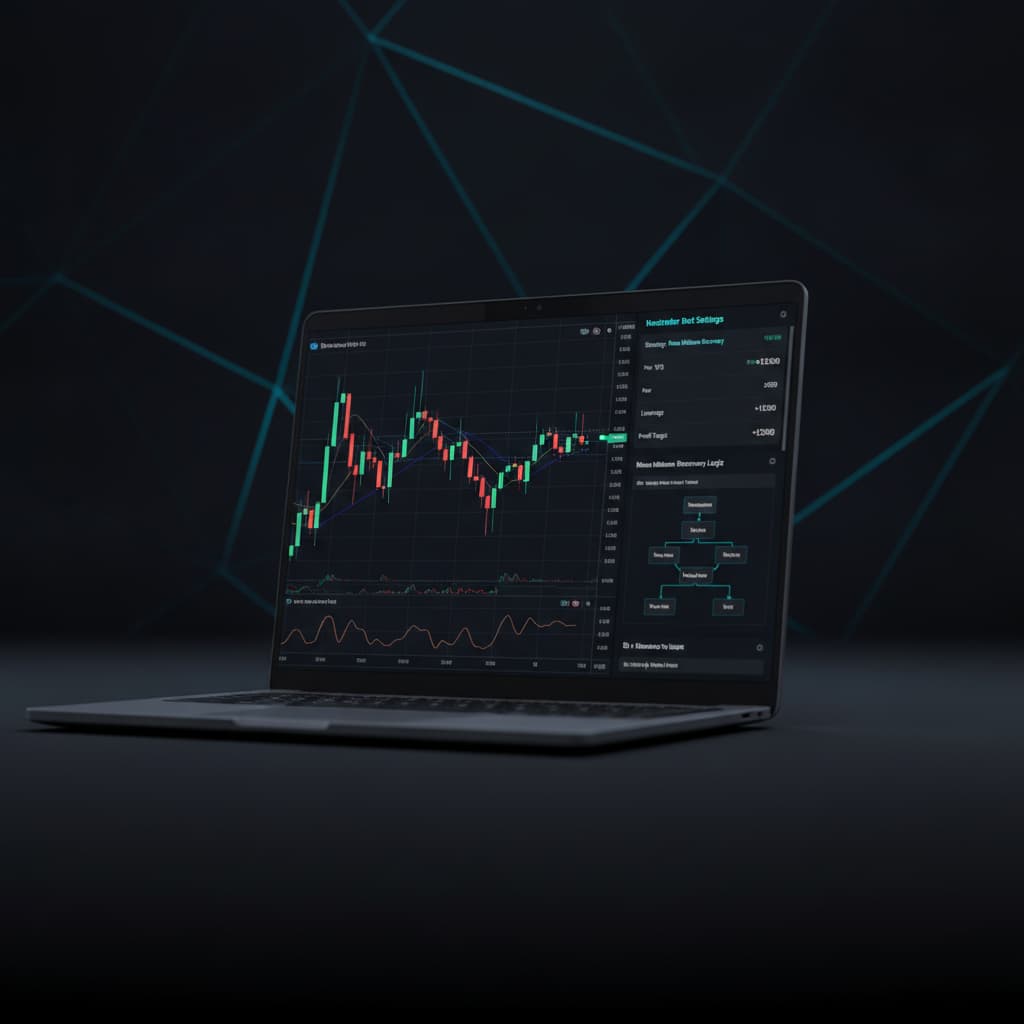
In this tutorial, we will walk you through the precise steps to set up Nextrader's powerful Auto Trader Bot, focusing on the V75 Volatility Index and the popular Rise/Fall contract type. Crucially, we'll dive deep into configuring the innovative Mesa Milano smart loss recovery system, a sophisticated money management strategy designed to help you navigate market fluctuations and recover from potential drawdowns intelligently. By the end of this guide, you will have a clear understanding of how to deploy one of the most effective deriv trading tools, Nextrader's Auto Trader Bot, to automate your V75 Rise/Fall trades with a robust money management framework.
What You Need Before Starting
Before we dive into the automation process, ensure you have the following ready:
- A Deriv Account: Both a real or demo account will work. We strongly recommend starting with a demo account to test your settings.
- A Nextrader Account: Nextrader is 100% free, with no subscriptions or paywalls. You can sign up easily at app.nextrader.live/signup.
- Basic Understanding of Rise/Fall Contracts: Familiarity with how Rise/Fall contracts work on Deriv will be beneficial.
- Stable Internet Connection: Essential for uninterrupted bot operation and real-time signal processing.
Step 1: Connecting Your Deriv Account to Nextrader
The first crucial step to automating your trades is securely connecting your Deriv account to Nextrader. Nextrader leverages the Deriv WebSocket API (App ID 67545) to ensure real-time, secure, and seamless communication between the platform and your Deriv trading account. This integration is the backbone of all Nextrader's deriv bots and binary bots functionality.
Get Live AI Trading Signals
Real-time non-repaint signals from 11 AI strategies — Volatility Indices, Forex, Gold & Crypto. No subscription, no paywall.
- Auto Trader Bot
- Digit Trader Bot
- 11 AI Strategies
- Live Telegram Signals
1. Access Nextrader: Open your web browser and navigate to Nextrader App Log in to your Nextrader account. If you don't have one, sign up – it's completely free.
2. Navigate to API Settings: Once logged in, look for the "Settings" or "API Integration" section on your Nextrader dashboard. This is usually found in the navigation menu or user profile dropdown.
3. Generate Deriv API Token: Open a new tab and log in to your Deriv account. Go to "Settings" -> "API Tokens". Here, you will need to create a new token. Ensure you grant the necessary permissions for "Read", "Trade", "Payments", and "Admin" (for full functionality, though "Read" and "Trade" are often sufficient for bot operation). Copy the generated API token.
4. Paste Token into Nextrader: Return to Nextrader's API Integration page. You'll find a field specifically designed for your Deriv API token. Paste the token you copied from Deriv into this field.
5. Connect and Verify: Click the "Connect" or "Save" button. Nextrader will attempt to establish a connection with your Deriv account. Upon successful connection, your Deriv account balance (demo or real) should be displayed, and your account ID should be visible within Nextrader's interface. Nextrader supports multi-account functionality, allowing you to manage several Deriv accounts from a single Nextrader dashboard, which is incredibly useful for diverse trading strategies or risk management.
Step 2: Navigating to the Auto Trader Bot and Selecting V75 Rise/Fall
With your Deriv account securely linked, it's time to set up the core automation. This step involves selecting the Auto Trader Bot, specifying your target market (V75), and choosing the Rise/Fall contract type.
1. Access the Auto Trader Bot: From your Nextrader dashboard, locate and click on the "Auto Trader Bot" option. This will take you to the bot configuration interface, which is the central hub for all automated deriv trading tools.
2. Select Market: Volatility Indices: Within the Auto Trader Bot interface, you'll see a dropdown menu labeled "Market." Click on this and select "Volatility Indices." Nextrader offers a wide range of markets, including Forex, Gold, Silver, and Crypto, but for this tutorial, we're focusing on Volatility Indices.
3. Choose Asset: V75: After selecting Volatility Indices, another dropdown will appear for "Asset." From this list, select "V75" (Volatility 75 Index). V75 is known for its consistent volatility, making it a popular choice for automated strategies.
4. Select Contract Type: Rise/Fall: Below the asset selection, you'll find the "Contract Type" dropdown. Choose "Rise/Fall." This contract type allows you to predict whether the market price will end higher or lower than the entry price at the end of the contract duration.
5. Set Timeframe: Nextrader provides signals across four timeframes: 5min, 10min, 30min, and 1 hour. For V75 Rise/Fall contracts, starting with a 30-minute or 1-hour timeframe can often provide more stable signals, especially when combining with smart money management like Mesa Milano. However, feel free to experiment with lower timeframes once you gain more experience. Remember, Nextrader's signals only fire on closed candles, ensuring non-repaint accuracy.
Step 3: Configuring Signal Strategy and Trade Parameters
Now that you've selected your market and contract type, it's time to define how the bot will identify trading opportunities and execute trades. Nextrader offers 11 named AI strategies, giving you immense flexibility.
1. Choose an AI Strategy: Under the "Signal Strategy" section, you'll find a dropdown with Nextrader's powerful AI strategies. For V75 Rise/Fall, we recommend starting with:
* Smart Signals: This is Nextrader's most robust strategy, requiring a minimum of 4 indicators to agree before a signal is generated. This multi-indicator approach often leads to higher confidence trades.
* Trend Hunter: Based on EMA crossover, this strategy is excellent for capturing sustained movements in trending markets like V75.
* Momentum Wave: Utilizes MACD to identify shifts in momentum, which can be very effective for Rise/Fall contracts.
Experiment with these, but "Smart Signals" is generally a strong starting point due to its multi-indicator confirmation.
2. Set Confidence Level: Nextrader provides a confidence level (30-85%) for each signal. This indicates the probability of the signal being successful based on historical data and indicator agreement. For V75, start with a conservative confidence level, such as 70% or 75%. This ensures the bot only takes trades with a higher probability of success.
3. Define Trade Duration: For Rise/Fall contracts, "Trade Duration" is crucial. This is how long each contract will last. You can set it in "Ticks" or "Minutes." A duration of 5 ticks or 1 minute is common for V75. Longer durations might be more suitable for higher timeframes or different strategies.
4. Set Initial Stake: This is the amount you will risk on the first trade. For new users and when testing, always start with a very small stake on your demo account (e.g., $0.35 or $0.50). This allows you to observe the bot's behavior without significant risk.
5. Review Entry Price, Stop Loss, Take Profit: While the bot automates entry, Nextrader also displays "Entry price, Stop Loss, Take Profit 1 & 2" for each signal. For Rise/Fall, especially with Mesa Milano, the primary risk management is handled by the money management strategy rather than fixed SL/TP levels, but these values give you insight into the signal's potential range.
Step 4: Implementing Mesa Milano Smart Loss Recovery
This is where Nextrader truly shines as one of the most advanced deriv trading tools. Mesa Milano is not just a simple martingale; it's a sophisticated smart loss recovery system designed to intelligently adjust your stake after a loss, aiming to recover previous losses and secure a profit, without excessively increasing risk like traditional martingale strategies.
1. Select Mesa Milano: Under the "Money Management" section of the Auto Trader Bot configuration, you will find options like "Fixed Stake," "Martingale," and "Mesa Milano." Select "Mesa Milano."
2. Understand Mesa Milano's Logic: Unlike Martingale, which simply doubles or multiplies the stake after a loss, Mesa Milano uses an intelligent algorithm. It calculates the optimal stake required to recover the accumulated losses from previous losing trades and achieve a predefined target profit. This makes it a more controlled and sustainable loss recovery method for binary bots. It's designed to minimize the impact of losing streaks while still providing a path to recovery.
3. Set Target Profit: This is the profit percentage you aim to achieve relative to your initial stake or balance. For example, if you set a 5% target profit, Mesa Milano will work towards recovering losses and making that 5% profit on top. Start with a modest target, such as 2-5% of your initial capital for each bot session.
4. Define Max Drawdown: This is arguably the most critical setting for risk management when using any loss recovery system. "Max Drawdown" specifies the maximum percentage of your account balance you are willing to lose before the bot automatically stops. For example, setting it to 20% means if your account balance drops by 20% from its peak, the bot will stop trading to protect your capital. This is your ultimate safety net. We recommend starting with a conservative Max Drawdown (e.g., 10-20%) on a demo account.
5. Review Other Settings: Ensure you have reviewed all other settings, such as "Stop Loss" and "Take Profit" (if applicable for your chosen contract type, though Mesa Milano handles stake adjustment primarily). The combination of a robust signal strategy and Mesa Milano's intelligent money management makes Nextrader a powerful platform for Deriv automation.
Step 5: Starting the Bot and Monitoring Performance
You've configured everything! Now it's time to put your deriv bot to work and monitor its performance.
1. Final Review: Before hitting "Start," take a moment to meticulously review all your settings:
* Market: Volatility Indices > V75
* Contract Type: Rise/Fall
* AI Strategy: Smart Signals (or your chosen strategy)
* Confidence Level: (e.g., 70-75%)
* Trade Duration: (e.g., 5 ticks or 1 minute)
* Initial Stake: (e.g., $0.35 - $1.00 on demo)
* Money Management: Mesa Milano
* Target Profit: (e.g., 2-5%)
* Max Drawdown: (e.g., 10-20%)
2. Start the Bot: Once confident in your settings, click the "Start Bot" button. The Auto Trader Bot will now begin to monitor the V75 market according to your chosen timeframe and strategy. When the specified number of indicators agree and the confidence level is met, it will automatically place Rise/Fall trades on your Deriv account.
3. Monitor Live Performance: Nextrader provides a real-time color-coded trading console. This console will display every trade the bot takes, showing the contract type, duration, outcome (win/loss), and profit/loss. You'll also see live P&L tracking, which updates with every trade, giving you an immediate overview of your bot's performance. The console's color coding helps you quickly identify winning (green) and losing (red) trades.
4. Observe and Adjust: Allow the bot to run for a period on your Deriv demo account. Observe how Mesa Milano handles losses and recovers. Pay attention to the frequency of trades, the success rate, and how quickly your target profit is reached (or how close you get to your max drawdown). Based on your observations, you can pause the bot at any time, adjust your settings (e.g., confidence level, initial stake, target profit, max drawdown), and restart to optimize performance. Remember, consistent monitoring and thoughtful adjustments are key to successful automated trading with any of Nextrader's deriv trading tools.
Pro Tips
Here are some practical tips to maximize your success with Nextrader's Auto Trader Bot and Mesa Milano:
- Always Start with a Demo Account: This cannot be stressed enough. Test all your strategies, timeframes, and money management settings on a Deriv demo account until you are consistently profitable and comfortable with the bot's behavior. This protects your real capital.
- Observe Before Automating: Before deploying the Auto Trader Bot, spend some time observing Nextrader's real-time signals. You can do this directly on the platform or by joining the official Telegram channel (Telegram) which provides signals for 30 markets every 5 minutes, up to 30 signals per day. This helps you understand the quality and frequency of signals for V75.
- Experiment with Timeframes: While we suggested 30min or 1-hour for V75, don't shy away from experimenting with 5min or 10min timeframes once you're comfortable. Different timeframes might perform better with specific AI strategies like Swift Scalper (Stochastic RSI) or Trend Rider (SuperTrend) on V75.
- Conservative Risk Management with Mesa Milano: Although Mesa Milano is a smart loss recovery system, it's not foolproof. Always set a conservative "Max Drawdown" that you are comfortable losing. Don't chase unrealistic profit targets. Even with advanced binary bots, capital preservation is paramount.
- Explore Other AI Strategies: Once you're proficient with "Smart Signals," try other Nextrader AI strategies like "Reversal Radar" (RSI), "Volatility Pulse" (Bollinger Bands), or "Cloud Walker" (Ichimoku) to see how they perform on V75 Rise/Fall or even other markets and contract types. Nextrader offers a comprehensive suite of deriv trading tools, including the Digit Trader Bot for last-digit prediction, which can diversify your automated trading portfolio.
Start Trading Now
Ready to experience the power of automated trading with Nextrader? Sign up for your free account today and start configuring your Auto Trader Bot for Deriv V75 Rise/Fall contracts with Mesa Milano smart loss recovery.
Visit Nextrader App to log in or Sign Up Free — Nextrader to create your free account.
For real-time signals and community updates, join our Telegram channel: Telegram
Trading involves risk. Past performance does not guarantee future results.