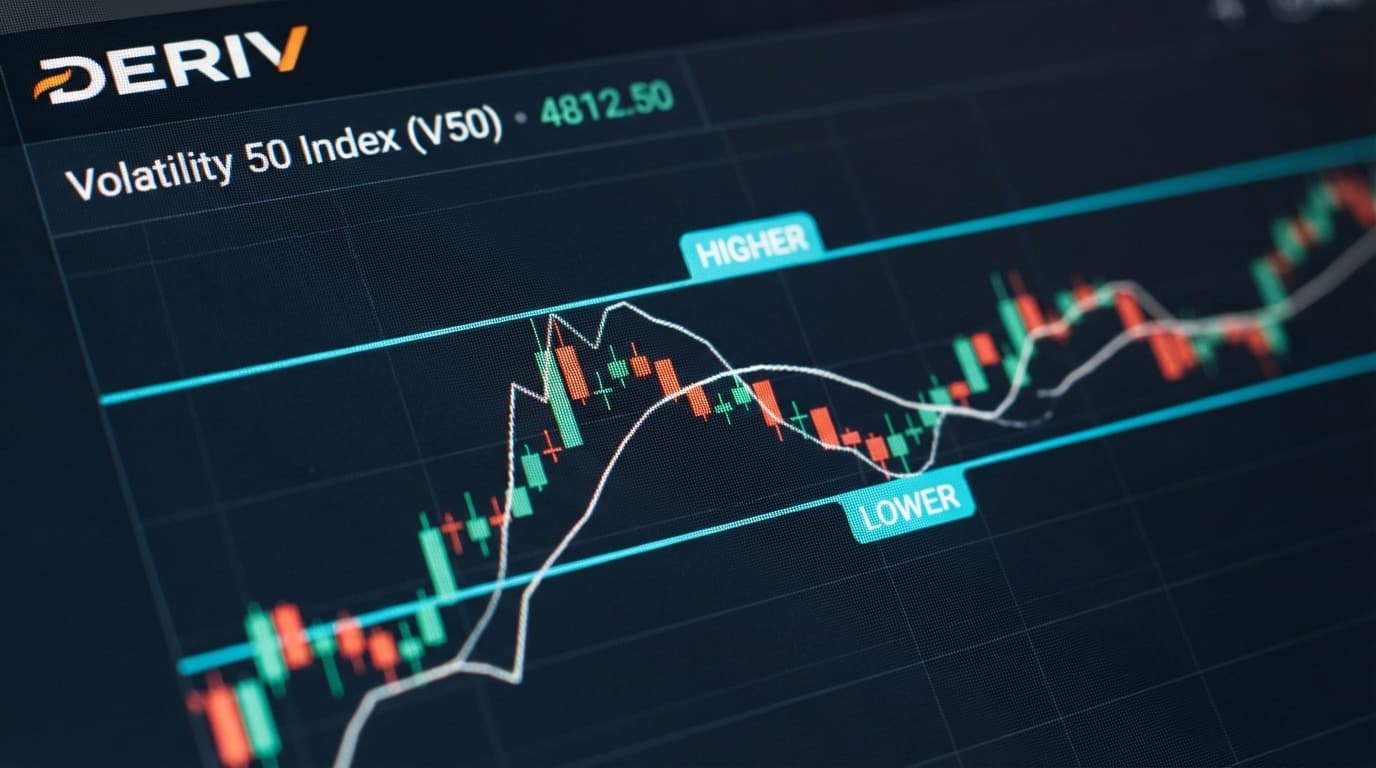
Volatility 50 (V50) maintains a predictable balance between extreme volatility indices like V100 and calmer markets like V10. This medium-intensity synthetic index moves with distinct momentum swings, making it ideal for directional options contracts. Pairing Volatility 50 with Higher/Lower contracts allows traders to introduce custom price barriers, giving setups a built-in safety net that standard Rise/Fall contracts lack.
Automating this approach requires high-probability triggers rather than guesswork. Nextrader provides real-time ai trading signals built specifically for synthetic market behavior. The Momentum Wave strategy isolates MACD histogram expansions, zero-line crossovers, and signal line divergences across closed candles. Running this strategy on a 10-minute timeframe eliminates market noise and filters out false breakouts that frequently trigger losses on lower timeframes.
Higher/Lower contracts function by setting an entry barrier offset. When taking a Higher contract on a bullish Momentum Wave alert, applying a negative barrier offset means the price only needs to finish above a point below your entry. Conversely, taking a Lower contract with a positive offset means the price can drift slightly against you and still settle in profit. Harnessing this mechanic alongside automated execution elevates standard trading beyond traditional manual execution.
The 60-Second Version
- Connect your Deriv API token to Nextrader and verify the WebSocket latency status.
- Filter AI Signals for Volatility 50 on the 10-minute timeframe using the Momentum Wave strategy.
- Open the Auto Trader Bot tab and select Higher/Lower as your contract type.
- Set your base stake, choose Mesa Milano or Fixed Stake money management, and define your barrier offsets.
- Turn on the bot to automatically execute trades whenever signal confidence hits 70% or higher on candle close.
Before You Begin
Confirm that three fundamental settings are configured before starting automated signal execution:
Get Live AI Trading Signals
Real-time non-repaint signals from 11 AI strategies — Volatility Indices, Forex, Gold & Crypto. No subscription, no paywall.
- Auto Trader Bot
- Digit Trader Bot
- 11 AI Strategies
- Live Telegram Signals
- Active Deriv Account: You need a registered Deriv account holding demo or real funds allocated for synthetic index trading.
- API Token with Trade Scope: Log into Deriv, navigate to Security & Privacy > API Token, and generate a token with both 'Read' and 'Trade' permissions.
- Nextrader Account Sync: Open Nextrader App and input your API token into the account manager. Ensure the server connection indicator displays green.
Having these prerequisites verified prevents order rejection or delayed execution when a signal triggers on a closed 10-minute candle. Nextrader delivers these web-based deriv trading tools completely free, eliminating subscription paywalls and third-party software overhead.
The Walkthrough
Step 1: Filter and Select 10-Minute Momentum Wave Signals
Navigate to the signal center inside Nextrader App. Set the market dropdown menu to Volatility 50 Index and set your analysis period to 10 minutes. The 10-minute timeframe offers a reliable balance between trade frequency and structural signal accuracy.
Select Momentum Wave (MACD) from the list of 11 algorithmic strategy engines. Momentum Wave measures moving average convergence and divergence vectors alongside momentum histogram expansion. Nextrader signals fire strictly on closed candles, guaranteeing zero repainting or shifting indicators mid-trade. Set your minimum confidence threshold filter to 70%. At this confidence rating, secondary indicators—such as RSI momentum and EMA crossovers—confirm the underlying MACD direction.
Step 2: Configure the Auto Trader Bot for Higher/Lower
Switch from the manual signal display to the Auto Trader Bot tab. Under the order execution parameters, switch the contract mode from Rise/Fall to Higher/Lower. While generic deriv bots execute simple directional contracts, Nextrader allows you to combine AI signal logic directly with specialized barrier contracts.
Link the Auto Trader Bot to your active 10-minute Volatility 50 Momentum Wave feed. Next, define your contract duration. For 10-minute signals, set the contract duration between 5 ticks and 10 minutes. A 5-tick duration captures immediate momentum surges directly off the new candle open, while a multi-minute duration allows the macro trend time to establish.
Step 3: Define Barrier Offsets and Money Management Rules
Barrier offsets shift your win condition in your favor. When the Momentum Wave algorithm triggers a BUY alert on Volatility 50, configure the bot to purchase a Higher contract with a negative barrier offset (for example, -0.50). This offset means the market can fall slightly or move sideways, and your trade still settles in profit. When a SELL alert triggers, execute a Lower contract with a positive barrier offset (for example, +0.50).
Select your preferred capital preservation model under the money management header. Fixed Stake maintains identical trade sizes across all signals, offering low risk during consolidating markets. If you prefer dynamic recovery, choose Mesa Milano mode. Unlike aggressive Martingale setups commonly found in standard binary bots, Mesa Milano scales recovery steps gradually across multiple successful cycles, protecting account balances from severe drawdown sequences.
Step 4: Execute, Monitor, and Adjust via the Live Console
Click the Start Bot button to activate automated monitoring. The execution system runs continuously over web sockets, evaluating every 10-minute Volatility 50 candle closure.
Track execution parameters through the live, color-coded console screen. Green log entries display validated signal confirmations, active contract IDs, and winning trade returns. Red entries flag filtered signals or lost options contracts. Real-time P&L trackers calculate total net returns after every settlement. If market volatility drops drastically, adjust your offset distances or pause execution directly through the central interface.
What Can Go Wrong
1. Barrier Offset Set Too Deep In The Money
Setting an offset too far beyond current market price drastically reduces your potential payout return (sometimes below 20%). Conversely, placing a barrier out-of-the-money to chase higher payout percentages causes frequent losses during low-volatility periods.
The Fix: Balance payout versus probability by keeping barrier offsets between 0.30 and 0.80 index points away from current spot price when trading 10-minute setups.
2. Timeframe Disconnect Between Signal and Expiry
Setting a 1-minute contract expiry on a 10-minute Momentum Wave signal causes structural execution conflicts. Micro-fluctuations within the open candle can trigger a loss before the longer-term 10-minute trend develops.
The Fix: Match contract expiry to the signal horizon. Use either a 5-tick duration for instant momentum entry on candle open, or match the duration closer to the 10-minute candle lifecycle.
3. Dropped WebSocket Connections During Candle Close
Browser power-saving features or local network interruption can drop your live WebSocket pipeline to Deriv. If the connection drops at the exact second a 10-minute candle closes, the incoming signal won't post an automated order.
The Fix: Keep Nextrader App open in a primary browser window or run the official Android app (com.vm.nextrader). Periodically check the header latency icon to confirm your connection remains active.
Start Now
Automating Higher/Lower synthetic setups using non-repainting AI triggers provides a structured approach to trading Volatility 50. Combining trend-following MACD calculations with custom safety offsets helps maximize execution quality.
Launch your automated setup directly at Nextrader App with zero subscription costs or hidden fees. Create your account at Sign Up Free — Nextrader to hook up your Deriv API key and run automated strategies instantly. Join thousands of active synthetic index traders, discuss custom offsets, and review strategy configurations in our official Telegram community at Telegram.
Trading involves risk. Past performance does not guarantee future results.