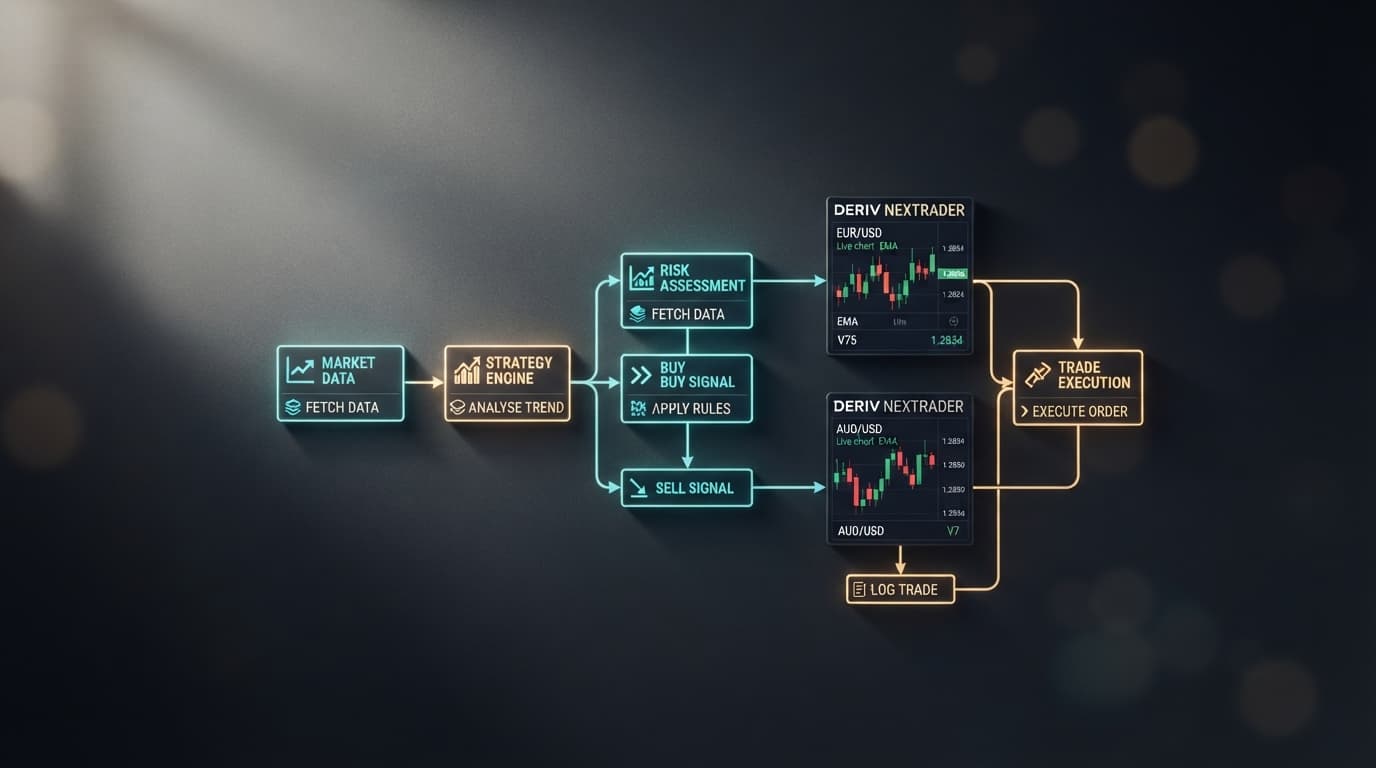
Loading Even Comet on NexTrader (NexTrader Bot) targets single-second digit reversals on Volatility 100 (1s) (V100 1Hz) without manual execution lag. Volatility 100 (1s) generates a new tick every second, creating rapid odd and even digit sequences where manual contract entries fall behind.
Automating parity strategies requires isolating entry windows after statistical anomalies—such as five consecutive odd digits—before executing an opposing Even contract. Running this process through NexTrader's 1-Tick Turbo speed mode eliminates execution delays on your Deriv demo or real account balance.
By launching the ready-to-run 1-Tick Turbo Even Comet deriv trading bot at NexTrader Bot, you gain direct access to an automated digit strategy on your visual workspace. This guide details how to calibrate block-level streak counts and dynamic payout caps inside NexTrader, converting Even Comet into a calibrated reversal engine on your account.
Step 1: Access the NexTrader Bot Hub and Load Even Comet
Navigate directly to the Bot Hub at NexTrader Bot. The platform hosts over 747 ready-to-run binary bots organized across various contract types, execution speeds, and asset classes.
Load a Free Deriv Bot in One Click
Browse 747+ ready-to-run Deriv bots — Rise/Fall, Over/Under, Even/Odd, Match/Differ. No coding, free forever.
- 747+ Free Bots
- One-Click Load
- Rise/Fall & Digits
- Demo or Real
To locate your target strategy quickly, select the Even/Odd contract filter from the top navigation bar and tick the 1-Tick Turbo speed tag. Locate Even Comet, which displays a high-speed execution profile engineered specifically for single-tick contract processing. Click the bot card to instantly populate its block workspace.
Unlike basic scripts, Even Comet loads approximately 48 structured logic blocks directly onto your visual canvas. These block modules handle everything from digit processing variables to entry conditions and post-trade accounting logic. You do not need to write code or configure manual files; every logic gate is exposed as an editable block parameter.
Step 2: Authenticate via Deriv API Token and Select Market
Once the ~48 logic blocks appear in your canvas workspace, locate the API connection field at the top header of NexTrader Bot. Paste your Deriv API token into the prompt and click connect.
The execution hub establishes a secure WebSocket connection directly with broker servers. Once authenticated, your live balance and demo account balance populate on the main dashboard toggle switch.
Next, navigate to the market definition block at the top of your visual logic stack (Market & Asset Initialization Block). Set the market parameters as follows:
- Market: Synthetic Indices
- Asset: Volatility 100 (1s) Index (
V100 1Hz) - Contract Type: Even/Odd
- Speed: 1-Tick Turbo
Selecting Volatility 100 (1s) ensures you receive a constant, uninterrupted stream of 60 tick evaluations per minute, maximizing the speed at which your parity analysis triggers fire.
Step 3: Calibrate the Consecutive Digit Streak Threshold
Generic parity strategies often fail because they place trades on every consecutive tick without filtering for statistical bias. In contrast, calibrating a streak threshold forces the bot to stay idle until the market reaches an overextended state.
Scroll down to the digit evaluation and analysis blocks within the Even Comet canvas workspace. Locate the variable definition block named Consecutive Odd Count and its corresponding logical comparator If Consecutive Odd Count >= Threshold.
By default, basic templates may trigger on 2 or 3 consecutive odd ticks. To isolate high-probability statistical micro-reversals, adjust this parameter:
- Open the conditional logic block containing
Threshold_Value. - Set the integer value to
5(or6for ultra-conservative setups). - Verify that the secondary condition checks
Last Digit % 2 != 0to confirm the tick ends in an odd number (1, 3, 5, 7, 9). - Ensure the execution purchase block is explicitly assigned to buy Even on the immediate 1-Tick Turbo execution pulse once the threshold condition evaluates to
True.
When configured to 5, the bot monitors the live tick stream passively. If the tick stream delivers digits 3 - 7 - 1 - 9 - 5, the counter reaches 5, triggering an immediate single-tick purchase for an Even contract on the very next tick. If an even digit appears anywhere in that sequence, the counter resets back to zero instantly.
Step 4: Configure Dynamic Payout Ceilings and Recovery Limits
Navigating to blocks 25 through 35 in Even Comet allows you to set explicit payout limits and loss multipliers before starting the engine:
1. Maximum Payout Ceiling Cap
Locate the block labeled Max_Payout_Limit or Stake_Ceiling. Define a hard cap of $50.00 with an initial stake of $1.00. If a dynamic recovery block calculates a stake that yields a payout above $50.00, the block logic aborts the escalation and resets the trade stake to your $1.00 baseline.
2. Post-Loss Multiplier and Streak Cap
Adjust the recovery parameter variable Loss_Multiplier. Set the multiplier between 1.9x and 2.0x to offset loss sequences on standard ~95% parity payouts, and lock Max Consecutive Loss Reset strictly to 3 steps.
- 1 Connect Deriv API token & select V100 (1s) asset
- 2 Set 'Consecutive Odd Count' streak trigger to 5 ticks
- 3 Configure $50 Max Payout Ceiling & initial $1 stake
- 4 Launch on Demo balance to verify execution & logs
Configuring these block parameters guarantees that even during extended odd digit runs, NexTrader halts stake compounding at your designated $50 payout limit to protect capital.
Step 5: Test Execution on Demo Balance and Monitor Dashboard Controls
Before committing live capital, test your calibrated block logic in a sandbox environment:
- Click the balance toggle switch in the upper control panel of NexTrader Bot to switch to Demo.
- Verify your virtual balance displays accurately on the live summary panel.
- Click the green Run button to launch the 1-Tick Turbo execution engine.
Observe the real-time execution dashboard on the side panel. The interface updates instantly with key diagnostic metrics:
- Tick-by-Tick Digit Stream: Displays the last digit of every V100 1s tick in real time with color-coded parity tags.
- Active Counter State: Tracks the current streak count (e.g.,
Odd Streak: 3/5). - Execution Latency & Trade Logs: Logs contract purchase times, entry ticks, exit ticks, and immediate win/loss settlement details.
- Session P/L & Win Rate: Computes total net return, current drawdown, and cumulative payout against your established payout caps.
Allow the bot to run across at least 50 to 100 individual trade triggers on demo. If the trade log confirms that entries fire exclusively after 5 consecutive odd digits and recovery stakes halt at your $50 ceiling cap, your setup is fully verified and ready for live execution.
Pro Tips for Advanced Digit Bot Tuning
- 1-Tick Turbo Optimization: Pair speed-optimized bots like Even Comet or Odd Bolt with 1-second index variants (
V100 1HzorV10 1Hz) to maximize trade frequency during high-volume sessions. Higher tick frequency reduces time spent waiting for streak triggers to form. - Multi-Bot Benchmarking: Do not limit your strategy testing to a single logic setup. Compare performance badges (Trending, Hot, Most-Used) inside the Bot Hub at NexTrader Bot. Test alternative Even/Odd block variants such as Odd Bolt under similar risk controls to evaluate streak sensitivity and signal performance.
- Community Strategy Sharing: Connect with quantitative traders in our official Telegram community at Telegram. Members frequently share custom block configuration presets, streak thresholds, and empirical parity frequency data across different synthetic volatility indices.
Start Now
Automating your digit parity strategy on Deriv does not require expensive software or complex coding languages.
Head over to NexTrader Bot right now to load the Even Comet free deriv bot. Create your free ecosystem account at Sign Up Free — Nextrader, calibrate your streak thresholds, establish your payout ceilings, and run your automated strategy on a demo or real balance today. Join our growing trader community at Telegram to exchange strategy presets and optimize your bots alongside hundreds of active quantitative traders.
Trading involves risk. Past performance does not guarantee future results.