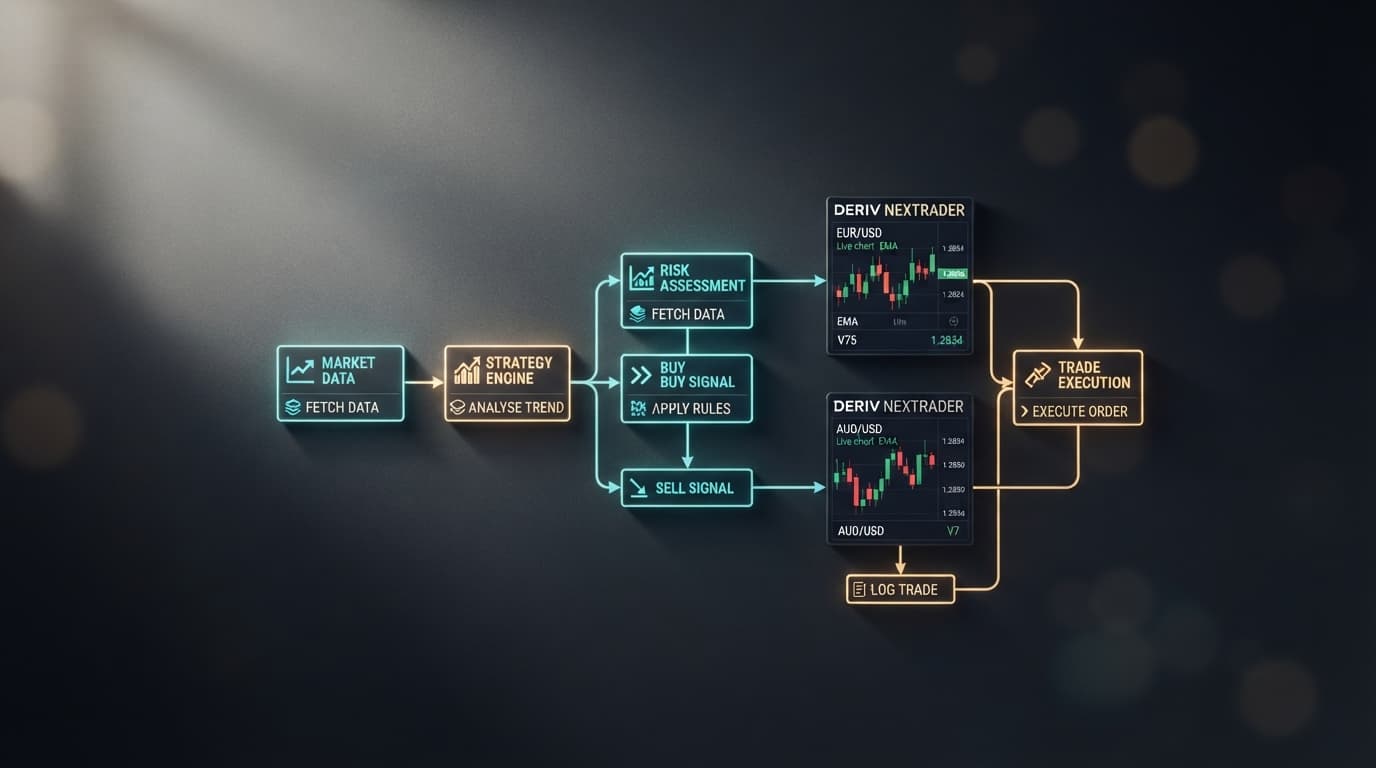
Free Deriv Bots GitHub Alternative: How to Inspect, Load, and Run Block XML Strategies in One Click
Traders can instantly access and execute over 747+ free automated trading scripts across Rise/Fall, Over/Under, and Digit contract types at NexTrader Bot without paying for software or troubleshooting broken code. If you are searching for free deriv bots github repositories, you are likely looking for functional, open-source XML block setups without dealing with paywalls, missing block variables, or syntax errors.
Sourcing raw .xml bot files from unmaintained public repositories creates significant friction for systematic traders. When you import an outdated GitHub script, the engine frequently throws XML schema mismatch errors, missing block definition warnings, or unrecognized function calls. A single broken variable or missing tick parameter inside a raw script can cause contracts to fail mid-session, reject trade calls, or execute unexpected orders.
NexTrader solves this technical hurdle by replacing manual XML downloads with a native block runner connected directly to the official Deriv WebSocket API. By authorizing your session with an API token, you can visually inspect complete strategy architectures (~48 blocks per bot) and launch pre-tested trading algorithms directly on your demo or real account balance.
Accessing a Free Deriv Bot Hub Without Manual XML Setup
Rather than spending hours troubleshooting unverified repository files, the NexTrader Bot library at NexTrader Bot gives you instant access to 747+ tested strategies organized across Free Bots and Premium Bots tiers in the Bot Hub. Every free deriv bot in the ecosystem is constructed with roughly 48 modular visual logic blocks, removing the need to write custom Javascript or debug raw XML strings.
Load a Free Deriv Bot in One Click
Browse 747+ ready-to-run Deriv bots — Rise/Fall, Over/Under, Even/Odd, Match/Differ. No coding, free forever.
- 747+ Free Bots
- One-Click Load
- Rise/Fall & Digits
- Demo or Real
The strategy hub supports all core synthetic index markets, including Volatility 10 (V10), Volatility 25 (V25), Volatility 50 (V50), Volatility 75 (V75), Volatility 100 (V100), and high-frequency 1Hz (1-second tick) indices. Beyond synthetics, the library extends to major forex pairs, gold, silver, and cryptocurrency markets.
Execution architectures inside the engine are built for standard 1-Tick contracts as well as 1-Tick Turbo speeds. Instead of manually editing XML blocks to modify contract speed or market selection, these named bots come pre-configured for immediate deployment:
| Bot Name | Contract Type | Market | What It Does |
|---|---|---|---|
| Rise Rocket | Rise/Fall | Volatility 75 (V75) | Executes rapid 1-Tick Rise contracts on micro-trend shifts. |
| Fall Falcon | Rise/Fall | Volatility 100 (1s) (1Hz) | Captures 1-Tick downward price momentum. |
| Even Comet | Even/Odd | Volatility 25 (V25) | Evaluates last-digit parities for 1-Tick Even contract sequences. |
| Over 2 Blaze | Over/Under | Volatility 50 (V50) | Executes 1-Tick Turbo contracts on last-digits greater than 2. |
| Under 8 Flash | Over/Under | Volatility 10 (V10) | Filters last-digit outputs for 1-Tick Turbo trades staying under 8. |
| Odd Bolt | Even/Odd | Volatility 75 (1s) (1Hz) | Scans tick stream for digit imbalances to trigger Odd contracts. |
Every deriv trading bot listed in the Bot Hub displays real-time execution statistics, active user counters, and performance badges such as Trending, Hot, or Most-used, allowing you to select algorithms based on active community utilization rather than blind guessing.
Why Raw GitHub XML Code Breaks vs. One-Click Execution
Understanding how bot strategies are loaded and processed helps prevent technical failures during live sessions. Traditional workflows rely on manual file transfers, whereas modern API environments stream block logic directly into an active runner.
#### The NexTrader One-Click Route
NexTrader eliminates manual file handling entirely by standardizing the execution pathway inside your browser:
- Visit NexTrader Bot and input your Deriv API token to link your trading account balance.
- Open the Bot Hub to filter 747+ pre-tested algorithms by contract type (Rise/Fall, Over/Under, Even/Odd, Match/Differ) or strategy badges (Trending, Hot, Most-used).
- Select your target named bot, such as Rise Rocket for micro-trend momentum or Over 2 Blaze for 1-Tick Turbo digit runs.
- Click Load & Run to push the bot's pre-configured ~48 visual blocks straight to the runner without downloading any files to your drive.
- Monitor live execution metrics, win/loss rates, and current profit outputs on the dashboard with immediate Run/Stop toggle controls.
Auditing GitHub Visual Block Variables in the NexTrader Editor
Every free deriv bot script imported from GitHub or loaded from the Bot Hub exposes its underlying ~48 visual logic blocks inside the NexTrader runner. Before initiating automated contract orders on a live session, you must inspect the variable definitions to ensure parameter consistency across your strategy:
- Stake & Base Amount Blocks: Locate the numerical input variable blocks for initial trade size (such as
$1.00) and ensure the recovery multiplier variable (such as2.0x) connects directly to the post-loss conditional logic branch. - Target Profit Variables: Verify the session take-profit numerical block value (such as
$5.00) inside the block workspace so the engine triggers a session halt upon reaching target returns. - Stop-Loss & Drawdown Cap Blocks: Set the maximum stop-loss variable block to
$10.00and inspect the loop condition block to verify that consecutive loss counters reset after a winning trade. - Contract Duration & Market Variables: Check the market block settings (such as Volatility 75 or Volatility 100 1Hz) and tick duration variables (1-Tick vs 1-Tick Turbo) to verify that tick intervals match the intended index speed before clicking run.
Troubleshooting GitHub XML Import and Block Errors
Running imported GitHub block strategies on synthetic indices can produce execution warnings when XML schemas or variable definitions conflict with active API endpoints. Below are three common block execution issues and how to resolve them inside the NexTrader interface:
#### Symptom 1: XML Schema Mismatch or Undefined Block Warning
- Fix: Public GitHub repositories often contain legacy XML tags from deprecated block structures. When loading a custom
.xmlfile, check the visual workspace for highlighted red block parameters or missing logic inputs. Replace outdated custom block structures by selecting a pre-maintained equivalent from the 747+ bots in the NexTrader Bot Hub, where block definitions are updated for current API standards.
#### Symptom 2: Unlinked Variable Parameter Error During Execution
- Fix: If a loaded GitHub script triggers a "Variable Not Defined" error upon hitting Run, open the strategy's block tree and locate orphaned variable blocks (such as unattached
Stake,Martingale Multiplier, orPredictionblocks). Re-snap the missing variable block into its corresponding slot inside the "Before Purchase" or "On Strategy Start" visual container.
#### Symptom 3: Rejected Contract Call due to Invalid Duration Blocks
- Fix: Third-party GitHub scripts designed for standard 1-Tick contracts frequently break when forced onto 1Hz (1-second) synthetic indices if the tick duration block isn't configured correctly. Inspect the "Trade Options" block parameter in the editor, ensure the duration unit is explicitly set to
1and contract type set to Ticks, and test execution using a Deriv demo balance before initiating live orders.
Access over 747+ ready-to-run bots completely free at NexTrader Bot. Create your free account at Sign Up Free — Nextrader and join our Telegram community at Telegram to discuss block strategy builds, script optimization, and real-time setup parameters with other systematic traders.
Trading involves risk. Past performance does not guarantee future results.