

Introduction
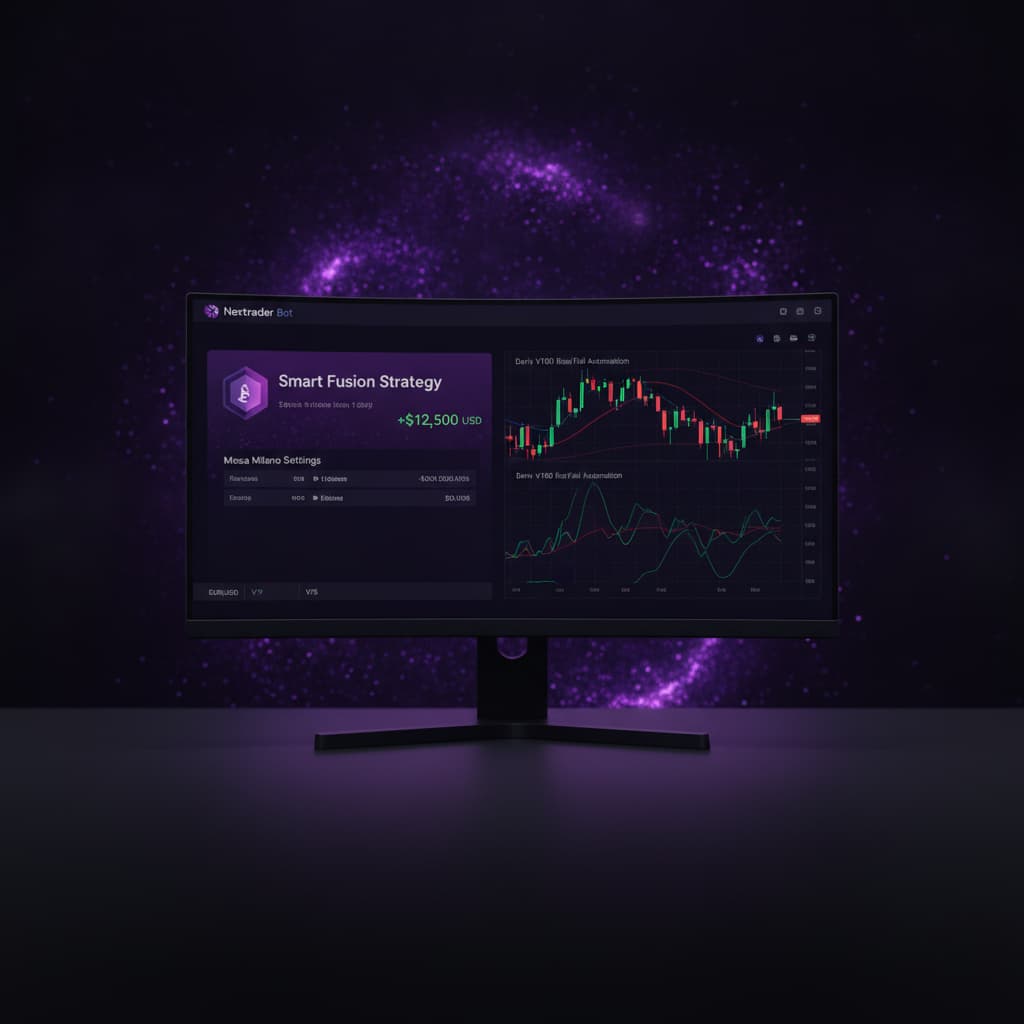
Welcome to this in-depth tutorial from Nextrader, your ultimate destination for powerful, free trading signals and automation tools. In this guide, we're going to demystify the process of automating your trading on Deriv's highly popular Volatility 100 Index (V100) using Nextrader's advanced Auto Trader Bot. Specifically, we'll focus on Rise/Fall contracts, leveraging the intelligent multi-indicator "Smart Fusion" strategy, and employing the sophisticated "Mesa Milano" money management system for smart loss recovery.
This tutorial is designed for both novice and experienced traders looking to enhance their Deriv trading experience through automation. If you're tired of manual execution, seeking to apply robust strategies consistently, and eager to manage risk intelligently, you've come to the right place. By the end of this step-by-step guide, you will be able to confidently set up your Nextrader Auto Trader Bot to execute V100 Rise/Fall contracts with precision, allowing you to free up your time and apply a disciplined approach to the markets. Get ready to transform your trading approach with one of the most effective deriv trading tools available.
Nextrader is committed to providing a 100% free platform, meaning no subscriptions or paywalls – all features, including our powerful deriv bots and binary bots, are unlocked for every user. Our real-time non-repaint trading signals fire only on closed candles, ensuring reliability, and require a minimum of 3-4 indicators to agree, giving you high-confidence entry points across various markets like Volatility Indices, Forex, Gold, Silver, and Crypto.
What You Need Before Starting
Before we dive into the setup, make sure you have the following ready:
Get Live AI Trading Signals
Real-time non-repaint signals from 11 AI strategies — Volatility Indices, Forex, Gold & Crypto. No subscription, no paywall.
- Auto Trader Bot
- Digit Trader Bot
- 11 AI Strategies
- Live Telegram Signals
- A Verified Deriv.com Account: This is where your trades will be executed. Ensure you have some funds in your real account (or use a demo account for practice) and that your account is fully verified.
- A Free Nextrader Account: If you haven't already, sign up for a free account at Sign Up Free — Nextrader. No credit card required, ever.
- Basic Understanding of Rise/Fall Contracts: Familiarity with how Rise/Fall contracts work on Deriv will help you understand the bot's actions better.
- Awareness of Volatility Indices: V100 (Volatility 100 Index) is a synthetic index that mimics real-world market volatility, providing continuous trading opportunities.
Step 1: Accessing Nextrader and Connecting Your Deriv Account
The very first step is to get connected. Nextrader integrates seamlessly with your Deriv account, allowing for real-time signal processing and automated trade execution.
- Navigate to the Nextrader Web Platform: Open your web browser and go to Nextrader App.
- Log In or Sign Up: If you're a new user, click on "Sign Up" and follow the simple steps to create your free account. Existing users can simply log in with their credentials.
- Connect Your Deriv Account: Once logged in, you'll see a prominent "Connect Deriv" button, typically located at the top of the dashboard or within a dedicated settings section. Click this button.
- Authorize Access: A new window or tab will open, redirecting you to Deriv's authorization page. Nextrader uses Deriv's official WebSocket API (App ID 67545), which is pre-configured for a secure connection. Simply click "Allow" or "Authorize" to grant Nextrader permission to trade on your behalf. This connection is secure and only allows trading actions, not access to your personal Deriv account details.
- Verify Connection: Once authorized, you will be redirected back to the Nextrader dashboard. You should see your Deriv account balance displayed, and the real-time color-coded trading console will start updating, indicating a successful connection. This console is one of the powerful deriv trading tools that provide live P&L tracking and trade status.
Pro Tip: Always ensure you are connected to the correct Deriv account (demo or real) before starting any automated trading. You can easily switch between accounts within the Nextrader interface if you have multi-account support configured.
Step 2: Navigating to the Auto Trader Bot and Selecting Market/Contract
With your Deriv account linked, it's time to tell Nextrader what you want to trade and how. The Auto Trader Bot is your gateway to automated trading across various markets and contract types.
- Locate the "Auto Trader Bot": On the Nextrader dashboard, typically found in the main navigation or a prominent section, click on the "Auto Trader Bot" option. This will take you to the bot configuration interface.
- Select Your Market: Within the Auto Trader Bot interface, you'll find a dropdown or selection panel for "Markets." For this tutorial, we are focusing on Volatility Indices. From the list, select "Volatility 100 Index" (V100). Nextrader supports a wide range of Volatility Indices (V10, V25, V50, V75, V100 + 1Hz), Forex, Gold, Silver, and Crypto, giving you immense flexibility for your deriv bots.
- Choose Contract Type: Next, you need to specify the contract type. For this tutorial, select "Rise/Fall." This contract type pays out if the exit spot is strictly higher (Rise) or strictly lower (Fall) than the entry spot. The Auto Trader Bot also supports "Higher/Lower" contracts, but Rise/Fall is often favored for its straightforward nature in capturing directional movements.
Why V100 Rise/Fall? The V100 Index is known for its consistent volatility, making it an excellent market for directional strategies like Rise/Fall. Nextrader's signals are specifically designed to capitalize on these movements, providing high-confidence entry points.
Step 3: Configuring the Smart Fusion Strategy and Timeframe
Now we'll define the intelligence behind your bot – the trading strategy and the timeframe for signal generation. Nextrader offers 11 named AI strategies, each with a unique approach.
- Select "Smart Fusion" Strategy: In the "Strategy" section of the Auto Trader Bot interface, locate and click on "Smart Fusion." The Smart Fusion strategy is one of Nextrader's most robust multi-indicator approaches. It's designed to generate signals only when 4 or more underlying technical indicators agree on a potential market direction. This significantly increases the confidence level of each signal, making it a powerful choice for automated trading. Unlike simpler strategies like Trend Hunter (EMA crossover) or Reversal Radar (RSI), Smart Fusion offers a comprehensive, filtered approach.
- Choose a Timeframe: Below the strategy selection, you'll find options for "Timeframe." Nextrader generates signals across 4 timeframes: 5min, 10min, 30min, and 1 hour. For V100 Rise/Fall contracts, a shorter to medium timeframe is often effective for capturing intraday movements. Let's select "5min" or "10min" for this setup. Remember, Nextrader's real-time non-repaint trading signals fire exclusively on CLOSED candles for the chosen timeframe, ensuring that signals are confirmed and stable.
- Set Confidence Level: Nextrader provides a "Confidence Level" for each signal, ranging from 30% to 85%. This indicates the probability of success based on historical patterns and indicator agreement. For the Smart Fusion strategy, which is already highly filtered, setting a slightly higher confidence level can further refine your trades. For this tutorial, let's set it to "65% - 75%." This means the bot will only execute trades when the Smart Fusion strategy generates a signal with at least 65-75% confidence. You'll also see Entry Price, Stop Loss, and Take Profit 1 & 2 values displayed for each signal.
Strategy Insights: While Smart Fusion is excellent for comprehensive analysis, Nextrader also offers strategies like Momentum Wave (MACD) for trend strength, Volatility Pulse (Bollinger Bands) for range-bound markets, or Swift Scalper (Stochastic RSI) for quick entries, providing diverse options for your deriv bots.
Step 4: Setting Up Mesa Milano Money Management
Money management is crucial for long-term success in trading. Nextrader's Auto Trader Bot offers advanced options, including the innovative Mesa Milano.
- Select "Mesa Milano" Money Management: In the "Money Management" section of the bot interface, click on "Mesa Milano." This is Nextrader's smart loss recovery system. Unlike the aggressive stake increases of a traditional Martingale system, Mesa Milano uses an intelligent algorithm to recover previous losses with smaller, more calculated stake adjustments, aiming for sustainable growth and minimizing drawdown. It’s a sophisticated approach for binary bots.
- Set Initial Stake: This is the amount your bot will wager on its first trade. It's crucial to start small, especially when testing a new setup. For V100, a volatile market, we recommend starting with a very conservative stake, such as "$0.35" or "$0.50." You can adjust this later as you gain confidence.
- Define Target Profit: This is the profit goal for your bot session. Once this target is reached, the bot will automatically stop trading. Set a realistic target, for example, "5% - 10%" of your current capital. For instance, if you have $100, a 5% target would be $5.
- Set Stop Loss: Equally important is defining your maximum acceptable loss. If your bot reaches this loss threshold, it will automatically stop trading, protecting your capital. Set a stop loss, for example, "10% - 15%" of your capital. This ensures that you don't incur excessive losses during adverse market conditions.
Mesa Milano vs. Other Options: While Fixed Stake offers consistent trade sizes and Martingale aims for quick loss recovery with exponential stakes, Mesa Milano strikes a balance, providing smart loss recovery that is less risky than Martingale while still aiming to recover losses efficiently. This makes it a preferred choice for many using Nextrader's deriv bots.
Step 5: Reviewing Settings and Starting the Bot
You're almost there! A final review ensures everything is configured correctly before you unleash your automated trading system.
- Review All Configurations: Before starting, take a moment to carefully review all the settings you've applied:
* Market: Volatility 100 Index (V100)
* Contract Type: Rise/Fall
* Strategy: Smart Fusion
* Timeframe: 5min or 10min
* Confidence Level: 65% - 75%
* Money Management: Mesa Milano
* Initial Stake: $0.35 - $0.50
* Target Profit: 5% - 10%
* Stop Loss: 10% - 15%
- Check the Trading Console: Observe the real-time color-coded trading console. You'll see live P&L tracking and indications of market activity. This is where your bot's performance will be displayed once it starts trading.
- Start the Bot: Once you are satisfied with all the settings, locate and click the "Start Bot" button. The bot will now begin to monitor the V100 market on your chosen timeframe. When the Smart Fusion strategy generates a Rise or Fall signal with the specified confidence level on a closed candle, and your current P&L is within your target/stop loss limits, the bot will automatically place a Rise/Fall contract on your Deriv account.
- Monitor Performance: Keep an eye on the trading console for live updates on trades, profits, and losses. You can pause or stop the bot at any time if you wish to make adjustments or cease trading. Nextrader’s live P&L tracking ensures you are always informed.
Important Note: Automated trading requires monitoring, especially when you are starting with a new configuration. Markets can be unpredictable, and while Nextrader's deriv trading tools are powerful, no system guarantees profits.
Pro Tips
- Start with Demo Account: Always test your bot configurations on a Deriv demo account first. This allows you to fine-tune your settings, understand the bot's behavior, and gain confidence without risking real capital.
- Experiment with Confidence Levels: While Smart Fusion is robust, try adjusting the "Confidence Level" up or down. A higher confidence (e.g., 80-85%) might yield fewer but potentially higher-quality trades, while a lower one might increase trade frequency.
- Diversify Your Strategies: Don't limit yourself to just Smart Fusion. Explore other Nextrader strategies like Trend Rider (SuperTrend) or Cloud Walker (Ichimoku) on different Volatility Indices (e.g., V75, V25) or even Forex and Gold markets. Each strategy has its strengths and might perform better in different market conditions.
- Leverage Telegram Signals: Join our Telegram channel at Telegram. You'll receive up to 30 signals per day across 30 markets, every 5 minutes. Use these signals as a manual confirmation tool, to scout for optimal market conditions, or even to manually place trades alongside your bot.
- Explore Digit Trader Bot: For a completely different approach to binary trading, check out Nextrader's Digit Trader Bot. It specializes in AI last-digit prediction (DIGITEVEN/ODD/OVER/UNDER/MATCH/DIFF), tracks extensive digit history, and boasts 95%+ pattern recognition accuracy. It's another powerful one of our binary bots for specific market niches.
Start Trading Now
Ready to experience the power of automated trading? Head over to Nextrader App to log in or Sign Up Free — Nextrader to create your free account today. Don't forget to join our vibrant trading community and get free signals on Telegram: Telegram.
Trading involves risk. Past performance does not guarantee future results.


